Dakewe(Shenzhen)Medical Equipment Co,. Ltd 30 V4.1
5. 5 System Setting
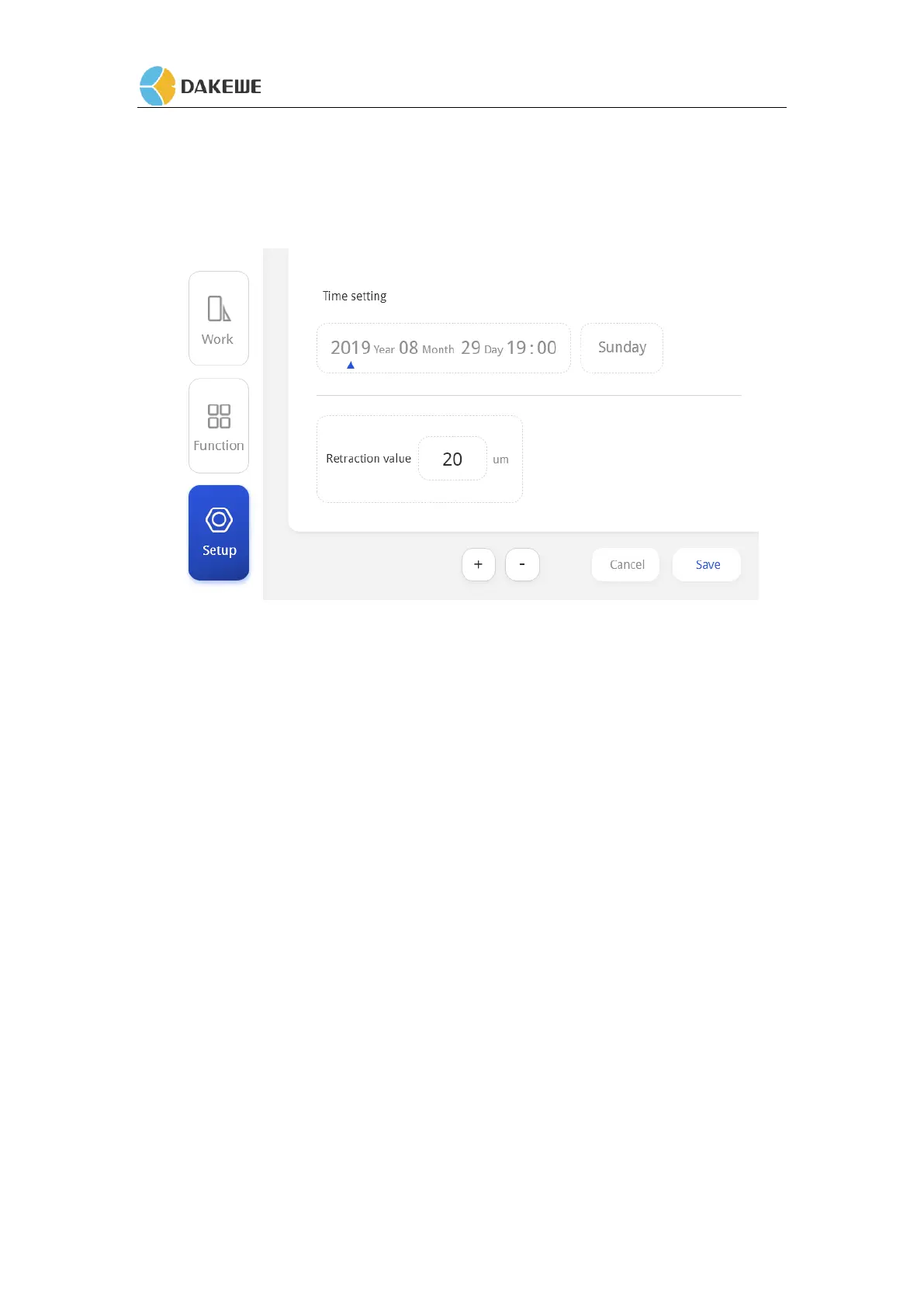
5.5.1 System Time Setting
1. The day of the week is generated by comparison with the system date. If the system date is
changed, the week will follow the change.
2. Click the time setting and press the "+" and "-" icons to adjust the value (the first two "20"
of the year cannot be modified);
3. Press the "Save" button to save the set time, and the system time on the working interface
will be changed synchronously.
5.5.2 Slice Retraction Value Setting
Press the button“+” and “-” to increase or decrease the retraction stroke. The retraction stroke
range is 0--100um. Each time you press and decrease, the value increases or decreases by 5um.


 To Next Page