IV. Instructions before Use
Dakewe (Shenzhen) Medical Equipment Co., Ltd. 29
www.dakewemedical.com
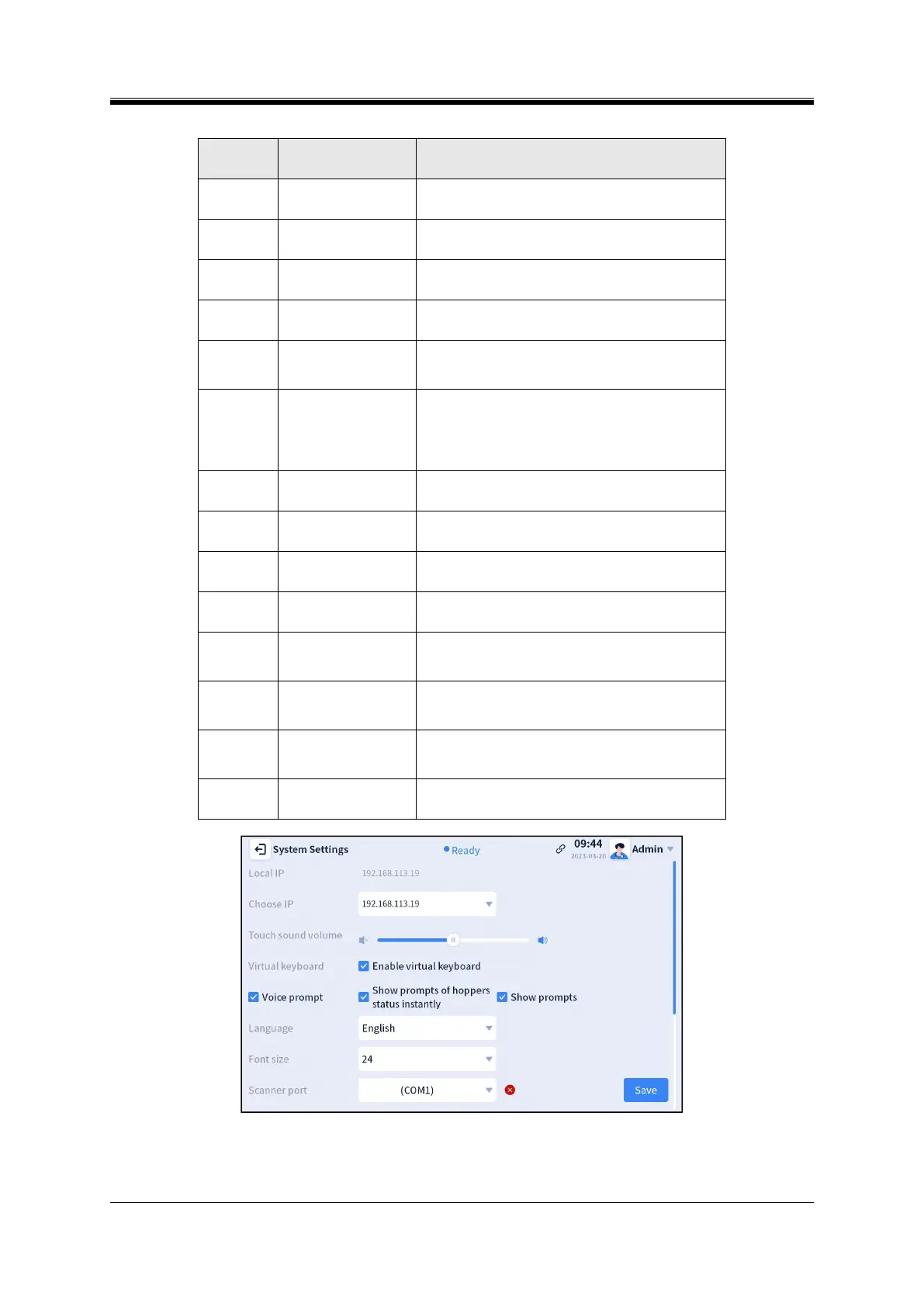
Table4- 5 Functions description of system settings interface
Displays the IP address of the device currently
online.
Displays the valid IP address of the current device.
To adjust the sound volume when touching the
screen by clicking or dragging
When enabled, the virtual keyboard will appear by
clicking the input box; otherwise, it will not appear
When enabled, the voice prompt will appear for
prompting in a certain scenario, for example,
“Printing complete!”
Show prompts of
channel status
instantly
(unavailable for
S100)
When enabled, it will prompt immediately when the
slide in a hopper is exhausted...
When enabled, a pop-up box will be displayed in a
certain scenario, for example, “Printing complete!”
To switch the software interface and prompt
language
To modify the font size displayed on the interface
To select the serial port corresponding to the
scanning gun when connecting the scanning gun
To enable the permission system by checking this
option, and select a permission level from the
drop-down list on the right of the interface
In the ready state, the laser will be put to sleep
when the instrument is not operated for a period of
time you set
In the ready state, the galvanometer will go to sleep
when the instrument is not operated for the period
of time you set
To modify the current date format displayed in the
Status Bar of homepage
Figure 4- 27 System Settings 1



 To Next Page