IV. Instructions before Use
28 Dakewe (Shenzhen) Medical Equipment Co., Ltd.
www.dakewemedical.com
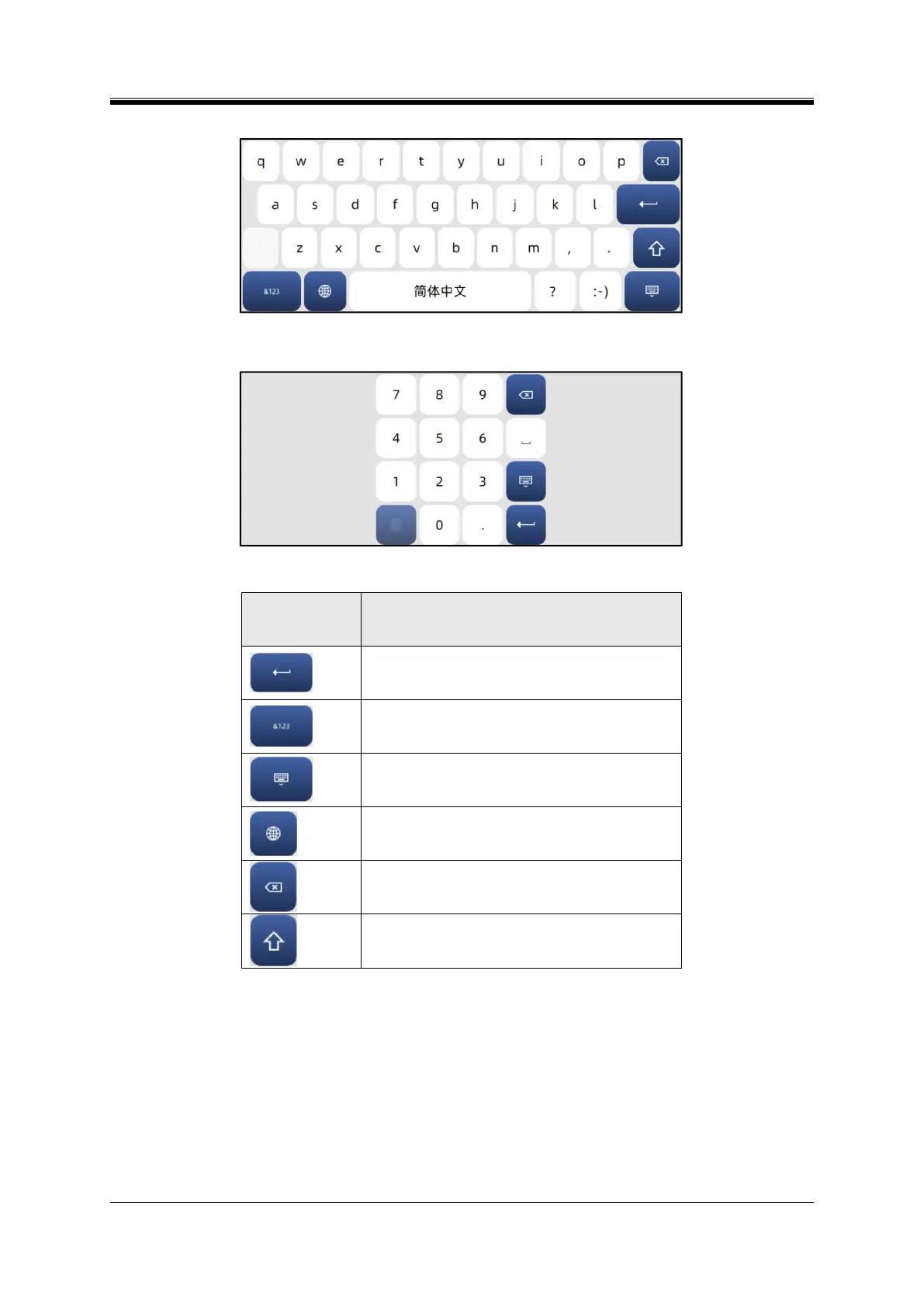
Simplified Chinese keyboards (Figure 4- 25);
Figure 4- 25 Simplified Chinese keyboards
Numeric keyboard (Figure 4- 26).
Figure 4- 26 Numeric keyboard
Table4- 4 Description of the main buttons of the soft keyboard
Confirm button: Press this button to save changes or
confirm.
Switch button: Press this button to switch between
letters, numbers and special characters.
Hide button: Press this button to hide the virtual
keyboard.
Language button: Press this button to switch keyboard
language.
Delete button: Press this button to delete the previous
character.
Caps lock button: Press this button to switch between
uppercase and lowercase.
(4) System Settings
The System Settings interface (Figure 4-27) consists of multiple system and prompt-related settings,
which can be fully viewed by swiping down the scroll bar (Figure 4-28).



 To Next Page