IV. Instructions before Use
Dakewe (Shenzhen) Medical Equipment Co., Ltd. 15
www.dakewemedical.com
IV. Instructions before Use
(1) Description of Print Method
1. Print mode
The Dakewe Slide Printer S200 has three options for print mode: on-demand mode, batch mode, and
auto mode, which can be changed on the homepage or [Menu] - [Print Settings] - [Others] interface. The
S200Pro has the batch mode only, and the S100 has the on-demand mode only.
Table 4- 1 Print mode(s) of each model
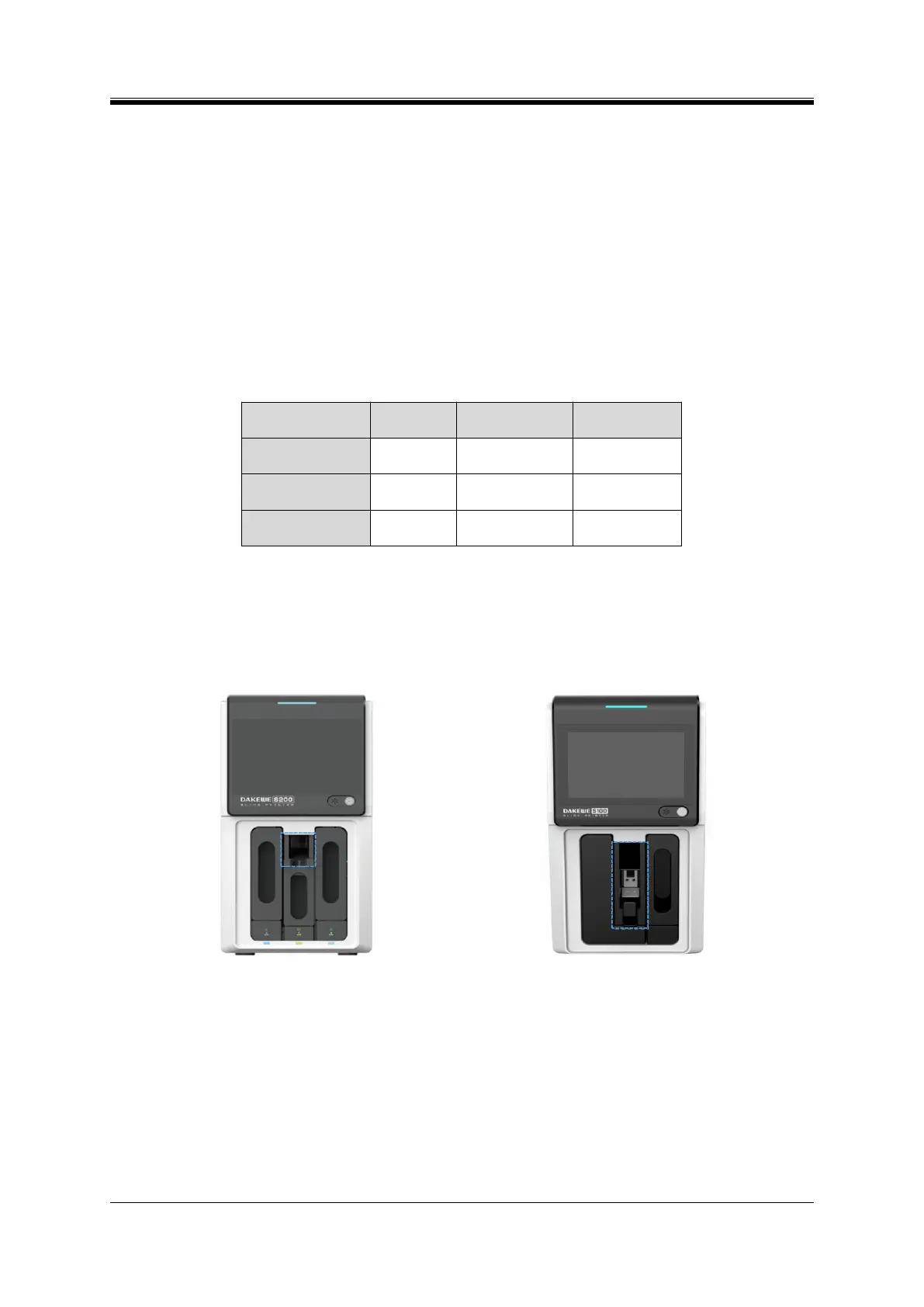
On-demand printing mode: After the ID is printed, the slides can be taken out from the on-demand
output. For S200 (Figure 4-1), it is advised to remove the slides from the output when 1-3 slides are
accumulated. For S100 (Figure 4-2), printing stops once 20 slides are printed and stored in the on-demand
output hopper.
Figure 4- 1 S200 On-demand output hopper
Figure 4- 2 S100 On-demand output hopper
Batch printing mode: The printed slides are delivered to the batch output hopper. To ensure smooth
operation, the software stops printing when the number of slides stored in the output hopper reaches its
capacity, and give a voice prompt of "Please take out the slides from the output hopper". The S200 (Figure
4-3) batch output hopper has a standard capacity of 50 slides; the S200Pro (Figure 4-4) output hopper has a
standard capacity of 100 slides.
Auto mode: The appropriate output hopper is automatically selected according to the number of print


 To Next Page