V. Computer Software
Dakewe (Shenzhen) Medical Equipment Co., Ltd. 57
www.dakewemedical.com
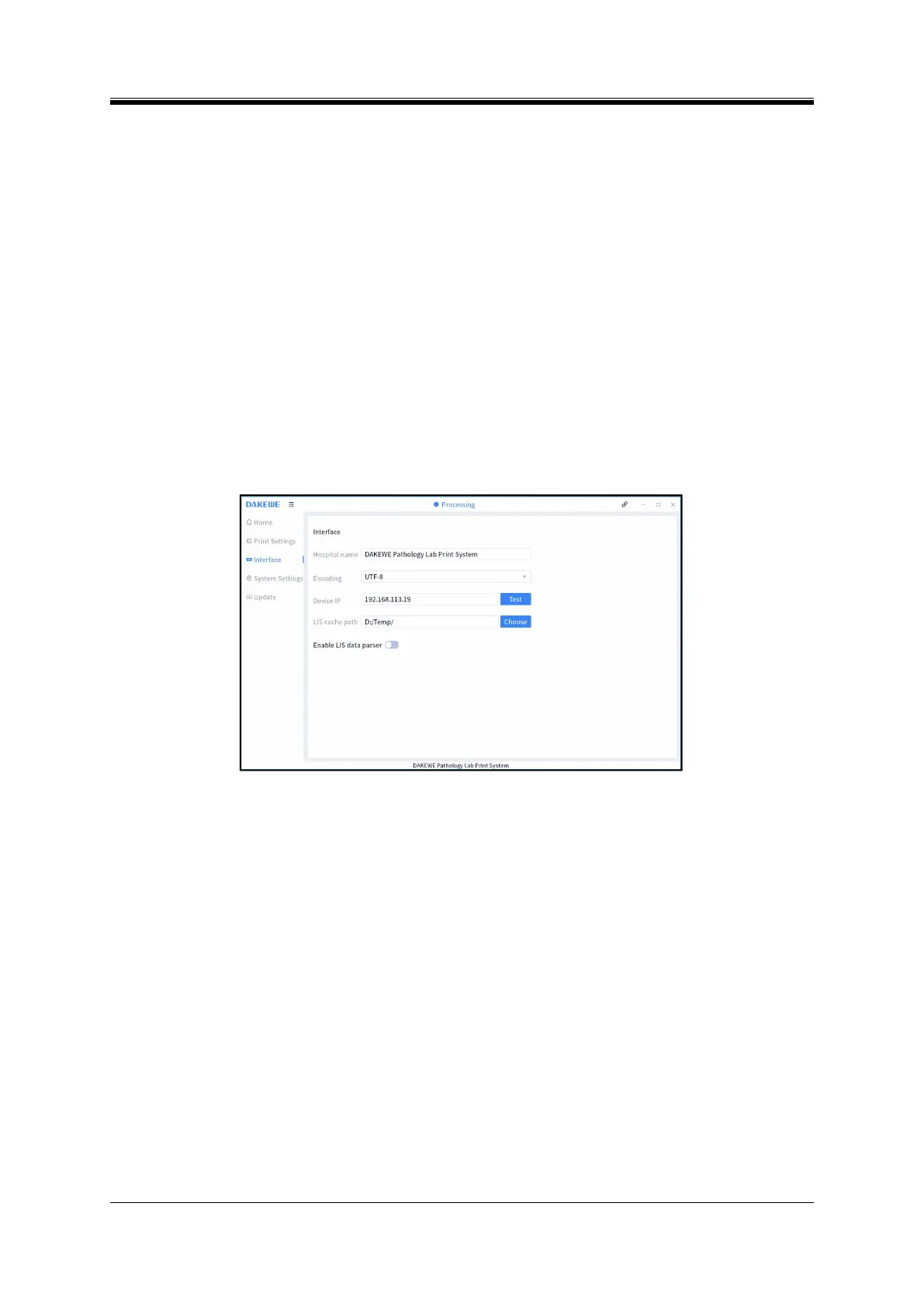
Information System (Figure 5-14).
Hospital name: It refers to the name displayed in the middle of the bottom of the software, which
can be modified.
Encoding: Refers to the encoding format of the data file generated by the pathology system. The
default format is UTF-8.
Instrument IP: It refers to the IP of Slide Printer.
LIS Cache Path: It refers to the storage path of the parsing file generated by the pathology
information system.
Enable Parse: This function shall be enabled when connecting to the pathology information system.
After the function is enabled, the user can select from the parsing methods: “Custom Rules” and
“Parser”. “Custom Rules” is used to be compatible with the parsing function of a lower version; in
this case, simply select the name of the custom rule from the second drop-down box.“Parser”is used
for custom parsing rules. For details, see section 5.7 Pathology Information System Parser.
Figure 5- 14 PC software - Interface setting
(7) Pathology Information System Parser
In order to improve the accuracy of data entry and simplify the operation steps, you can connect LIS and
print through pathological analysis program. The following 5 steps are required to connect LIS:
Step 1: Complete the connection between the PC and the instrument software, Detailed operation steps:
Set the computer IP address, see 5.3 IP address settings;
Set the device IP in the interface of the computer software system-interface setting. See 5.6
Interface settings for the device IP;
After setting, click the "Test" button. If "Connection succeeded!" is displayed (Figure 5-15), the
device IP is set successfully; If "Connection failed!" is displayed, please reset it;



 To Next Page