V. Computer Software
58 Dakewe (Shenzhen) Medical Equipment Co., Ltd.
www.dakewemedical.com
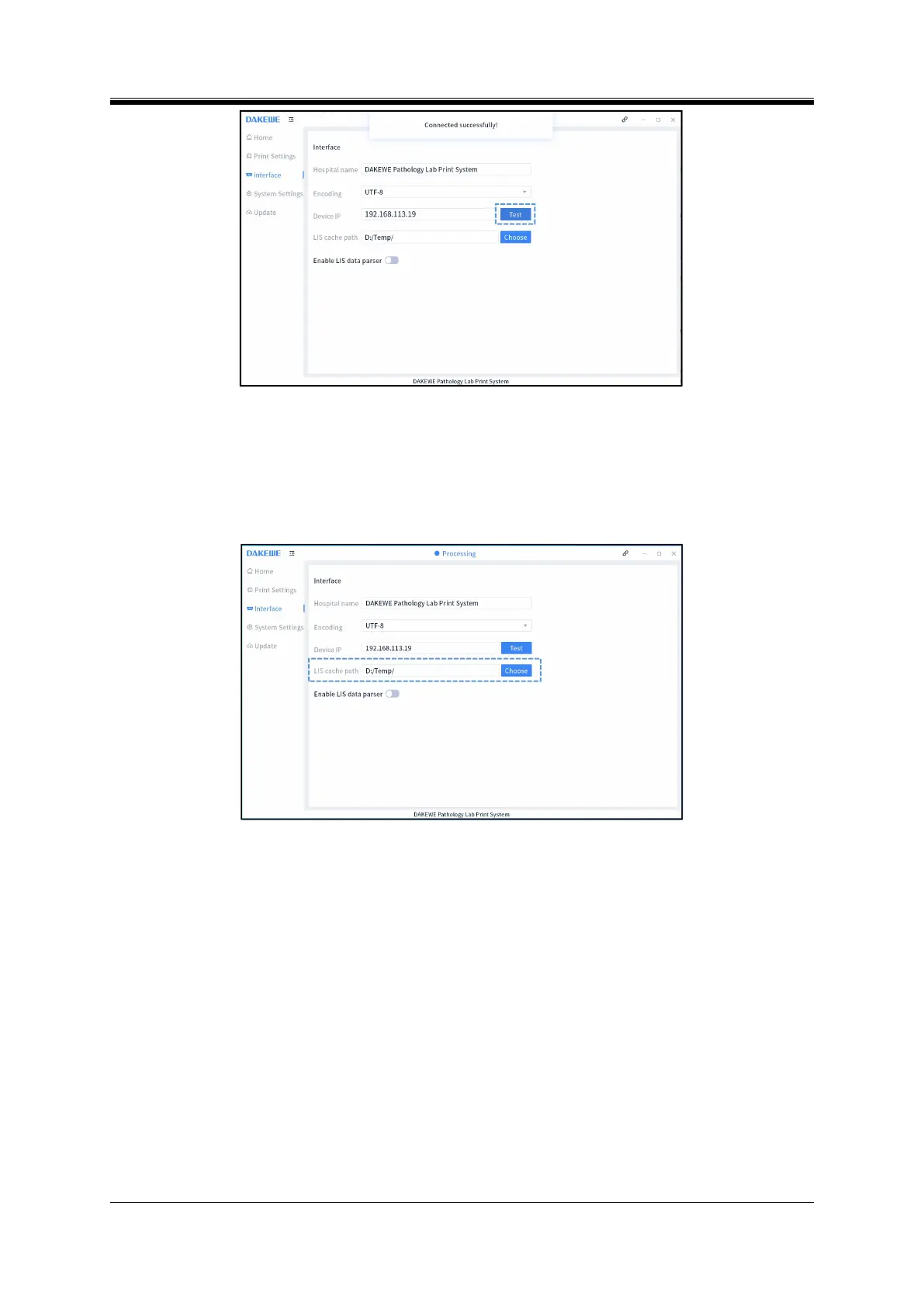
Figure 5- 15 Device IP test
Restart the computer software system, and check that the online identifier is black, which means
online success.
Step 2: Enter the interface settings of the PC software, click “Choose” on the right side, and select the
path of parse files generated by LIS (Figure 5-16).
Figure 5- 16 select the path of parse files
Step 3: Enable the parse function of Pathology Information System: Click and configure the parse
rules of Pathology System.
Step 4: Enter the New parse rules interface, Detailed operation steps:
Select “Parser”
Select “New” to create a new parse rule file (Figure 5-18);



 To Next Page