IV. Instructions before Use
Dakewe (Shenzhen) Medical Equipment Co., Ltd. 31
www.dakewemedical.com
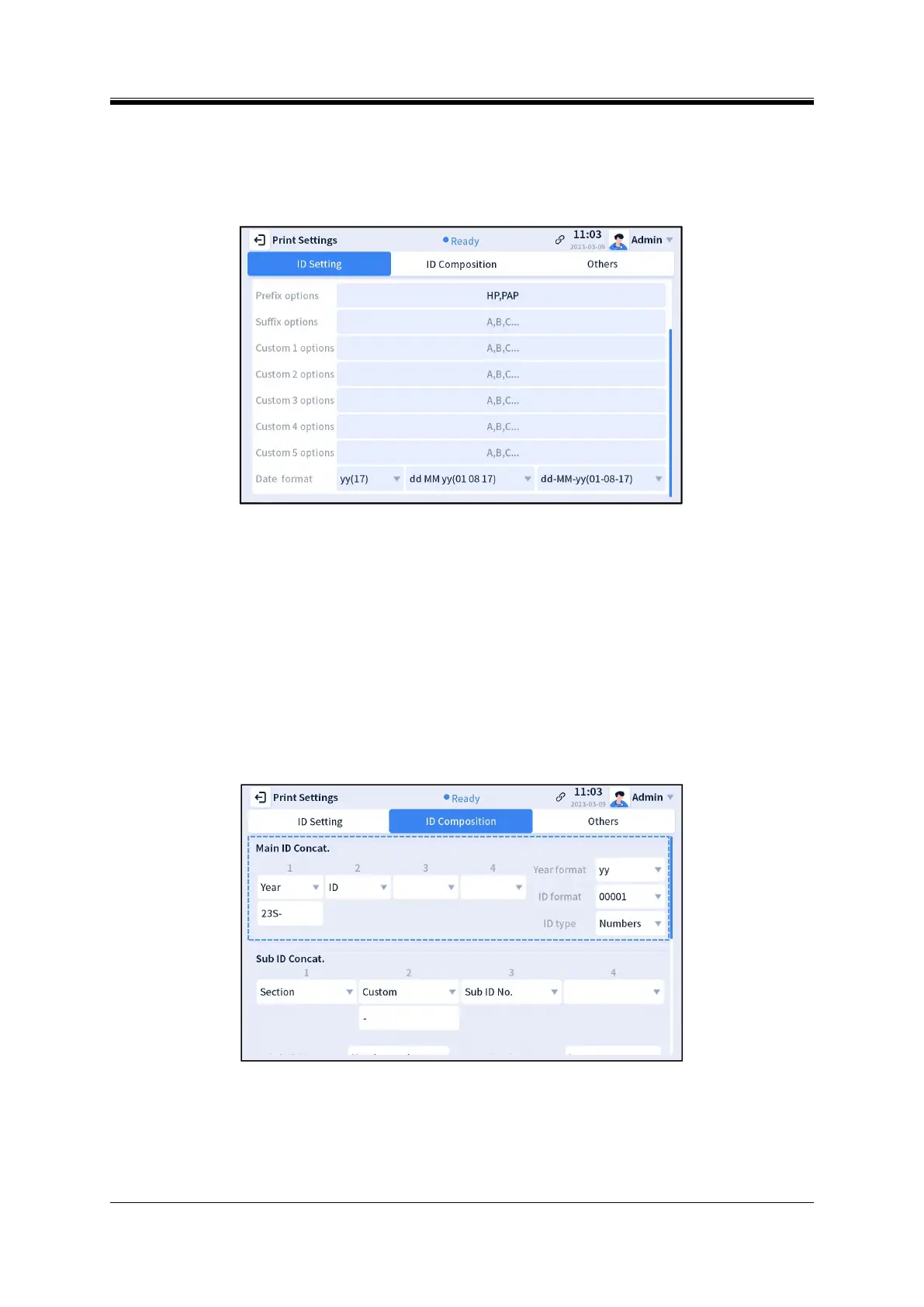
Setting interface (Figure 4-30). The first drop-down box is used to set the digits of years, which can be
2 or 4 digits. The second drop-down box is used to set the display order of day, month, and year. The
third drop-down box is used to set the separators among day, month, and year. To print the date, the
user needs to click “Date” and add the “Date” field to the template.
Figure 4- 30 ID Setting 2
Input memory: home page field cache function; If checked, it is enabled, and can cache up to 30
data; Otherwise, it will not be enabled.
The user can enter multiple preset values in the prefix, suffix and custom 1/2/3/4/5 preset input
boxes below the example. Multiple preset values are separated by English commas (,). The preset
values can be displayed and viewed in the corresponding drop-down boxes on the homepage. The
preset value can contain digits, English letters, Chinese characters, and special characters.
(2) ID Composition
Main ID Concat.
Figure 4- 31 Main ID concatenation
“Main ID Concat.” is used to set the main ID in the example on the ID Setting interface (Figure 4-31).
The main ID is composed of four fields concatenated in sequence. Each field can be set as “ID”, “Year”,
“Custom”, or “Empty”.



 To Next Page