IV. Instructions before Use
34 Dakewe (Shenzhen) Medical Equipment Co., Ltd.
www.dakewemedical.com
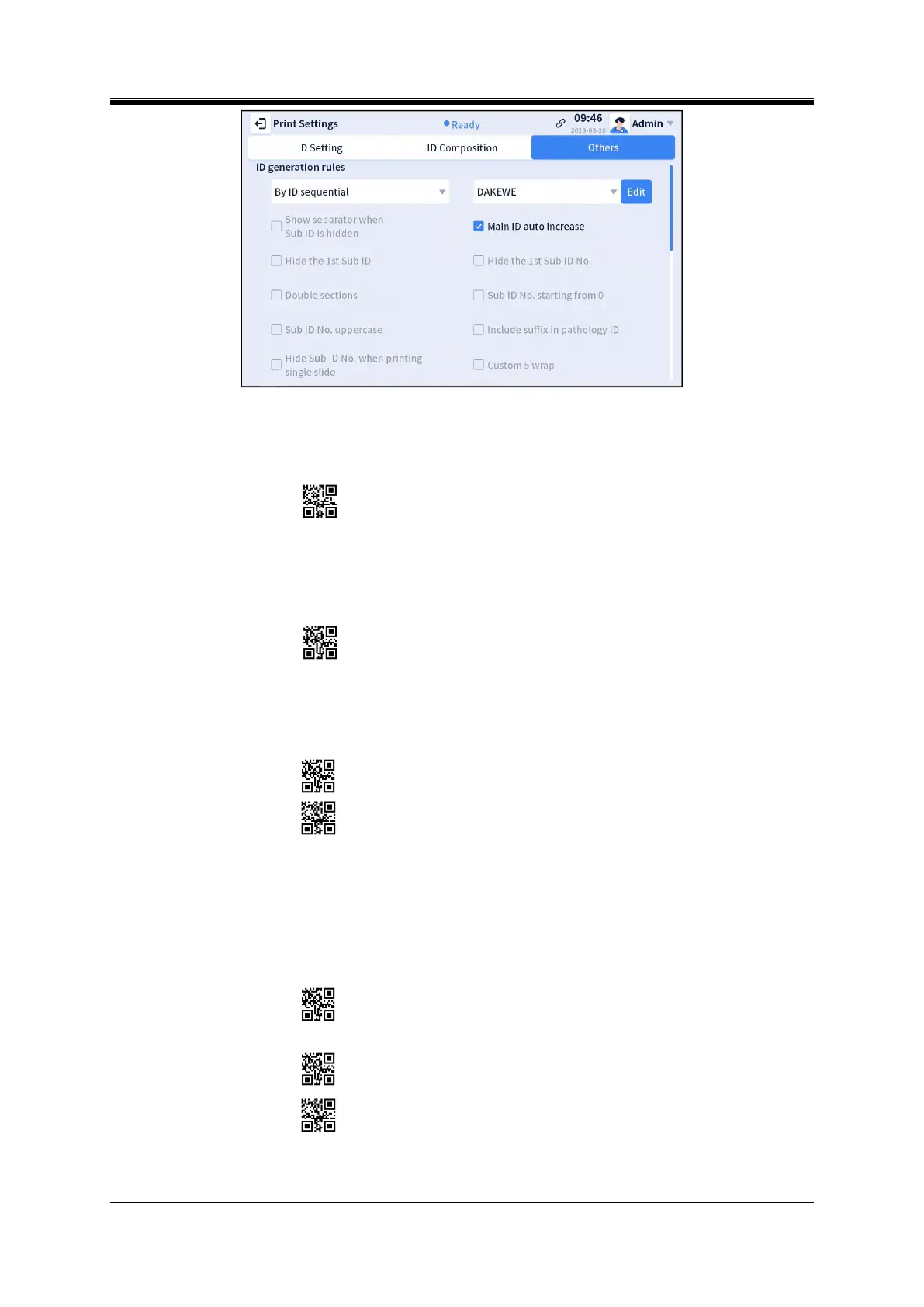
Figure 4- 34 Other settings - ID generation rules
Show separator when sub ID is hidden: It can show the separator when “Hide the 1st sub ID” is
enabled (Figure 4-35).
Figure 4- 35 Show separator when sub ID is hidden
Hide the 1st sub ID: If the 1st sub ID of the main ID is hidden, the 2nd sub ID will display (Figure
4-36).
Figure 4- 36 Hide the 1st sub ID
Double sections: Within the range of selected sections (e.g., A to C), two sections will be displayed
for each ID (Figure 4-37).
Figure 4- 37 Double sections
Sub ID No. Uppercase: When the format of the sub ID No. is set as “letters + letters” or “letters +
digits”, the letters will be displayed in uppercase.
Hide the 1st sub ID No.: If the 1st sub ID No. of the main ID is hidden, the 2nd sub ID No. will
display (Figure 4- 38).
Single print
Batch printing
Figure 4- 38 Hide the 1st sub ID No.



 To Next Page