IV. Instructions before Use
36 Dakewe (Shenzhen) Medical Equipment Co., Ltd.
www.dakewemedical.com
The parser is selected to customize the scan parsing
rule.
It is for purpose of compatibility with the scan
parsing functions of previous versions.
List of scan parsing
rules
The drop-down box displays all parsing rules, and
allows the switching and display of the parsing rule
currently being used.
Create a new scan parsing rule (see 5.7.1 Create a
new scan parsing rule for detailed procedures).
To view and modify the detailed information of the
parsing rule currently being used
To delete the current parsing rule
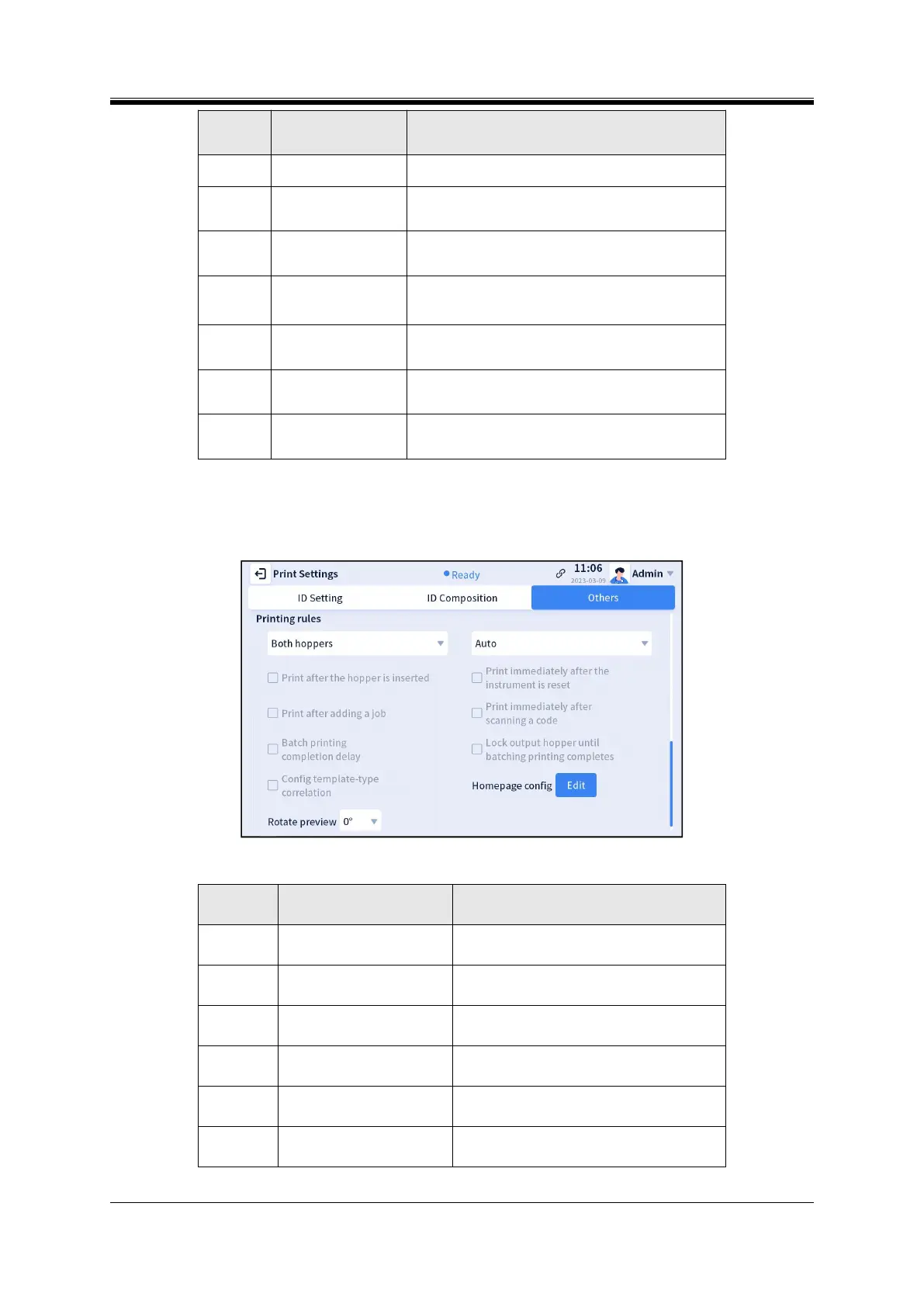
Printing Rules
“Printing Rules” is mainly used to set the print mode and convenient print, including the following
settings (Figure 4-42).
Figure 4- 42 Other settings - printing rules
Table4- 7 Printing rules - functions
Print channel (unavailable
for S100)
See section 5.1.2 Print channels
Print mode (available for
S200 only)
See section 5.1.1 Print mode
Print after the hopper is
inserted
Start printing immediately after the input
hopper/output hopper is inserted
Print immediately after the
instrument is reset
Start printing immediately after the
instrument is reset
Start printing immediately after adding a job
manually
Print immediately after
scanning a code
Start printing immediately after scanning a
code



 To Next Page