IV. Instructions before Use
46 Dakewe (Shenzhen) Medical Equipment Co., Ltd.
www.dakewemedical.com
4. Edit User Password
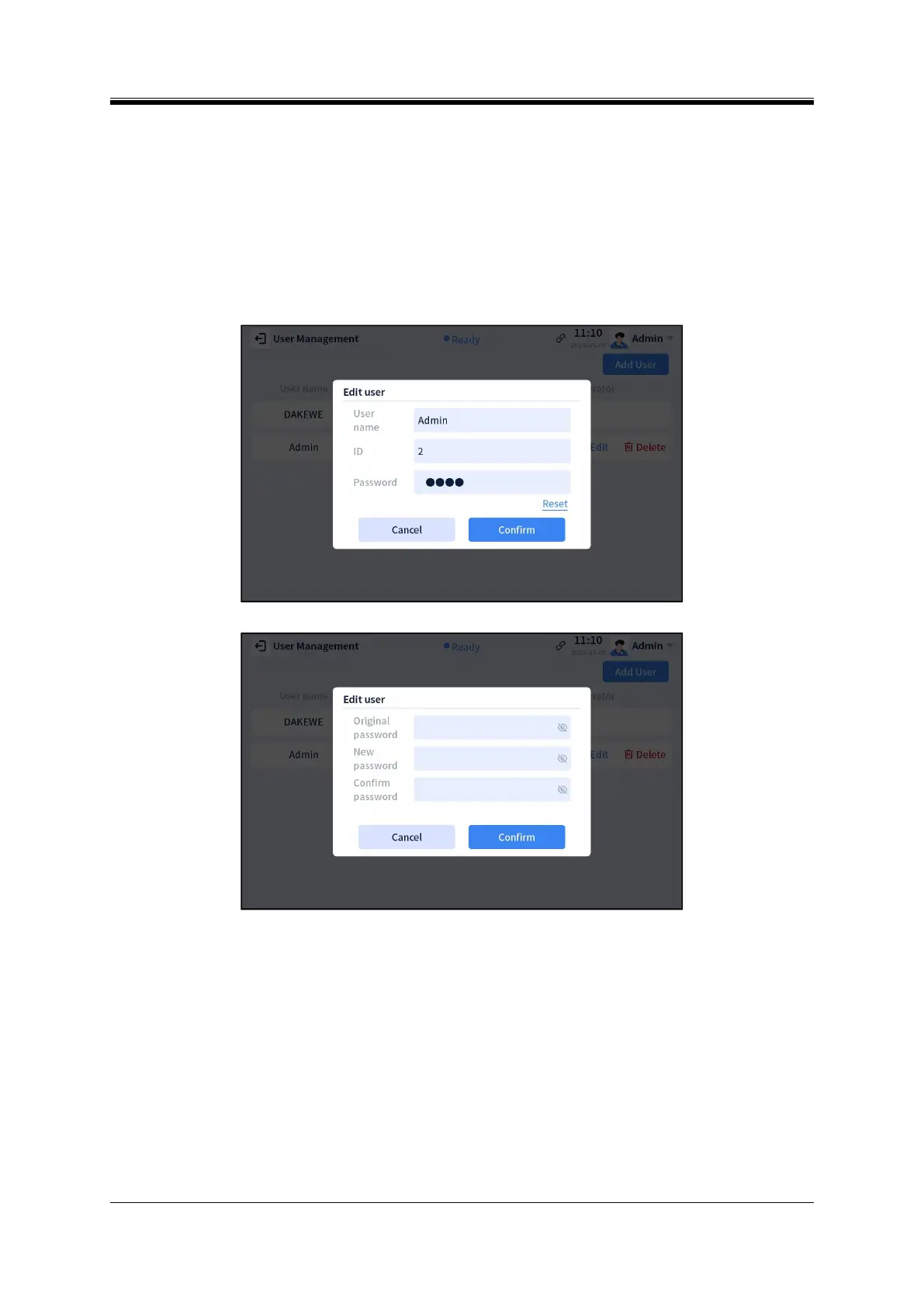
Admin can modify their own information and that of Operator, and Operator can modify only their
own information. The “Edit User” pop-up will appear after clicking the “Edit” button on the user operation
bar (Figure 4-56). The password reset pop-up will appear after clicking “Reset” (Figure 4-57). Enter the
original password and the new password. “New password” and “Reset password” must match. Click
“Confirm”, and the password is successfully reset.
Figure 4- 56 Edit user interface
Figure 4- 57 Reset password interface
5. Delete User
For the user to be deleted, click the “Delete” button in the operation bar so that a prompt box for
confirming the deletion will appear. Click “Confirm” to confirm the deletion, and click “Cancel” to cancel
the deletion.



 To Next Page