VII. Abnormalities and Troubleshooting
64 Dakewe (Shenzhen) Medical Equipment Co., Ltd.
www.dakewemedical.com
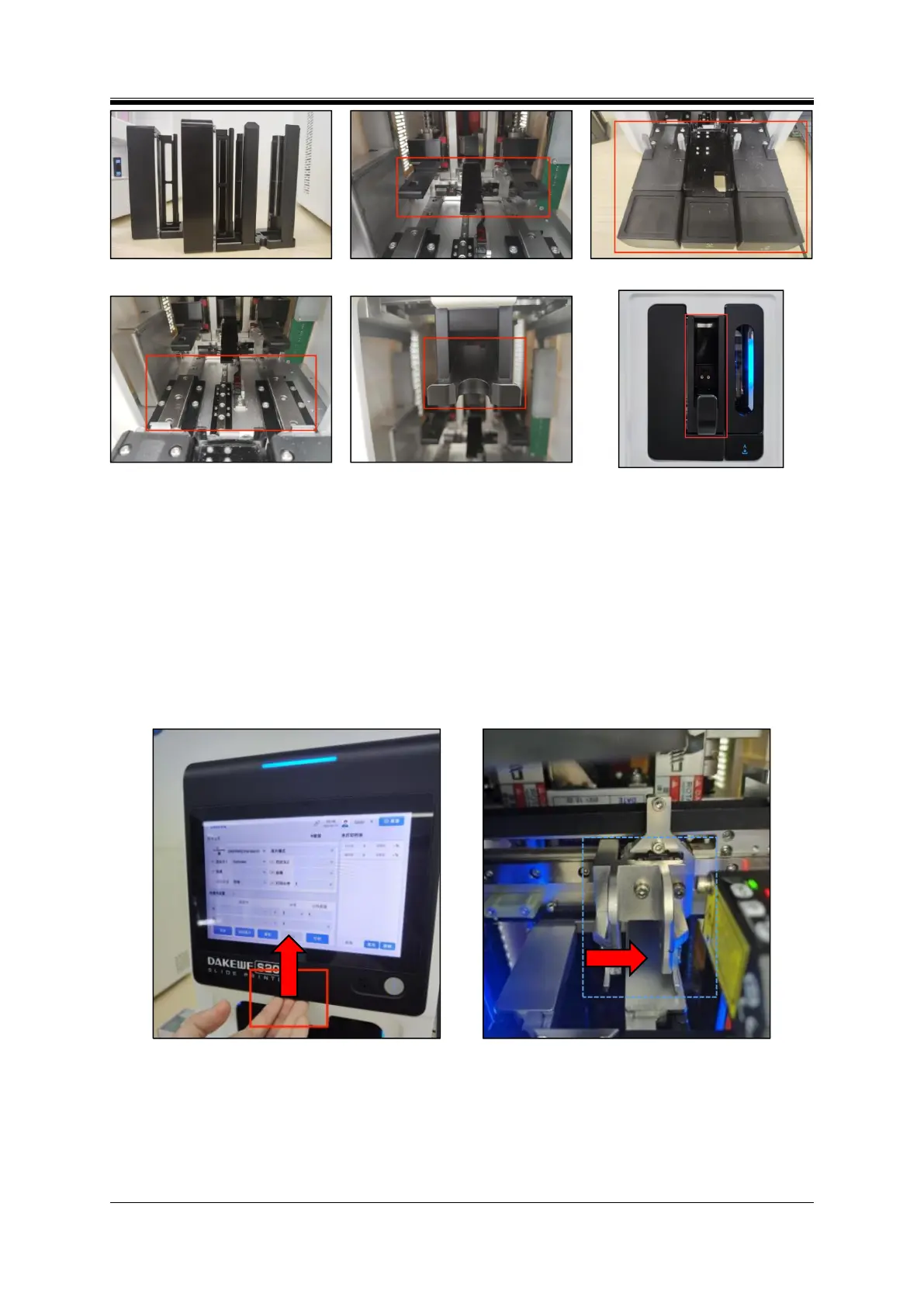
Figure 6- 3 Input/output hopper
Figure 6- 4 Input/output hopper holder
Figure 6- 5Input/output base
Figure 6-6 Input/output slide and base
plate
Figure 6- 7 On-demand output
hopper(S200)
Figure 6- 8 On-demand output
hopper(S100)
3. Operating Instructions
Step 1: Open the maintenance door: Put fingers under the black housing (groove) on the upper part of
the instrument and lift it up with force (Figure 6-9);
Step 2: Remove the input/output hoppers and take out the slide inside;
Step 3: Move the transfer push rod rightward to the right side of the print platform (Figure 6-10);
Step 4: Use tweezers to remove glass pieces shards, and then use brushes to remove the debris.
Figure 6- 9 Maintenance door
Figure 6- 10 Transferring push rod



 To Next Page