one corresponding to lter holder with
cleaning tablet) and press ENTER button
(PD3).
• Press the ENTER button (PD3) again
to start the cycle.
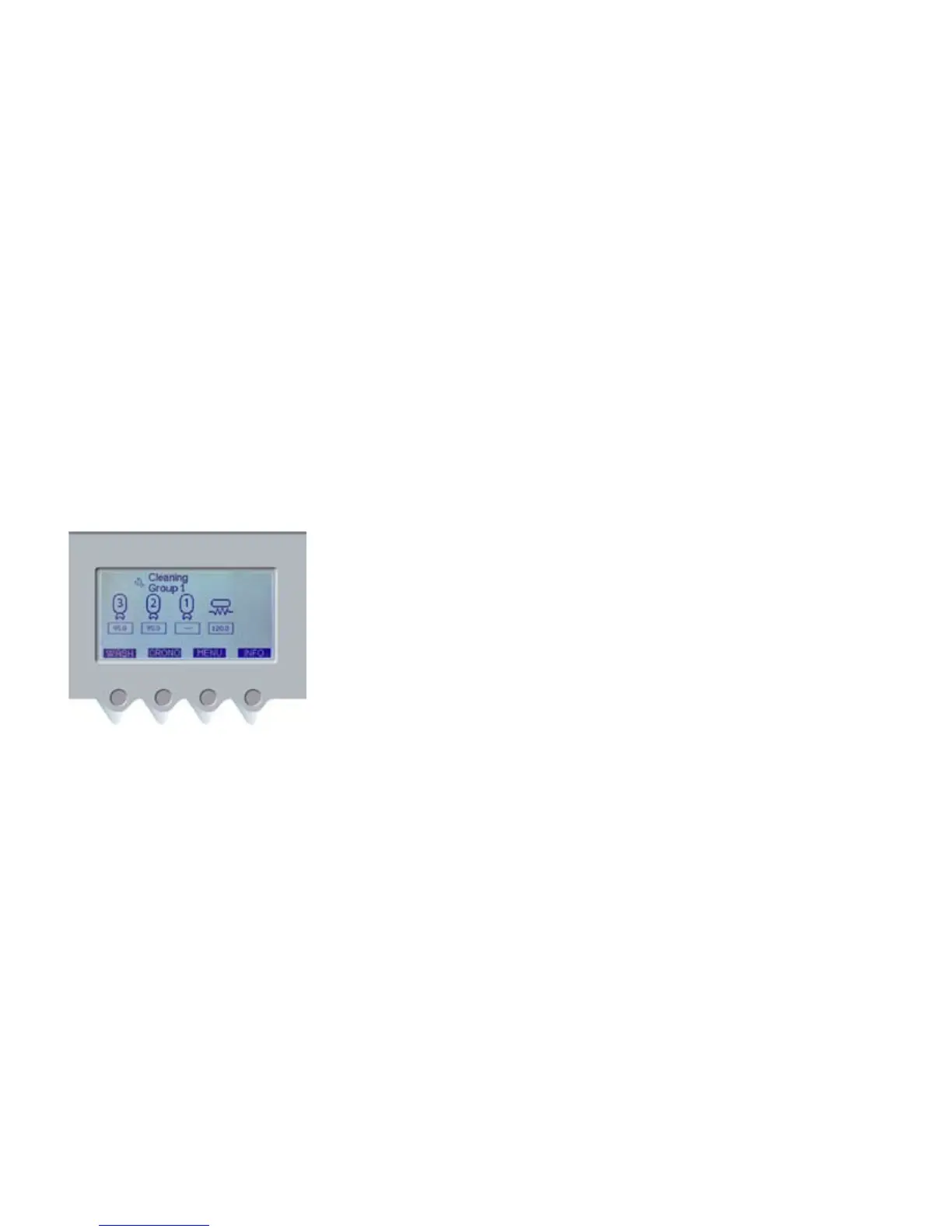
After activating the cleaning cycle, the
main menu and the “cleaning” icon will
be shown on display. Repeat the above
mentioned procedure for all other
groups.
When group cleaning is over and before
using the machine again, take at least
200 cc of water from each group by
pressing button (PD3-pic.3) (continuous
brewing) without placing the lter
holder.
DAILY CLEANING:
CLEANING THE BOILER
The main boiler shall be cleaned on a
daily basis to guarantee a constantly
clean water supply. To start the cleaning
cycle, follow the instructions below:
• Place one end of a exible hose into
machine hot water outlet and the
other end into sink.
• Press button (PD1) for 5 seconds, use
navigation buttons (PD1) and (PD2) to
select the boiler and press ENTER.
• Press ENTER again to start the
cleaning cycle.
WARNING: To avoid burning, lock the
exible hose used to discharge hot
water.
During boiler cleaning cycle the groups
can be used for espresso extraction.
The cleaning cycle lasts approximately
30 minutes and is therefore advisable to
start it at the end of the working day.
PERIODIC CLEANING
Every week (or depending on workload),
use the wrench (current machine
accessory) to remove showers and
screens located under the groups and
clean them with the brush (current
machine accessory).
Reassemble parts carefully. Wrong
reassembling can cause bad coee
taste and damage the groups.













 To Next Page