51
This machine is equipped with a weekly
switch on/o timer for each machine
group heads and boiler.
This timer has 2 switch-on/o options
for each unit (group heads and boiler).
Switching o options are:
1. o option - the unit switches o
completely,
2. safety option - the unit will reach a
lower temperature considered safe ad
convenient in terms of energy saving.
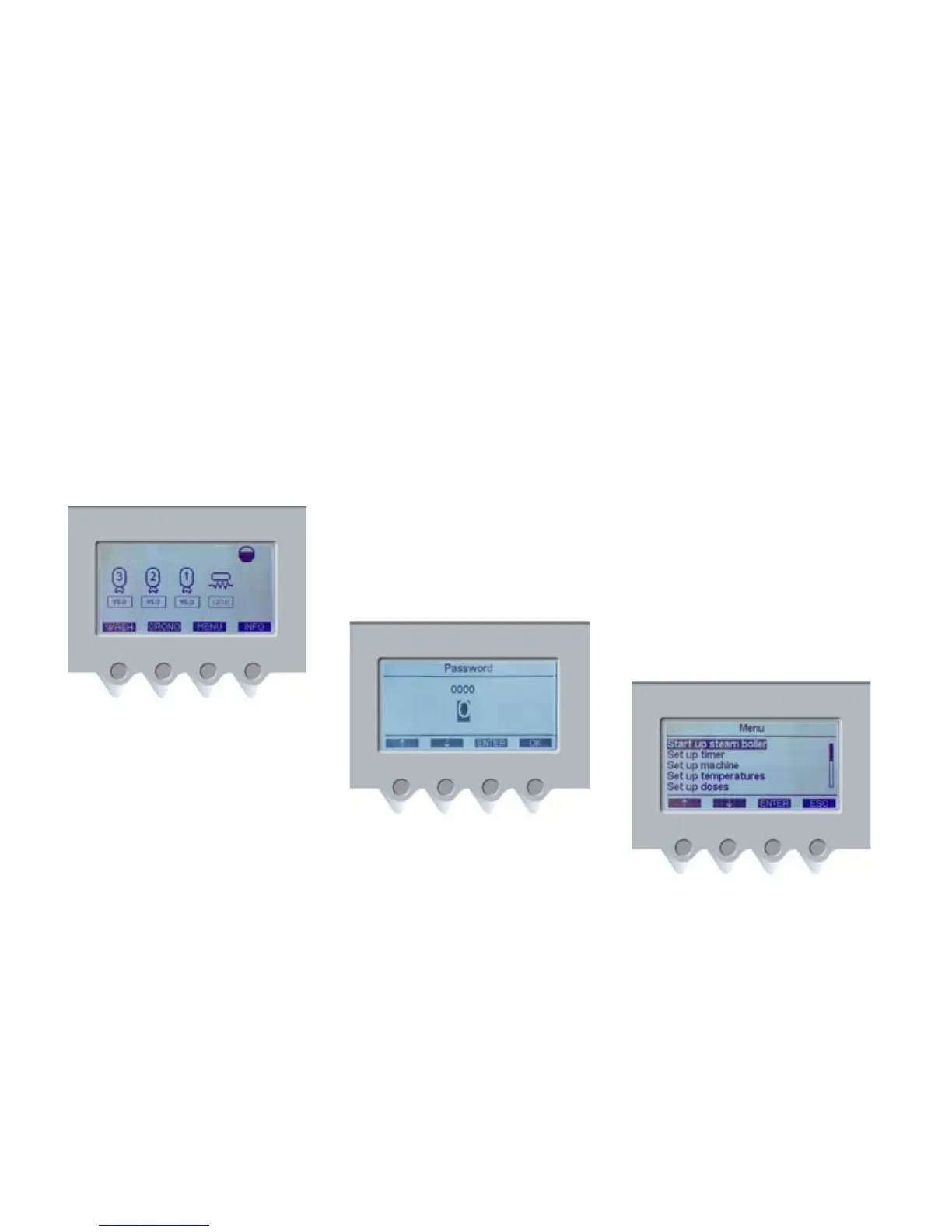
To access the timer menu, follow these
instructions: Press the MENU button
(PD3).
Enter the user’s password, which consists
of four digits. The default password is
“0000”.
To enter the password press the navigation
button (PD1) until the requested digit is
displayed and conrm by pressing the
ENTER button (PD3-pic.3). Conrm the
last digit pressing the OK button (PD4).
If the password is wrong, ERROR
PASSWORD will be shown on the display.
After few seconds, the main menu will be
shown.
If the password is correct, the display will
show what follows:
timer set up













 To Next Page