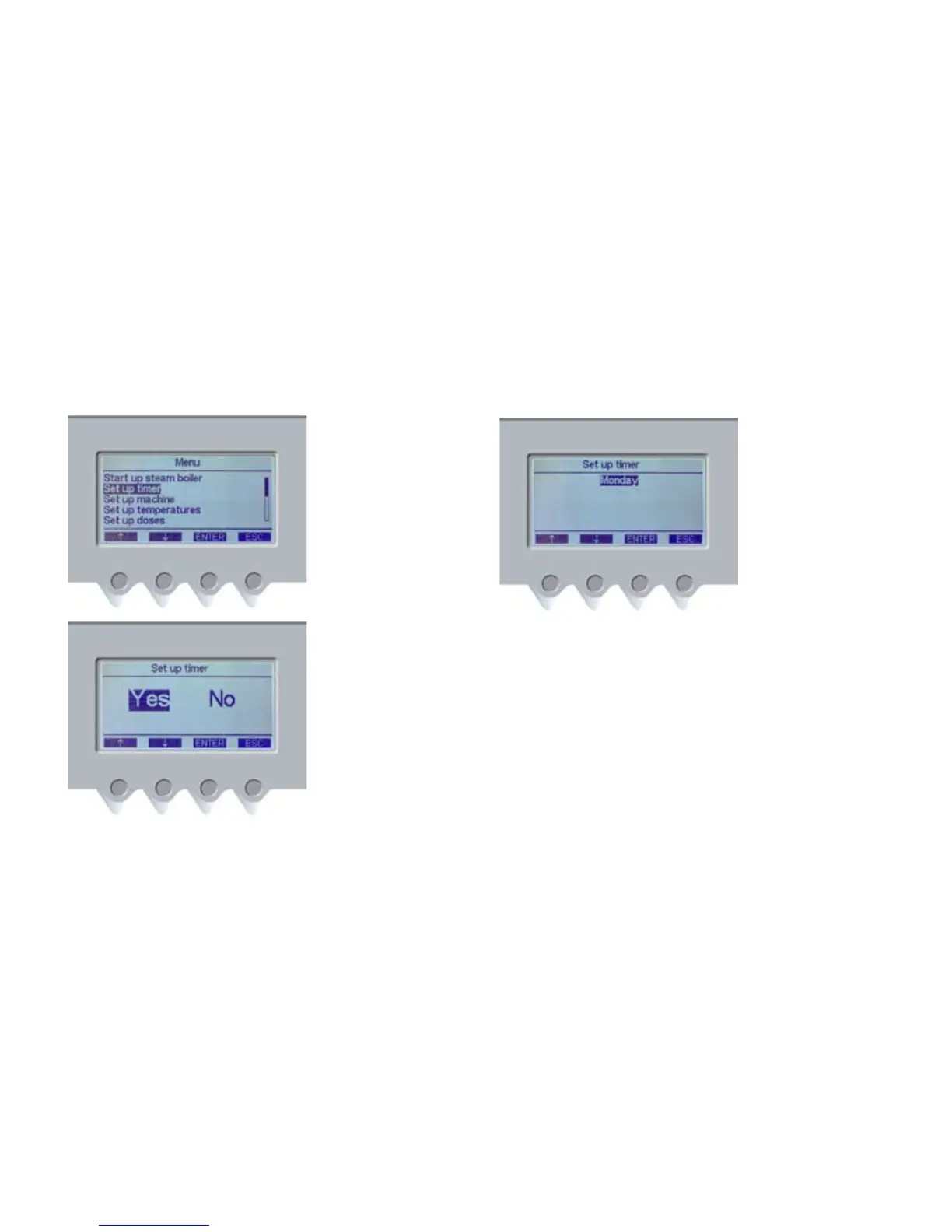
1. If you do not want to
use the automatic timer,
use the navigation buttons
(PD1) and (PD2) to select
NO, then press the ENTER
button (PD3) to confirm.
In this mode, group
heads and boiler must be
switched off manually.
2. Press the ENTER button
(PD3) to confirm.
3. If you want to start timer
set up, use the navigation
buttons (PD1) and (PD2) to
select YES. Press the ENTER
button (PD3) to confirm.
4. Use the navigation
buttons (PD1) and (PD2)
to select the day to be
programmed, then press
the ENTER button (PD3) to
confirm.













 To Next Page