53
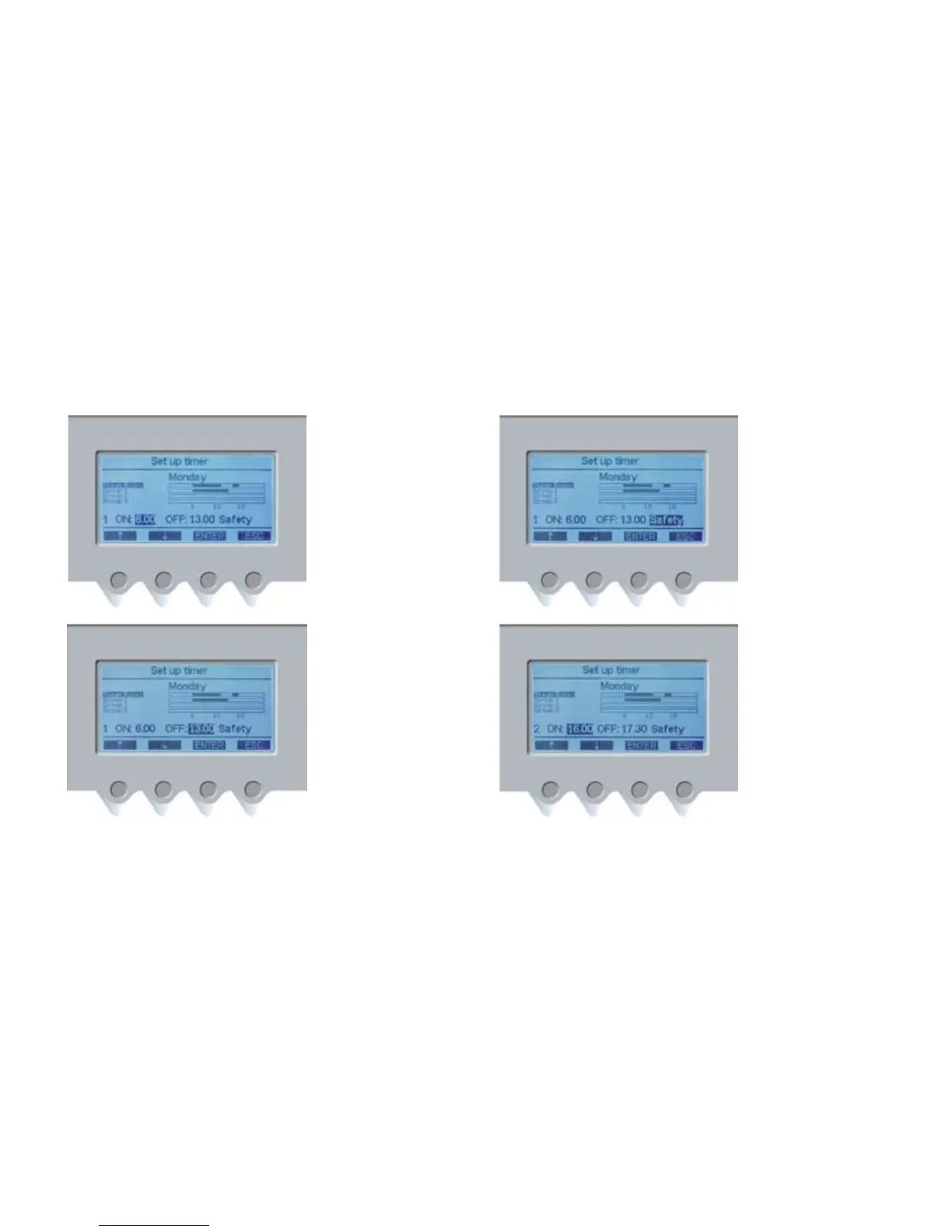
5. Press ENTER (PD3) to
program the switch-on
mode of boiler timer no.1.
Use the navigation buttons
(PD1) and (PD2) to select
the boiler switch-on time,
then press ENTER (PD3) to
confirm.
Use the navigation buttons
(PD1) and (PD2) to select
the boiler switch-off time
and then press ENTER (PD3)
to confirm.
Use the navigation buttons
(PD1) and (PD2) to select
the boiler switch-off mode
and then press ENTER (PD3)
to confirm.
By confirming timer no.1
set up, you automatically
access timer no.2 set up.
To set up boiler timer no.2,
follow the same instructions
given for timer no.1 set up.
Press navigation button
(PD3) if you do not want to
program timer no.2.
The display will show:
Use the navigation buttons
(PD1) and (PD2) to select the
group you want to program,
press ENTER (PD3) to confirm
and program timer no.1.
Once all units have been
programmed for the selected
day, press ESC (PD4) to go
back to the weekly timer
menu.
Use the navigation buttons
(PD1) and (PD2) to select
the day you want to
program, press ENTER (PD3)
to confirm and program the
timer as described above.
At the end of the weekly
programming, press ESC
(PD4) repeatedly until you
get to the main menu.














 To Next Page