Genie HM-HC Series-GigE Vision Camera Operational Reference 37
Sensor Controls
Genie provides a number of sensor controls to optimize image acquisitions for most imaging solutions. Following is
an overview of the CamExpert controls displaying this information, followed by individual control function
descriptions and tables indicating the feature name associated to Sapera LT and to GigE Vision Compliant
development environments.
Sensor Parameters: Controls Via CamExpert
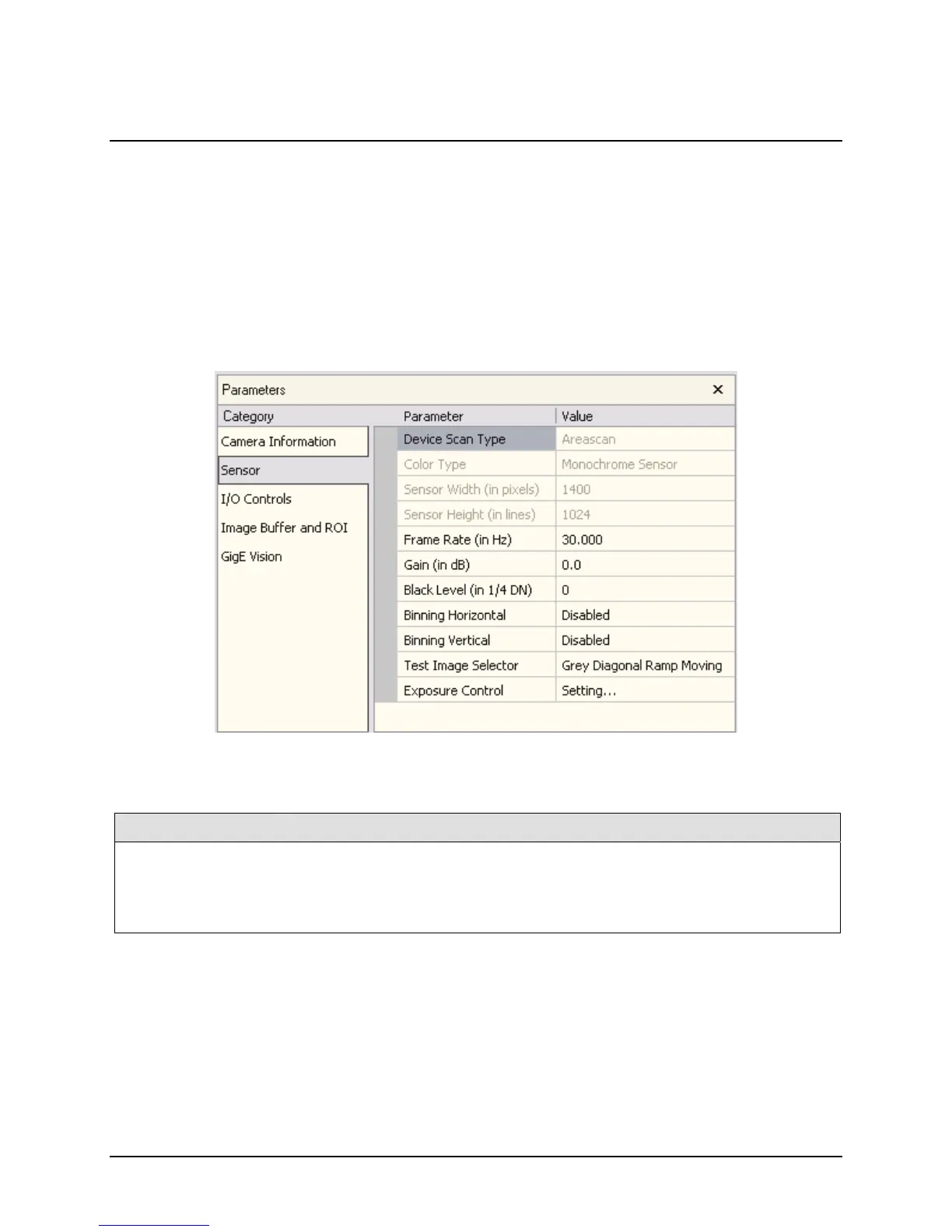
The Sensor Parameters tab groups the parameters related to the camera sensor configuration for acquisition. The
following figure displays the CamExpert Sensor tab for the HM camera series.
Read Only Parameters
Parameter Description
Device Scan Type Displays the device scan type. This is always area scan for Genie.
Color Type Displays the color type of the sensor (Monochrome for the HM).
Sensor Width (in pixels) Displays the sensor width (in pixels).
Sensor Height (in pixels) Displays the sensor height (in pixels).











 To Next Page