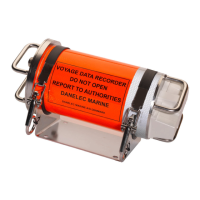
Operator's Manual for the DM100-2014 VDR
Copyright Danelec Marine A/S
connected to the DAU, with the same address.
Illegal settings
Recording of radar images to the FRM has been disabled which is
unacceptable for a VDR installation. The system configuration
must be changed, consult the Installation Manual.
Missing (VD03-04)
VIDEO module 2 cannot be detected. The most probable cause is
that that the cable to the RVI from the DPU is disconnected or the
RVI is defective. In addition,
for an AC powered RVI: Power to the
RVI is switched off, the internal Ethernet cable in the RVI is
disconnected or the video interface module is defective.
Wrong RVI address
An AC powered RVI with incorrect RVI address has been detected.
The RVI address must be 0 or 1. All RVIs connected to the VDR
must be setup in the VDR configuration.
ANALOG module 2
Missing (AN16-31)
If only one module is affected:
A module has been removed or has failed. Check that the module is
installed correctly.
If installed in a modular SIU, the blue “link” LED for the module
must be illuminated. If the LED is already illuminated switch the
power to the SIU off and on. If the error persists replace the
module.
If all modules in a SIU are affected:
Check the power to the SIU.
Check the cable from the SIU to the DAU and link status; see
section 4.1.7, 5.1.3 and 6.1.4.
If no error is found, try to restart both the DAU and the SIU (power
off and then on)
If the error persists, the DPU or the Module rack/Uni rack is
DIGITAL module 5
Missing (DI64-79)
DIGITAL module 6
Missing (DI80-95)
DIGITAL module 7
Missing (DI96-111)
DIGITAL module 8
Missing (DI112-127)
SERIAL module 3
Missing (SI16-23)
Missing (SI24-31)
Dataset incomplete
One or more types of data have not been recorded. If the error
persists then restart the VDR. Authorized service of the VDR is
required if this error still persists.
Missing (VD01-VD08)
The network image processor in the DPU cannot be detected. If the
error persists, the most probable cause is that the network image
processor in the DPU is defective, i.e. the DPU must be repaired.
588
VDxx no input
No images are currently recorded on channel VDxx. Check the
image source and the cable. Enter the image calibration menu for
that channel and examine the image. Unused image channels must
be configured as inactive (the “Active” parameter must be
598
VDxx image too large
The image recorded on channel VDxx exceeds the allocated space
in the capsule. Check the video image for noise. Check the
calibration of the video channel. Check that “Image Format” in the
VDR configuration is set to PNG. Reduce the number "color mask
Not recording
The VDR is unable to record data to the fixed capsule. Another
error explaining why (e.g. #702 CAPSULE Cannot find) is
normally displayed in advance. Try to fix the preceding error.
Otherwise reboot the system.
DBS11011-12 Page 23/27


 To Next Page