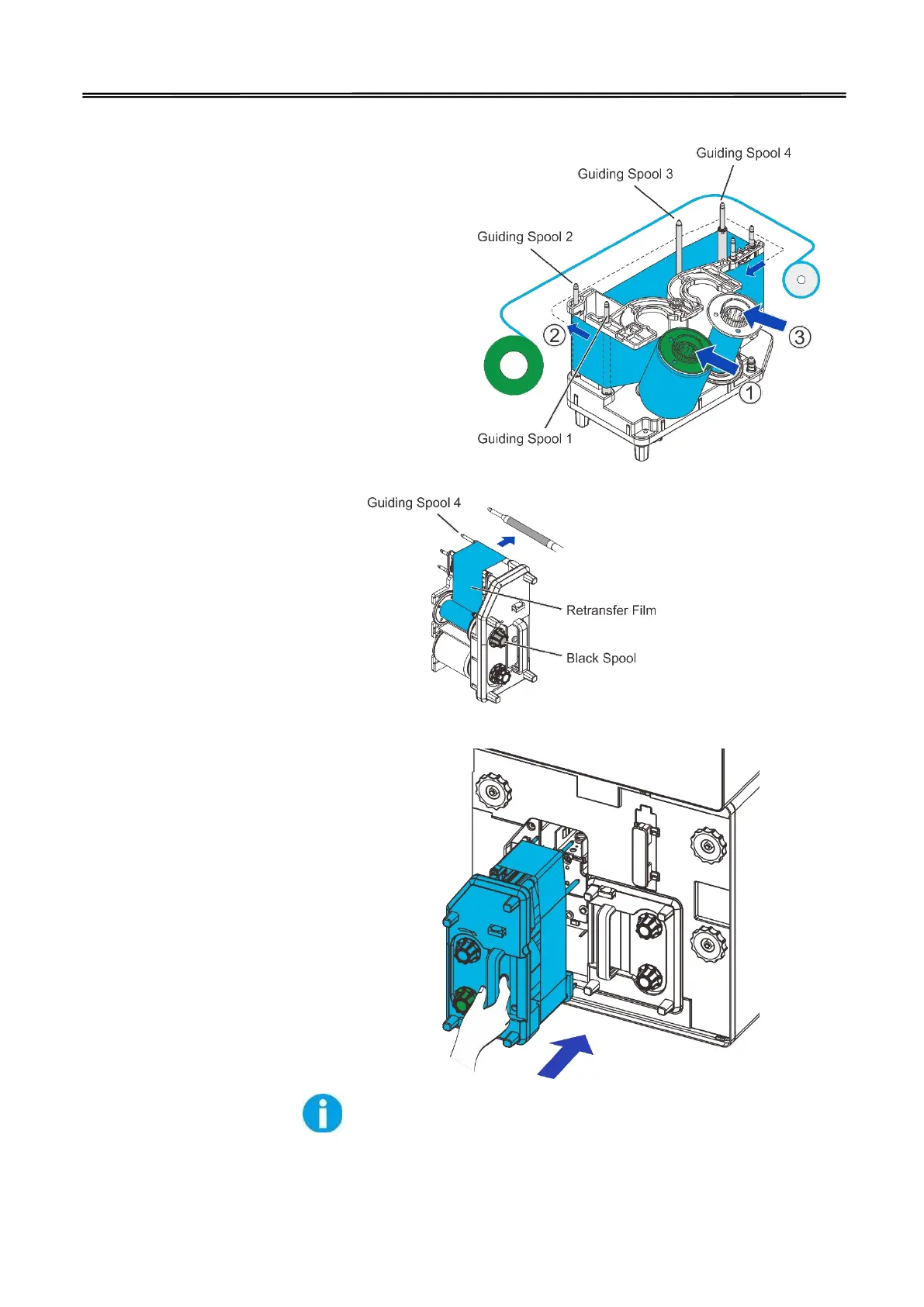
(3) To load new retransfer film
onto the cartridge, engage the
green spool of the retransfer
film to the feeding hub of the
cartridge.
While unwinding the ribbon
film, route the film around
the five indicated guiding
poles. Note the change of
direction on the 4
th
pole.
Finally engage the black
spool to the winding hub of
the cartridge. (need to show
“winding hub” in picture to
right)
(4) As shown in the right
diagram, push in the retransfer
film cartridge to the far end until
a “click” is heard to indicate
correct insertion.



 To Next Page