Dascom DC-8600 User Guide V1.0
44
2.7.2 Using Driver
Enter the printer driver from Windows application (any settings you make only apply to the
application you are using).
Select "Print" or "Print Settings" from the "File" menu of the application software, and a dialog
box appears.
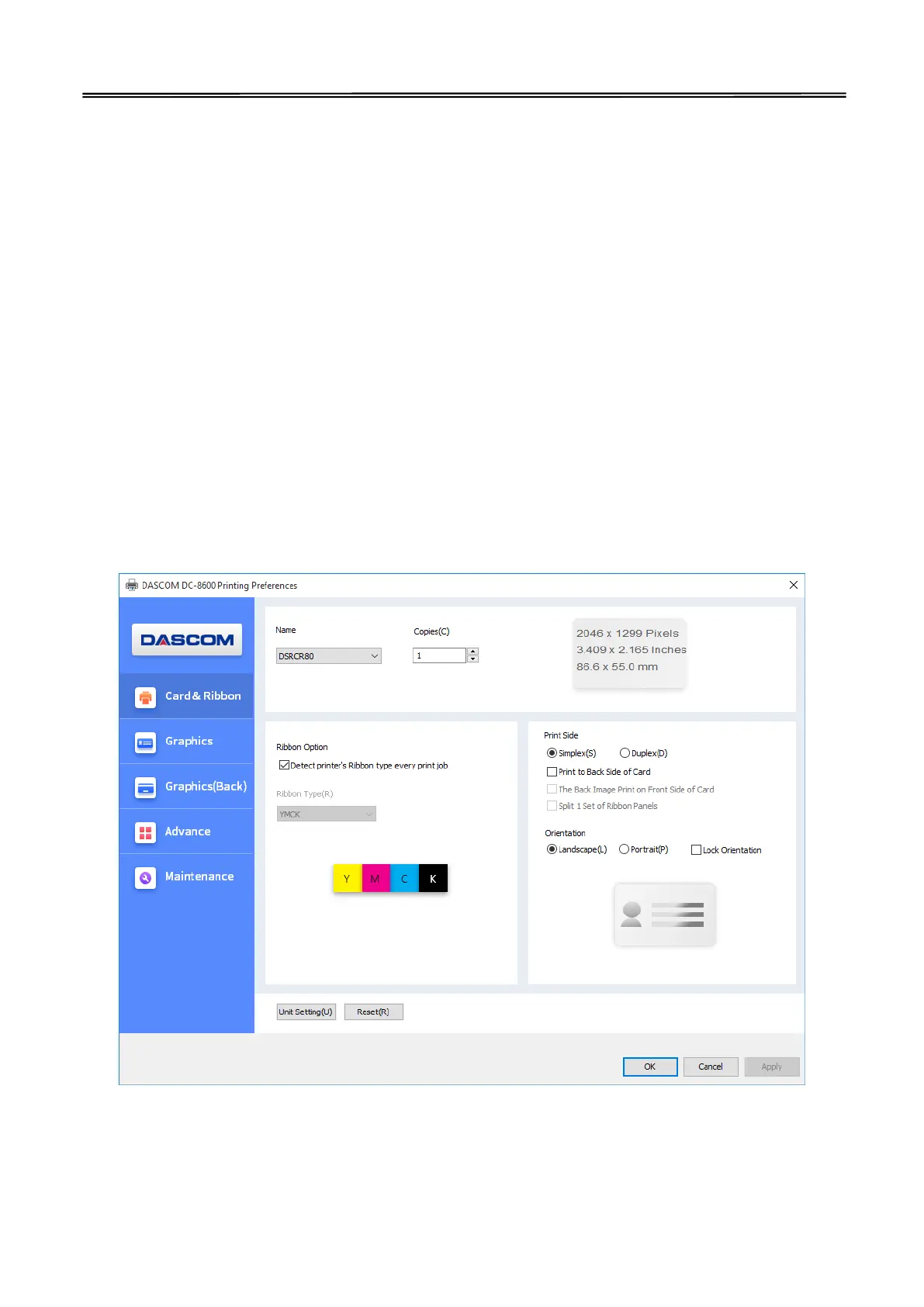
The main selections are “Card & Ribbon”, ”Graphics”, ”Graphics (Back)” and “Maintenance”.
1)“Card & Ribbon” Tab
Print side
User can choose simplex / duplex side to print. Printer can print the image on the card back side
and can also split the different color of the ribbon.
Orientation:
Portrait or landscape
Copies
Ribbon option
User can choose the card type manually and also check the printer ribbon type automatically.



 To Next Page