EasyManua.ls Logo

Dascom DC-8600 - Basic Mode

Dascom DC-8600
89 pages
Print Icon
To Next Page IconTo Next Page
To Previous Page IconTo Previous Page
Loading...
57
Dascom DC-8600 User Guide V1.0
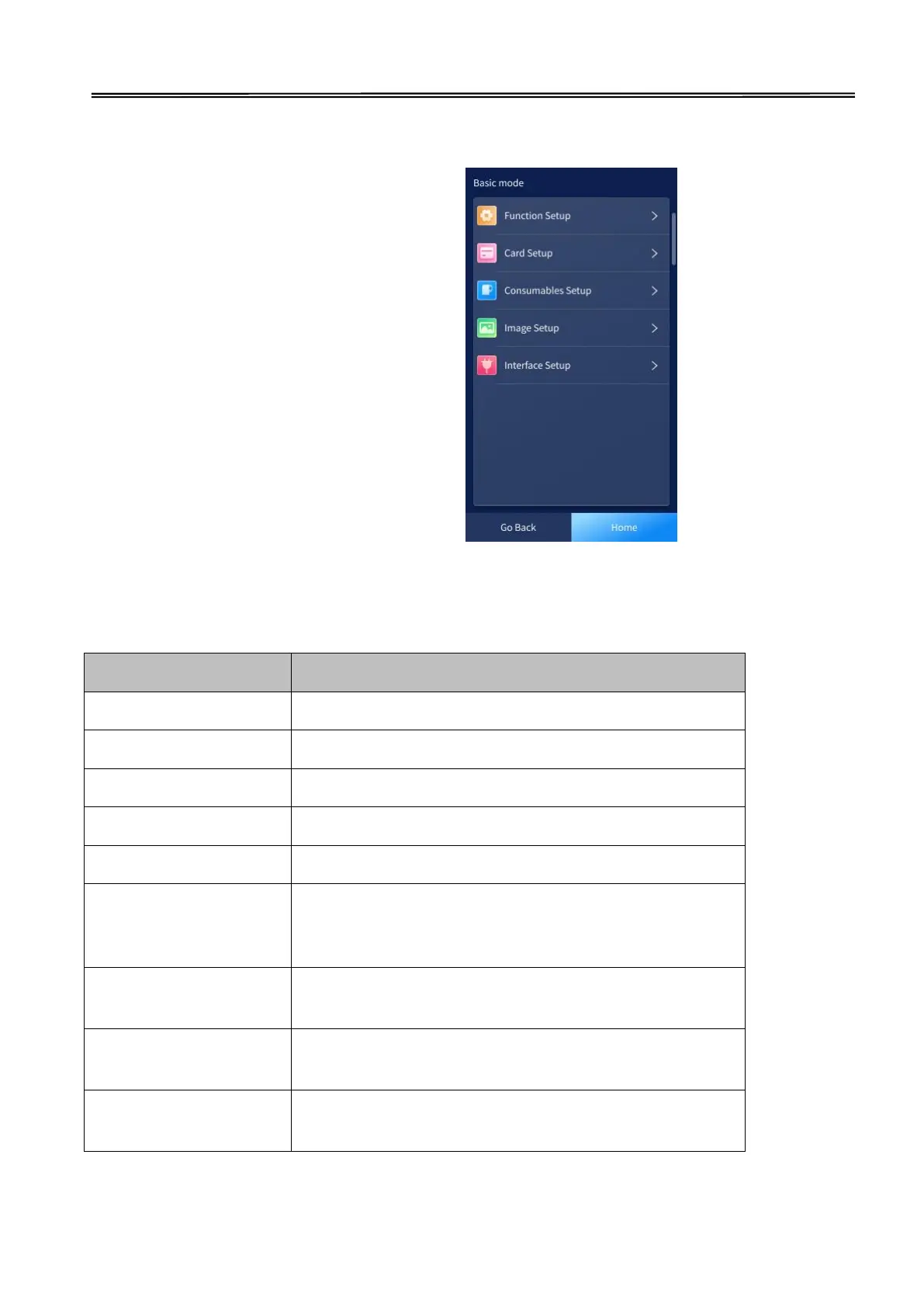
3.3.2 Basic mode
Function setup
Card setup
Consumables setup
Image setup
Interface setup
Function setup
Setup
Settings and details
Language
Chinese, English
Buzzer
On, Off
Power Save Mode
Sleep Mode, Delay Power Down, Display Off
LCD Light
Adjusts the LCD backlight brightness.
Feeder Check
On, Off
Card OverFlow Detect
When the option "External card cassette " is used,
checks whether the card tray on the right side is full of
cards.
Card Out Nipped
When the card is ejected from the left side, sets the card
to be clipped at the slot.
Init No CardOut
Sets whether the cards left inside the printer during
initialization.
Reset Basic Default
Resets the basic mode settings of the printer to factory
default settings.

Related product manuals