Dascom DC-8600 User Guide V1.0
43
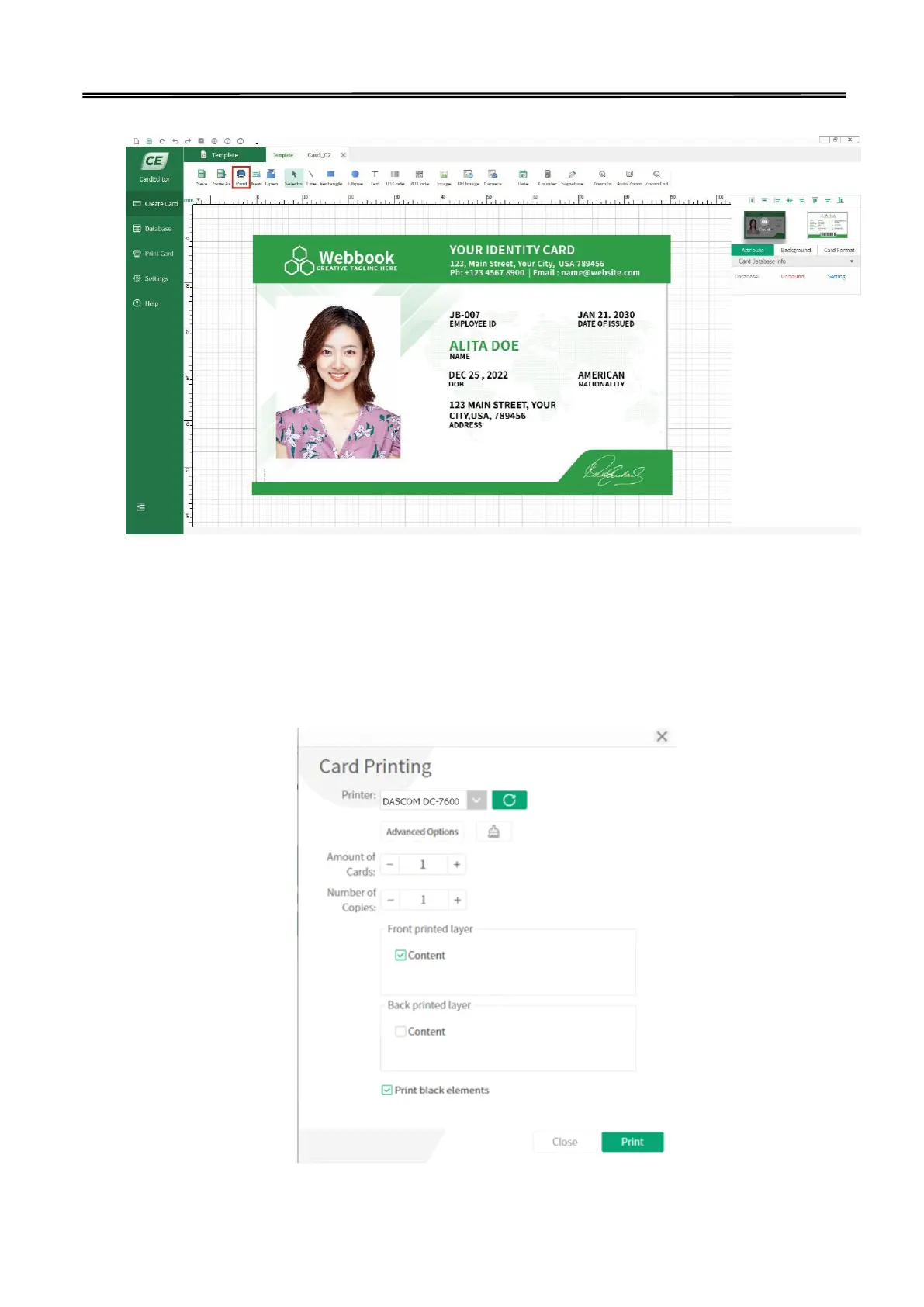
(5) Double click the template, you can edit the content, then click the “print” logo to print:
(6) You can set the amount of cards and number of copies before printing:
(Note: If "print black element" is selected, black objects will be printed with priority. That
means all the black objects on the card will be placed on top. As an example, there are two
objects on the template, one is a black rectangle and the other is text in other colors. When
these two objects overlap, even if the text object is above the rectangle object, the printer will
only print out the card with black rectangle while no text on it.)



 To Next Page