Dascom DC-8600 User Guide V1.0
42
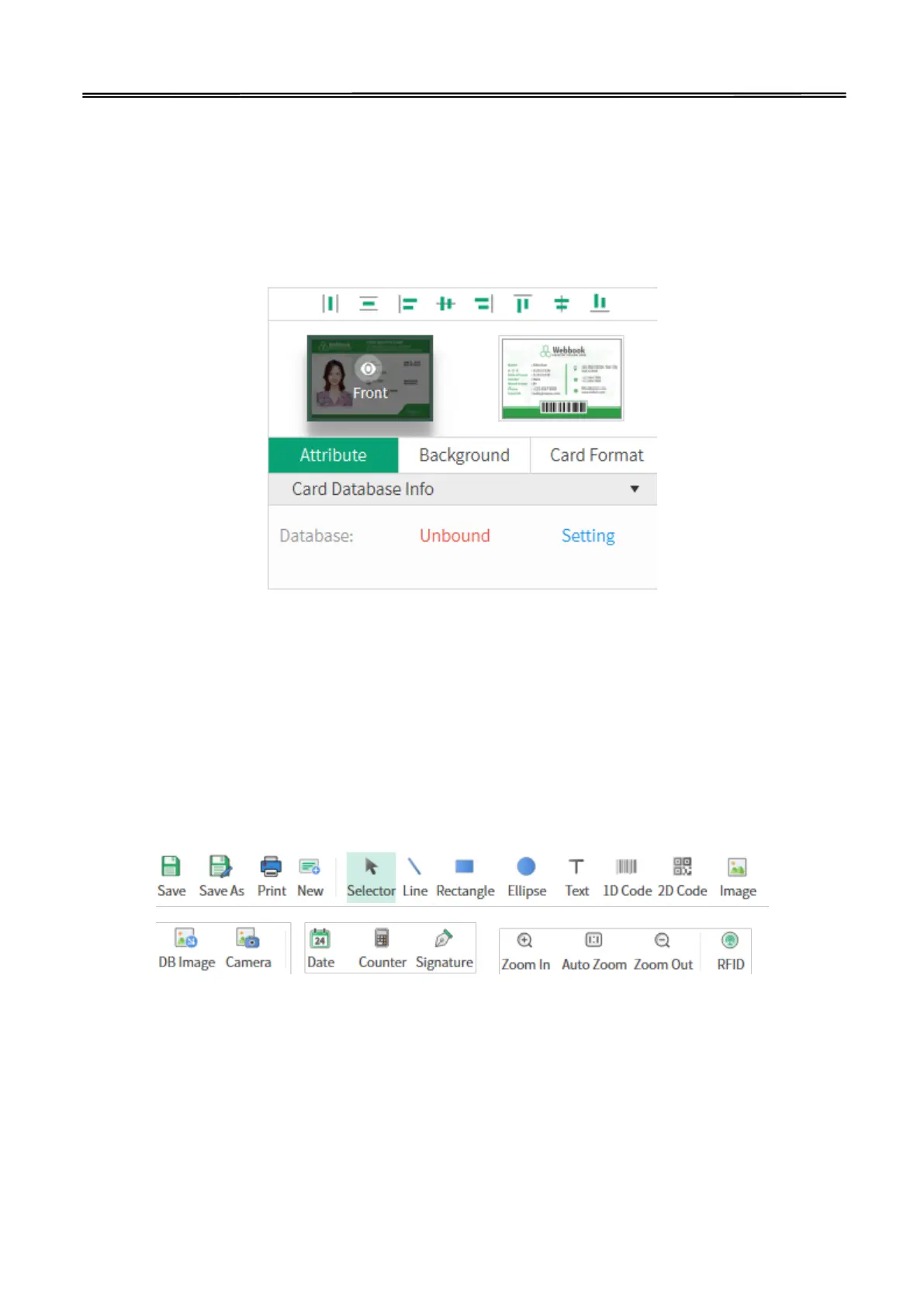
(3) On the right menu, you can see the items “Attribute”, “Background” and “Card Format”:
1) Choose “Attribute”, you can set the database.
2) Choose “Background”, you can change the background of the print content.
3) Choose “Card Format”, you can change the card size and print type.
4) Click thumbnail of “Front” and “Back”, you can choose the different side to edit.
(4) The tool buttons above the working interface, as shown in the following figure, are divided into
two categories: "basic editing" and "Advanced tools". "Basic editing" includes line, rectangle,
ellipse, text, 1D code, 2D code and image. “Advanced tools” includes DB image, camera, date,
counter, signature and RFID. You can choose them according to your need. You can select the
object you added, then adjust the position. You can also select the object you added, then
delete it.



 To Next Page