DataLocker DL3 User Guide
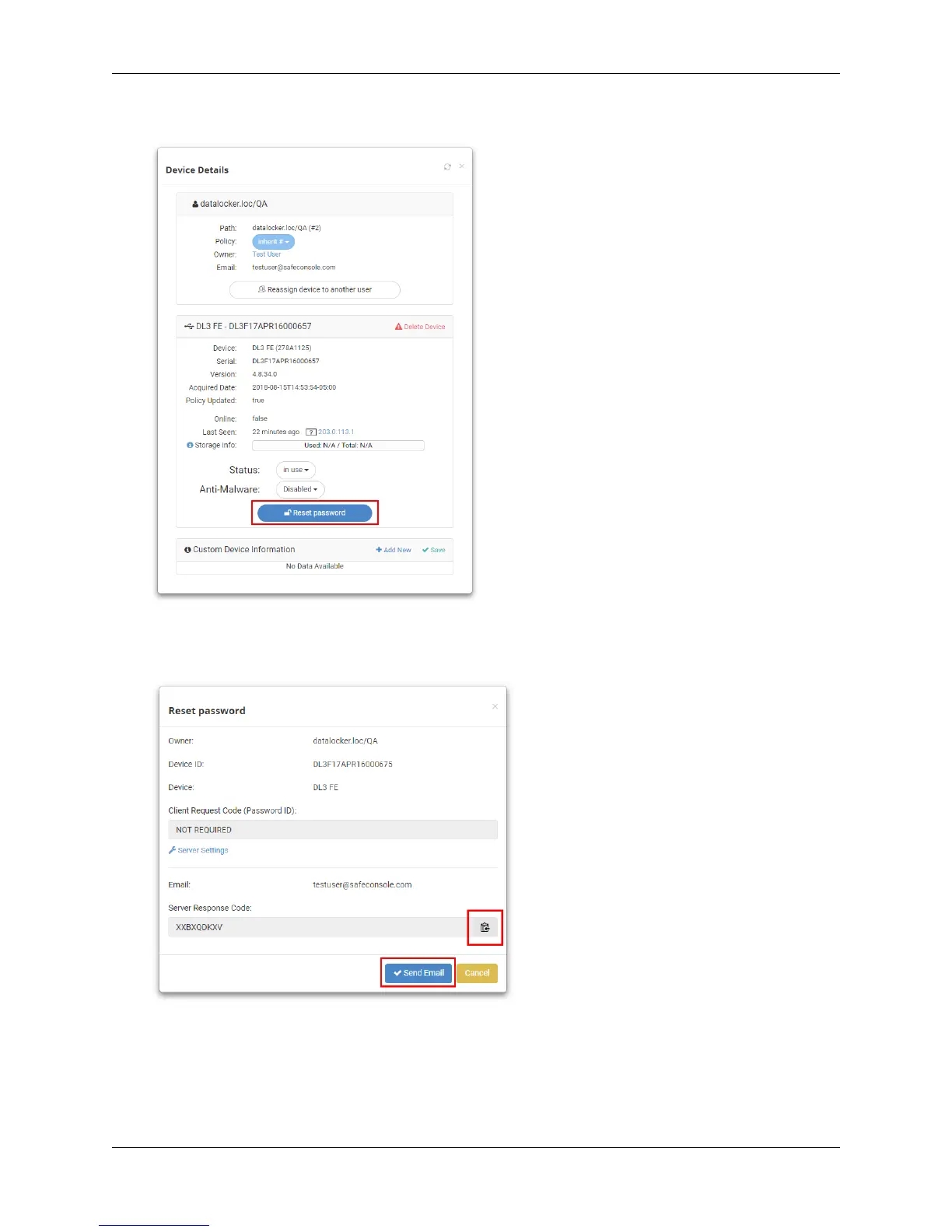
3. In the Device Details popup, click the blue Reset Password button.
4.
You will be given a Server Response Code to give to the user. Options include copying the
code to send to the user or clicking
Send Email
to send an email to the user from SafeConsole
with the code inside.
5. The user should enter the Server Response Code into their DL3 on the password screen.
6.
The device will reset the password to 0000000. The user will be prompted to change the
password upon the next use.
© 2018 DataLocker Inc. All rights reserved. 22



 To Next Page