EasyManua.ls Logo

Datalogic Gryphon GM4200 - User Manual

Datalogic Gryphon GM4200
304 pages
Print Icon
To Next Page IconTo Next Page
Loading...
L
Gryphon™ I
GD/GBT/GM4200
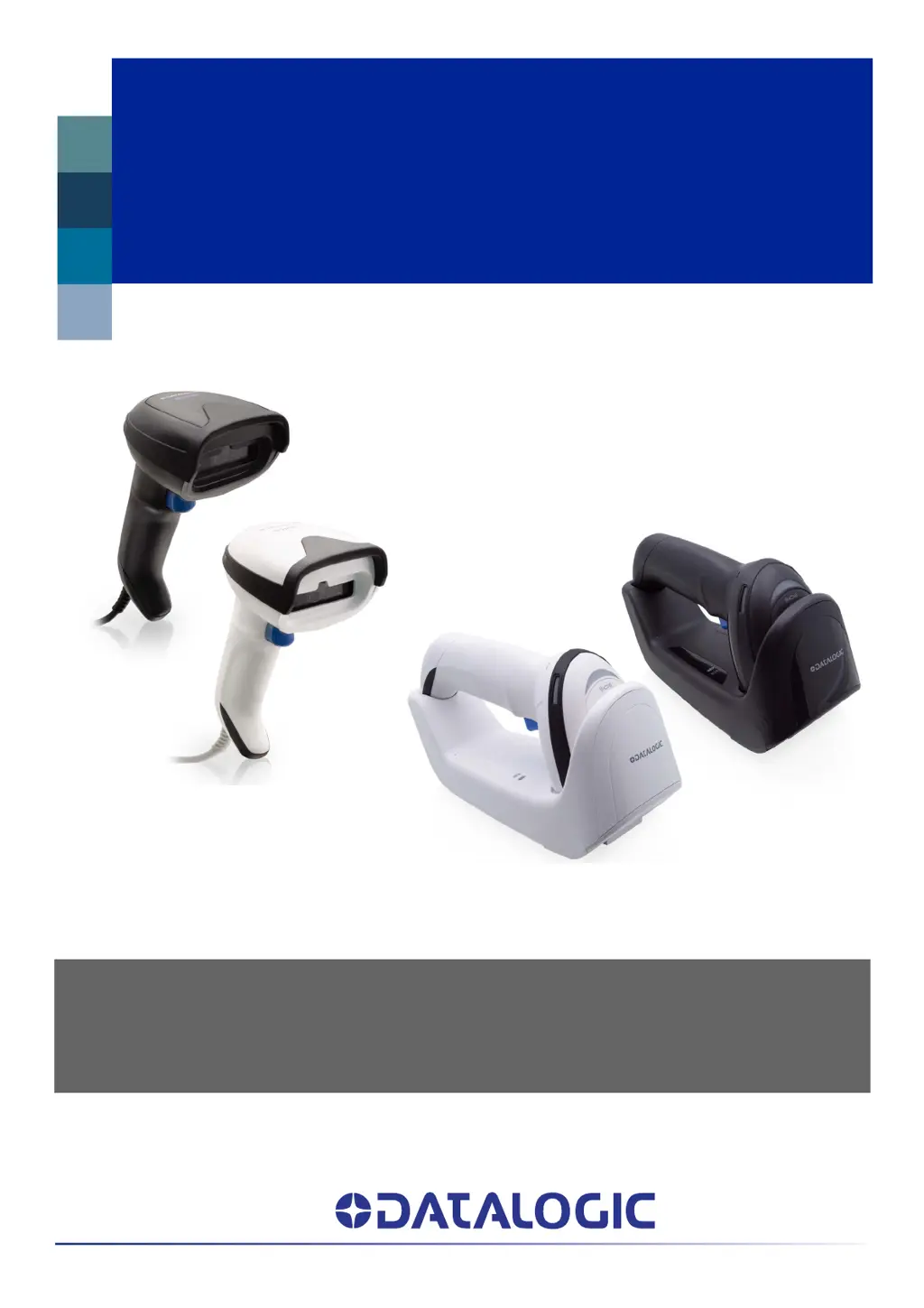
PRODUCT REFERENCE GUIDE
General Purpose Linear Bar Code Reader: Corded or with Bluetooth®
Wireless Technology or Datalogic’s STAR Cordless System™

Table of Contents

Questions and Answers

  • J
    Joseph Proctor MDAug 9, 2025
    What to do if Datalogic Gryphon GM4200 Barcode Reader LED is on but barcode does not decode?
    • J
      Joseph RothAug 9, 2025
      If the LED is on, but the Datalogic Barcode Reader doesn't decode the barcode, ensure that the imager is programmed to read the barcode type you are scanning. Check the label to make sure it is readable. Try scanning another barcode type. Also, adjust the distance between the imager and the barcode by moving the imager closer or further away.
  • D
    Denise NguyenAug 19, 2025
    Why nothing happens when scan button is pulled on Datalogic Barcode Reader?
    • M
      Maria ScottAug 19, 2025
      If nothing happens when you pull the scan button on your Datalogic Barcode Reader, check the system power and ensure the power supply is connected. Also, make sure all cable connections are secure.
  • N
    Nicole MccormickAug 29, 2025
    What to do if barcode is decoded but not transmitted to the host on Datalogic Gryphon GM4200 Barcode Reader?
    • S
      Sandra CrawfordAug 29, 2025
      If the barcode is decoded but not transmitted to the host from your Datalogic Barcode Reader, ensure the imager is programmed for the correct host type. Scan the appropriate host type barcode.

Summary

CHAPTER 1 INTRODUCTION

BATTERY SAFETY

Provides essential safety instructions for handling and using the battery pack.

PROGRAMMING THE READER

SETTING UP THE GRYPHON GBT;GM4200 READER

REPLACING THE BATTERY PACK

LINKING THE READER

INTERFACE SELECTION

CUSTOMIZING CONFIGURATION SETTINGS

Using the Programming Bar Codes

Explains how to use programming barcodes to reconfigure scanner settings.

CHAPTER 3 CONFIGURATION WITH BAR CODES

CONFIGURATION PARAMETERS

Overview of configuration parameters, common to all interfaces and interface-specific.

CONFIGURATION | RS-232 INTERFACE

CONFIGURATION | DATA FORMAT

CONFIGURATION | READING PARAMETERS

Scan Mode

Selects the reader's scan operating mode, such as Trigger Single or Always On.

CONFIGURATION | SYMBOLOGIES

CONFIGURATION | POWER MANAGEMENT

BATTERY PROFILES

Allows selection of different usage profiles (Max Performance, Health, Autonomy, Fast Charge).

CONFIGURATION | WIRELESS FEATURES

STAR Radio Protocol Timeout

Sets the valid wait time before transmission between reader and Base Station is considered failed.

CHAPTER 4 REFERENCES

RS-232 PARAMETERS

Standard settings for RS-232 communication parameters like Baud Rate and Data Bits.

TROUBLESHOOTING

STANDARD CABLE PINOUTS

APPENDIX B STANDARD DEFAULTS

APPENDIX D KEYPAD

APPENDIX F ASCII CHART

Datalogic Gryphon GM4200 Specifications

General IconGeneral
Cables includedUSB
Sustainability certificatesRoHS
Storage temperature (T-T)-20 - 70 °C
Operating temperature (T-T)-10 - 50 °C
Operating relative humidity (H-H)0 - 95 %
Product colorWhite
Protection featuresElectrostatic Discharge (ESD) protection
International Protection (IP) codeIP52
Wireless range50 m
Operating frequency433 MHz
Standard interfacesRF Wireless
Connectivity technologyWireless
Battery typeBuilt-in battery
Charging time4 h
Input voltage4.5 - 14 V
Battery voltage3.6 V
Battery capacity2550 mAh
Power source typeBattery
Number of reads per charge80000
Number of batteries supported1
TypeHandheld bar code reader
Sensor typeCCD
Scanner type1D
Read rate (max)400 reads/s
Scanner resolution0.077 mm
Tilt reading angle-45 - 45 °
Pitch reading angle-65 - 65 °
Light levels (direct sunlight)0 - 130000 lx
Linear (1D) barcodes supportedGS1 DataBar
2D (matrix & stacked) barcodes supported-
Harmonized System (HS) code84716070
Weight and Dimensions IconWeight and Dimensions
Depth68 mm
Width166 mm
Height109 mm
Weight235 g

Related product manuals