EasyManua.ls Logo

Datalogic Matrix 320 - User Manual

Datalogic Matrix 320
2 pages
Print Icon
To Next Page IconTo Next Page
Loading...
Support Through the Website
Datalogic provides several services as well as technical support through its website.
Log on to www.datalogic.com.
For quick access, from the home page click on the search icon , and type in the name of the product you’re looking
for. This allows you access to download Data Sheets, Manuals, Soware & Utilities, and Drawings.
Hover over the Support & Service menu for access to Services and Technical Support.
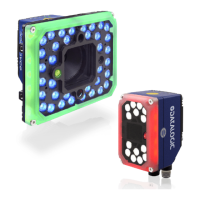
MATRIX 320™ ACCESSORIES
QUICK START GUIDE
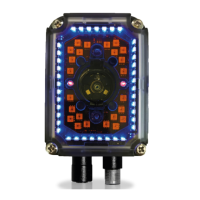
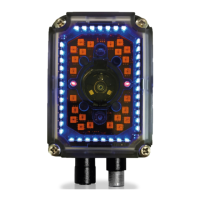
72 LED Illuminator Covers
©2021 Datalogic S.p.A. and/or its affiliates
• All rights reserved • Without limiting the rights under copyright, no part of this documentation may be reproduced,
stored in or introduced into a retrieval system, or transmitted in any form or by any means, or for any purpose,
without the express written permission of Datalogic S.p.A. and/or its affiliates • Datalogic and the Datalogic logo
are registered trademarks of Datalogic S.p.A. in many countries, including the U.S. and the E.U.
www.datalogic.com
821012060 (Rev. A) November 2021
Please read the
instructions
contained herein
carefully to
prevent damage to
the reader and its
components.

Please read the
instructions
contained herein
carefully to
prevent damage to
the reader and its
components.
Please read the
instructions
contained herein
carefully to
prevent damage to
the reader and its
components.
Please read the
instructions
contained herein
carefully to
prevent damage to
the reader and its
components.

Other manuals for Datalogic Matrix 320

Questions and Answers

  • B
    Becky McmahonSep 12, 2025
    How to fix incorrect data transfer from Datalogic Matrix 320 to the host?
    • J
      Judith ParrishSep 12, 2025
      Ensure the host serial port settings are the same as the reader serial port settings. Check the settings of Header and Terminator String parameters in the DL.CODE Data Formatting step. Also, review the various Message Field parameter settings in the DL.CODE Data Formatting step.
  • K
    Kevin KiddSep 10, 2025
    What to do if my Datalogic Barcode Reader always transmits the No Read Message?
    • A
      Anne WatsonSep 10, 2025
      Run the Rapid Configuration procedure. Position the reader as described in 'Mounting And Positioning Matrix 320'. Through DL.CODE, tune the Acquisition Delay on Trigger if the moving code is out of the reader field of view. Set the Continuous Operating Mode if no external trigger source is available. Tune the Image Settings to improve the code image quality. Check the parameter settings in the Advanced Setup step: 2D Codes, 1D Codes, and Postal Codes. View the full resolution code image to check the printing or marking quality.
  • D
    Daniel CastilloSep 9, 2025
    Why is my Datalogic Matrix 320 not transmitting data to the host?
    • J
      Jeremy LeonardSep 9, 2025
      The serial cable wiring may be incorrect. If you're using a CBX, ensure the RS422 termination switch is OFF. Also, verify that the host serial port settings match the reader's serial port settings. In DL.CODE, the COM LED Function can be configured to indicate Main Serial Port TX or Main Serial Port RX under Device menu > Settings > Settings > LED Configuration.
  • J
    Jane BowenAug 22, 2025
    What to do if the Datalogic Industrial Equipment reader is not transmitting data to the host?
    • R
      Ronald CoxAug 23, 2025
      To address communication issues where the Datalogic Industrial Equipment reader isn't transmitting to the host, ensure the serial cable is correctly wired. If you're using a CBX, verify that the RS422 termination switch is OFF. Also, confirm that the host serial port settings match those of the reader. You can configure the COM LED function in DL.CODE under Device menu > Settings > Settings > LED Configuration to indicate Main Serial Port TX or Main Serial Port RX.
  • L
    Laura WilsonSep 6, 2025
    What to do if the image is focused but not decoded on Datalogic Industrial Equipment?
    • K
      Keith WoodsSep 7, 2025
      To resolve an image that is focused but not decoded on your Datalogic Industrial Equipment, verify the Calibrate Image Density procedure.
  • M
    martinezgarySep 5, 2025
    How to fix a blurry image on Datalogic Industrial Equipment?
    • J
      Joshua Bennett DDSSep 5, 2025
      To address a blurry image on your Datalogic Industrial Equipment, verify the Focus procedure.
  • B
    Brett DavisSep 4, 2025
    How to find order number of Datalogic Industrial Equipment?
    • A
      avelazquezSep 4, 2025
      To find the Order Number of your Datalogic Industrial Equipment reader, note that it consists of 9 numbers. You can obtain the reader Order Number by comparing the Device Model (in DL.CODE Device Menu > Settings > Settings > About Device) with the product models page on the Datalogic website.
  • K
    kgarciaSep 3, 2025
    How to find serial number of Datalogic Industrial Equipment?
    • W
      Wendy RobertsSep 3, 2025
      To find the Serial Number of your Datalogic Industrial Equipment reader, look for a 9-character code consisting of one letter, two numbers, another letter, followed by five numbers. This number is printed on a label affixed to the case or connector block of the reader. The Serial Number is also visible in the DL.CODE Device List Area.
  • S
    Sergio AllenSep 2, 2025
    Why can't I access environment parameters in DL.CODE for my Datalogic Industrial Equipment?
    • C
      Courtney WigginsSep 2, 2025
      To resolve the issue of being unable to access environment parameters in DL.CODE (Device>Settings>Settings menu item is gray) for your Datalogic Industrial Equipment, verify that you are using the Installer - Expert User level. If not, change it in the Options>Change User menu.
  • L
    Lori ArmstrongSep 1, 2025
    What to do if the trigger LED is not blinking in One Shot or Phase Mode using serial trigger source on Datalogic Industrial Equipment?
    • J
      Jeffery BrownSep 1, 2025
      If the "TRIGGER" LED is not blinking in One Shot or Phase Mode using a serial trigger source on your Datalogic Industrial Equipment, check the settings for Acquisition Trigger, Reading Phase-ON, and Reading Phase-OFF parameters on the Reading Phase step. Ensure that the COM port parameters (Baud Rate, Parity, Data Bits, Stop Bits) are correctly assigned. On the Reading Phase step, verify the settings of Acquisition Trigger String, Reading Phase-ON String, and Reading Phase-OFF String parameters. Also, confirm that the serial trigger source is correctly connected.

Summary

72 LED Illuminator Covers

Cover Replacement Procedure

Step-by-step guide for replacing the illuminator cover, including safety precautions.

Datalogic Matrix 320 Specifications

General IconGeneral
ProtectionIP65
Storage Temperature-20°C to 70°C
Reading Distance50 mm to 1, 200 mm
ConnectivityUSB, RS-232
Power Supply5V DC
Operating Temperature0°C to 50°C
Scanning Distance50 mm to 1, 200 mm
InterfaceRS-232, Ethernet
Supported Barcodes1D, 2D
Humidity5% to 95% (non-condensing)
Drop Specification1.5 m
LightingLED
Audible FeedbackBeeper
Visual FeedbackLED
Technology2D Imager

Related product manuals