18
LCDDisplay
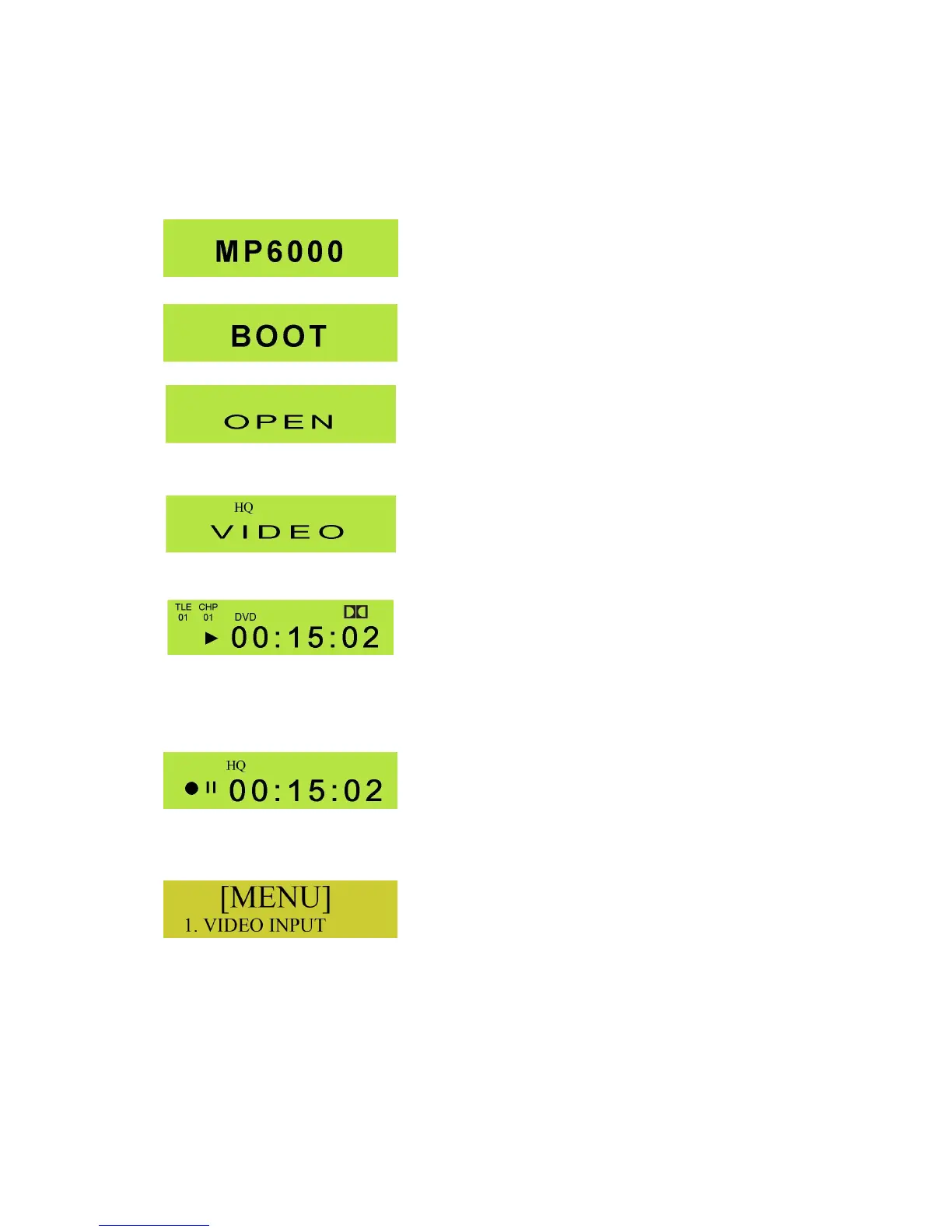
TheLCDonthefrontpaneloftheMP6000MDdisplaysvariousformsofinformation. Herearesomeofthe
manyexamples
Displayedwhenfirstswitchedon.
DisplayedbrieflywhiletheMP6000MDisbootingup.
DisplayedwhentheEjectButtonispressed.
GeneraldisplayindicatingtheRecordQualityselectedandthe
activevideoinput.InthisexampleHQistheRecordQuality–
otheroptionsareSP,LP,EPandSLP.Theactivevideoinputis
CompositeVideo–otheroptionsareSVIDEO,YUVand
DIGITAL
PlaybackDisplay.Thisindicatestheplaybackstatussuchas
PLAY,PAUSE,FWDetc.TheTitleNumber(TLE)from0099,
andtheChapterNumber(CHP)from0099aredisplayedasis
theDolby™IndicatorifDolby™NoiseReductionispresent.The
HH.MM.SSdisplayindicatesthepositionwithinthetrackor
chapter.
RecordDisplay.ThisindicatesRecordstatus.Itdisplaysthe
RecordQuality,inthiscaseHQ–otheroptionsareSP,LP,EP
andSLP.ItalsoindicateswhethertheMP6000MDisinRecor
RecPausemode.ThecounterdisplayinHH:MM:SSindicates
thelengthofthetrackbeingrecorded.
TheMenudisplayisshownwhentheMenuButtonispressed.
Therearemanyoptionsavailable,whichwewillexaminein
moredetaillater.
WewilllookatotherLCDdisplayinformationlateron,inotherchapters.



 To Next Page