19
Settingthe Time&Date
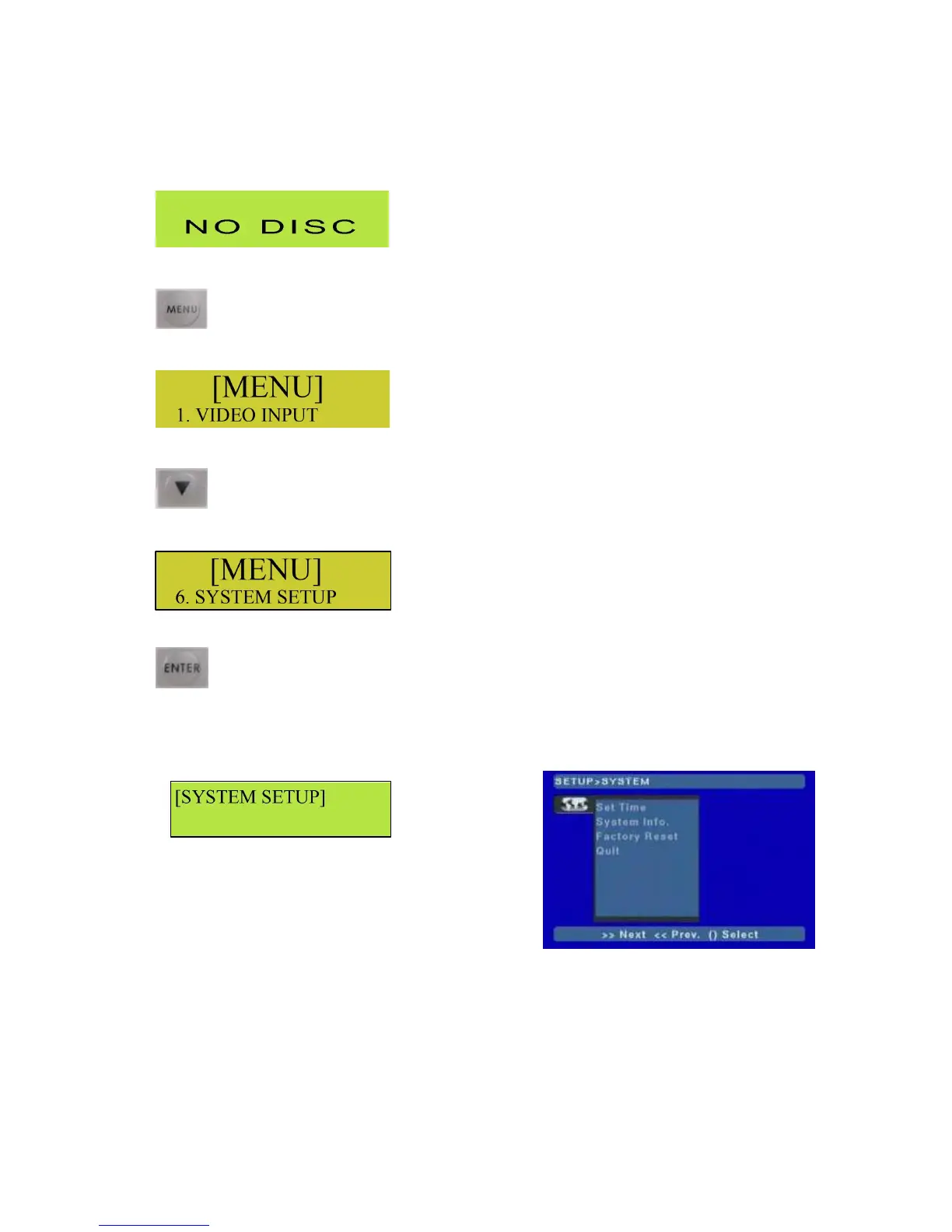
WiththeMP6000MDpowereduptheLCDdisplayshouldbedisplayingNoDisc
PresstheMenuButton.
TheLCDDisplayshouldnowshowtheSetUpMenu.
PresstheDownArrowbutton5times
TheLCDDisplayshouldnowshowoption6SystemSetup.
PresstheEnterbutton.
TheLCDDisplayshouldnowreadSystemSetup,andontheTVmonitortheSetupoptionsshouldbe
displayed.
LCDDisplay TVMonitor



 To Next Page