36
ColorCorrection
IftheimagefromthevideosourceisinneedofadjustmenttheMP6000MDhasabuiltinvideoprocessor,
itcanadjusttheBrightness,Contrast,ColorSaturationandTint(TintisNTSConly).Thesesettingsare
onlyavailablewithanaloguevideosignals,YUV,SVideoandCompositeVideo.
TocalluptheVideoProcessorSettingsstartwiththeLCDdisplayonGeneralDisplay.Haveyourvideo
sourceplaying,sothatyoucanseetheimageontheTVmonitor
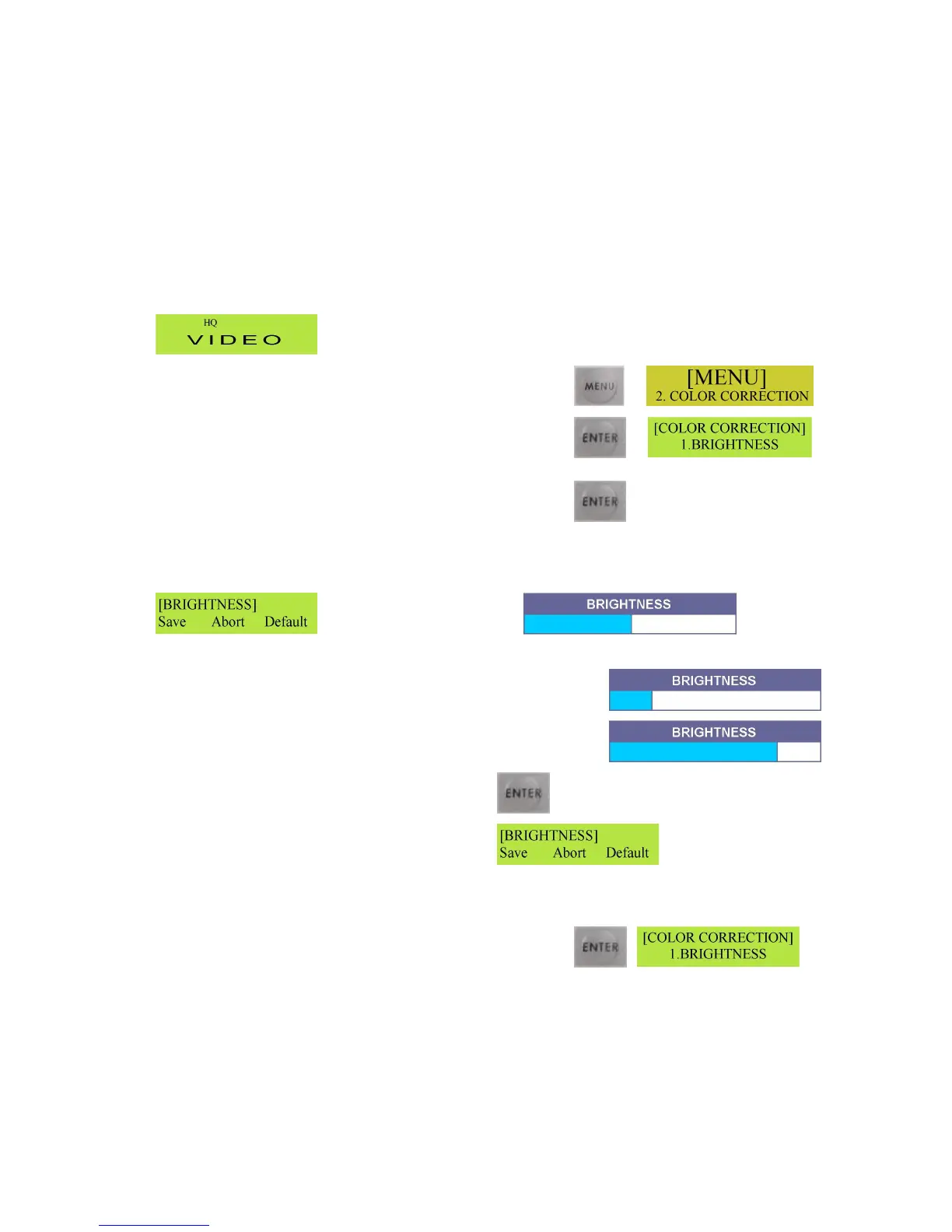
PresstheMenubuttontobringuptheColorCorrectionmenu
PresstheEnterbuttonandthedisplaywillchangetothe
Brightnesssetting
ToadjusttheBrightnesspresstheEnterbuttonagain.TheLCD
displaywillchangeandtheBrightnessadjustmentwillappear
ontheTVmonitor.
LCDDisplay OnScreenAdjustment
AreducedvalueUsetheLeftandRight Arrowbuttonsto
adjusttheBrightness–Leftreducesthe
brightnessandRightincreasethebrightness Anincreasedvalue
OncethesettingiscorrectpresstheEnterbutton
TheLCDDisplaywillchange
SAVEshouldbeflashing,presstheEnterbuttonandthenewvalueissaved.IfSAVEisnotflashinguse
theLeftArrowbuttontohighlightSAVEsothatitisflashing,andthenpresstheEnterbutton
PresstheEnterbuttontosavethenewvalue.Oncesavedthe
Menuwillreturnto1.Brightness



 To Next Page