32
EditingaTitle
ItispossibletoedittheTitleDescriptionandtheIconofeachTitle.Thiscanonlybedonebeforethedisc
hasbeenfinalized;oncefinalizedaDVD+Rdisccannotbemodified.
EditingaTitleDescription
StartwiththeLCDdisplayshowingtheGeneralDisplay
PresstheTitlebuttontoswitchfromGeneralDisplaytoplaybackmode.
TheGeneralDisplayshouldbereplacedbythePlaybackDisplay.
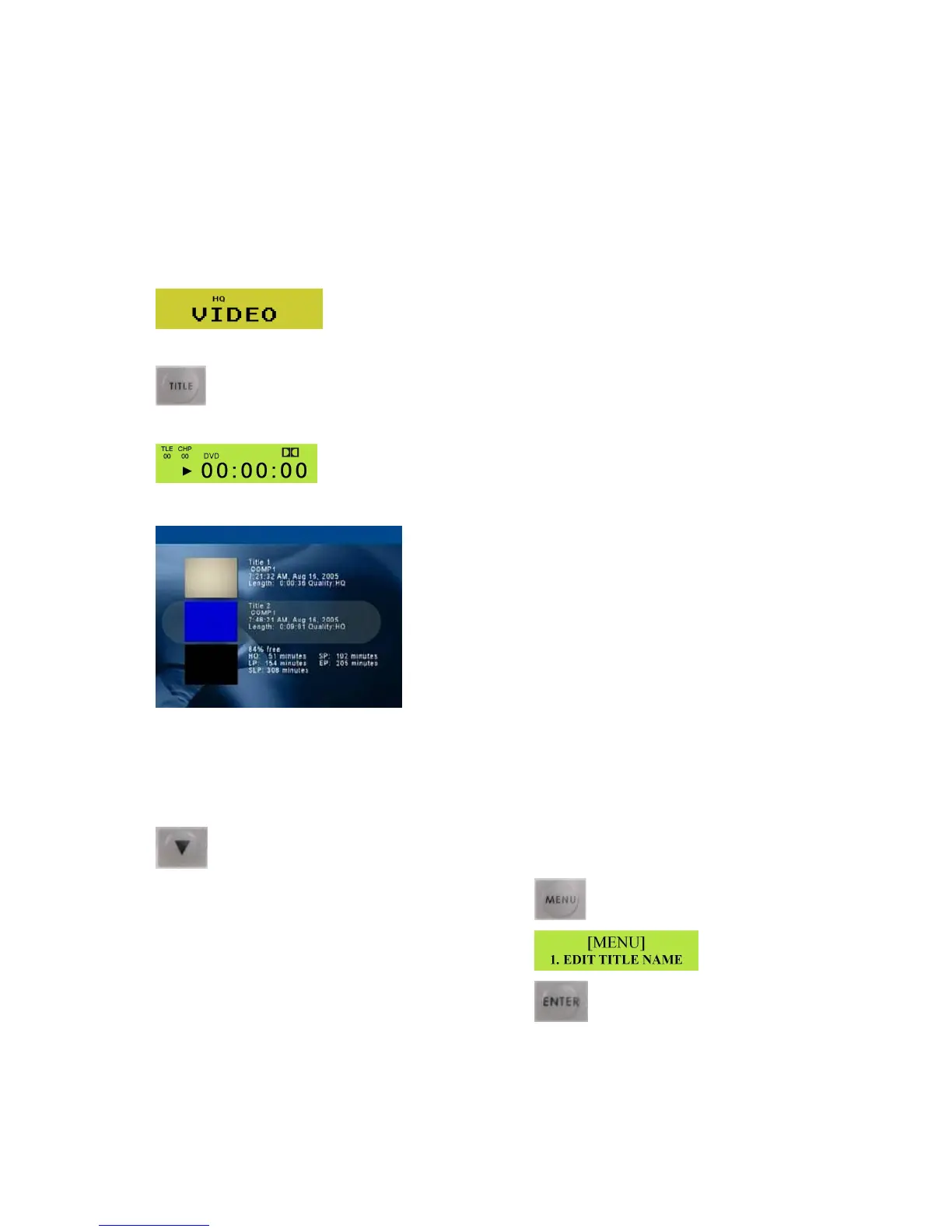
OntheTVMonitoryoushouldseetheTrackListanddetails.
Intheexampleabovetherearetwotracks.
Inthisexamplewearegoingtomodifythedescriptionofthesecondtrack.
UsetheDownArrowbuttontohighlightthesecondtrack.
WiththesecondtrackhighlightedpresstheMenubutton
TheLCDDisplaywillshowtheEditTitleNameoption
PresstheEnterbutton



 To Next Page