46
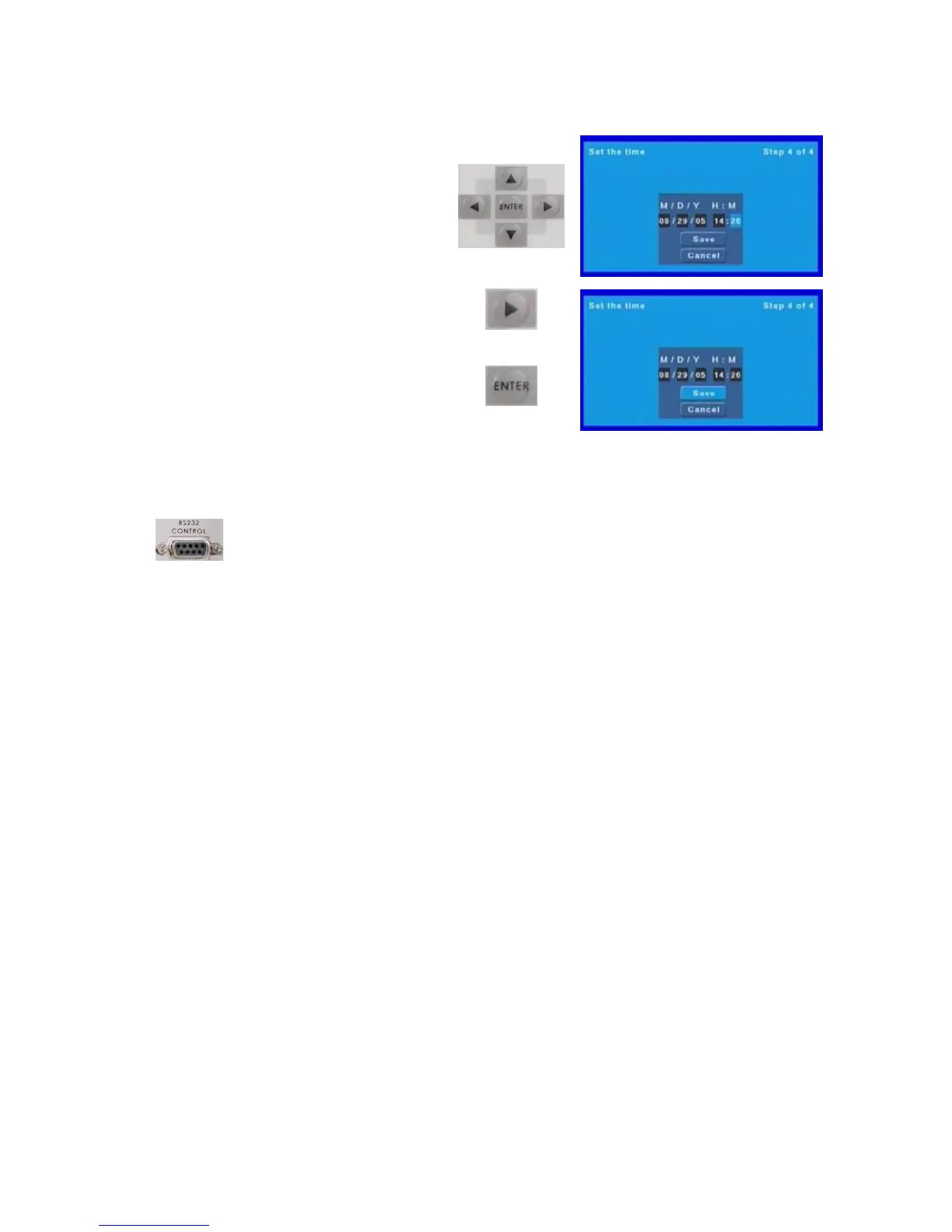
UsetheUp,DownLeftandRightArrow
buttonstonavigateandsetthedateandtime
ThenusetheRightArrowbuttontohighlight
save,andpresstheEnterbuttontoconfirm.
Thescreenwillgoblackforafewseconds
andthentheMP6000MDisreadytogo.
RS23 2Information
TheMP6000MDcanbefullycontrolledviaRS232.TheRS232portsituatedontherearofthe
MP6000MDusesstandardRS232wiring.Fullinformationonthecontrolprotocolisavailablefromyour
localDatavideooffice.PleasereadthechapteronGPIfunctions,asthiswillguideyouregardingwhichDip
switchsettingstouse.



 To Next Page