DT9502
20171205-V3
23
6.3. Manual controls
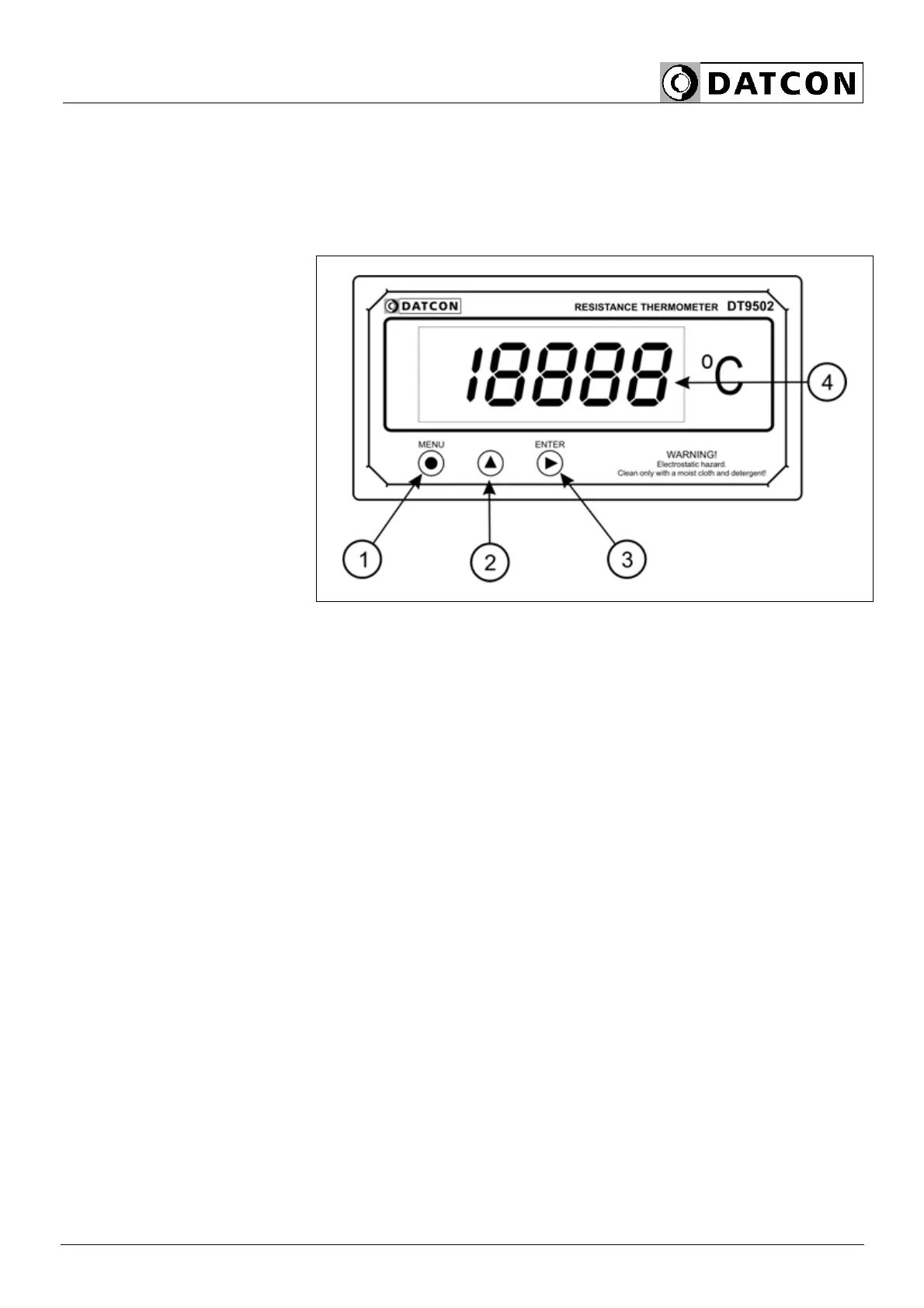
DT9502 can be adjusted by the membrane push-buttons
indicated by (1), (2), and (3) in the drawing.
Functions of the push-buttons during measurement
(1) MENU button: Entering into the menu.
When this button is pressed, the apparatus prompts you to
give your code in accordance with chapter 7.1. Writing the
code in; if the code has been written in without errors, the
device enters the menu. During these operations no
measurement is being done, and the status of the limit
outputs does not change either. The current output
preserves the last value for 1 minute, then it drops to a
value less than 4 mA. It will stay this way as long as
you exit the menu.
If no keys are pressed within a period of one minute, the
apparatus restarts, and the measurement goes on.
(2) ▲ button: Minimum value, maximum value, presenting
the program (Firmware) version number on the display.
The data stay on the display only as long as the button is
being pressed down. During these operations no
measurement is being done, and the status of the limit
outputs does not change either.


 To Next Page