. . . . . . . . . . . . . . . . . . . .
DPP-250 User Manual Page 11
Loading Paper
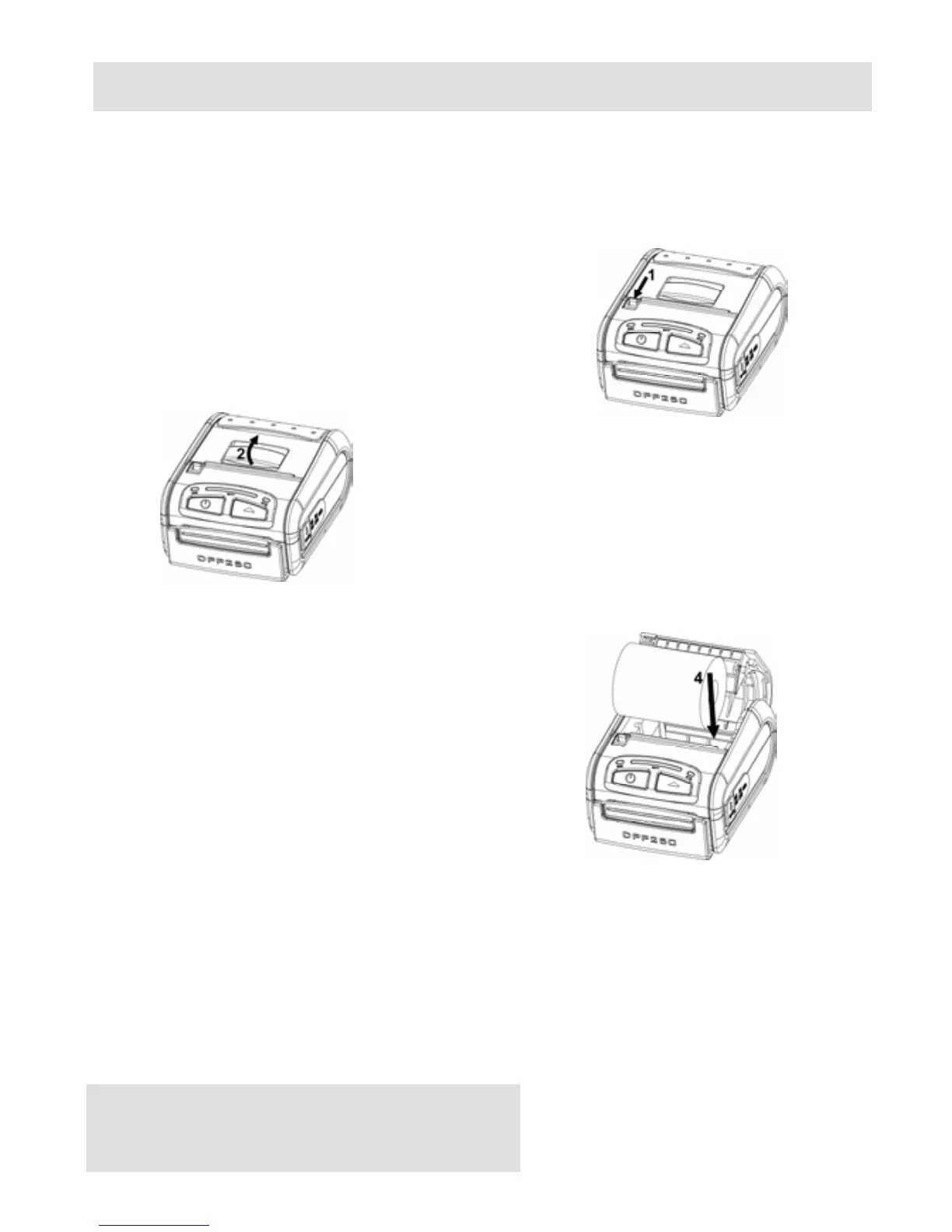
The DPP-250 uses a drop-and-load design making paper loading
easy and trouble free. To load paper, simply lift up the paper cover
latch and drop in the new roll as shown in the steps below.
1. Slide the paper cover latch to unlock
the paper cover as shown in the
figure on the right.
Figure 5
2. Lift the paper cover latch to open the
paper cover as shown in the figure on
the left.
Figure 6
3. Drop in the new roll of thermal
media as shown in the figure on the
left.
Be sure to pull at lease 12 mm
or more of media above the top
of the printer before closing.
Figure 7
4. Close the paper cover until it snaps lock.
5. Slide paper cover latch to lock the cover in place.



 To Next Page