. . . . . . . . . . . . . . . . . . . .
DPP-250 User Manual Page 22
Bluetooth
®
Setup
Adding New Bluetooth
®
Device to PDA or Smartphones
The following is a brief explanation on how to [Pair] your
Bluetooth
®
DPP-250 to PDA & Smartphones.
BlackBerry Devices:
Add Device or Pairing Bluetooth
®
peripherals to BlackBerry devices require
the use of the device Bluetooth
®
manager.
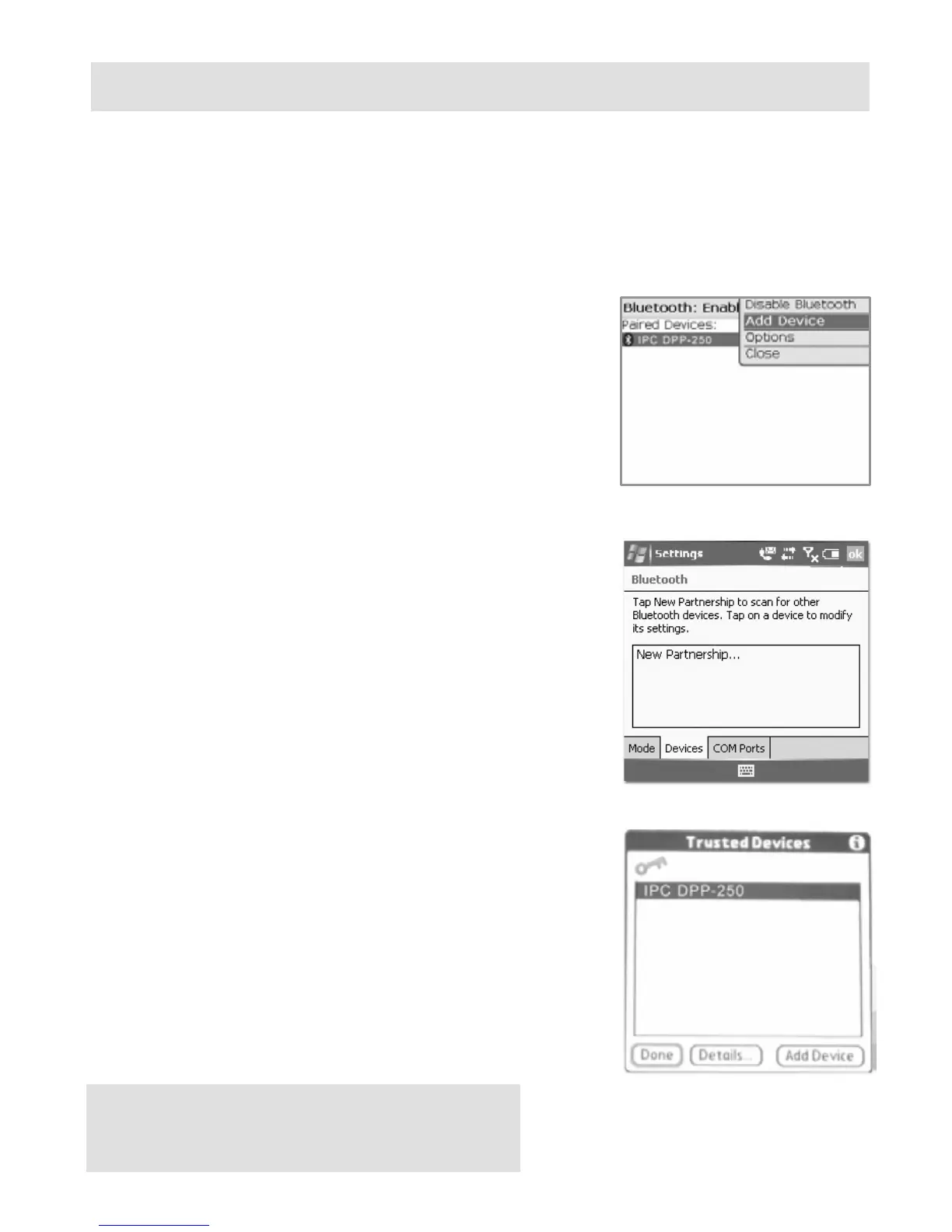
Image on the right shows a typical
Blackberry Bluetooth
®
manager. When
adding / pairing the DPP-250, use the
[0000] pairing key when prompted.
Windows Mobile Devices:
Creating a New Partnership or Pairing
Bluetooth
®
peripherals to your Windows
Mobile devices require the use of the
device Bluetooth
®
manager. Image on the
right shows a typical Windows Mobile
Bluetooth
®
manager. When adding/pairing
the DPP-250, use the [0000] pairing key
when prompted.
Palm Devices:
Add Device or Pairing Bluetooth
®
peripherals to your Palm devices require
the use of the device Bluetooth
®
manager.
Image on the right shows a typical Palm
Bluetooth
®
manager. When adding/pairing
the DPP-250, use the [0000] pairing key
when prompted.



 To Next Page