. . . . . . . . . . . . . . . . . . . .
DPP-250 User Manual Page 26
Replacing Battery
To replace the battery in the DPP-250 thermal printer follow the
steps below.
Steps:
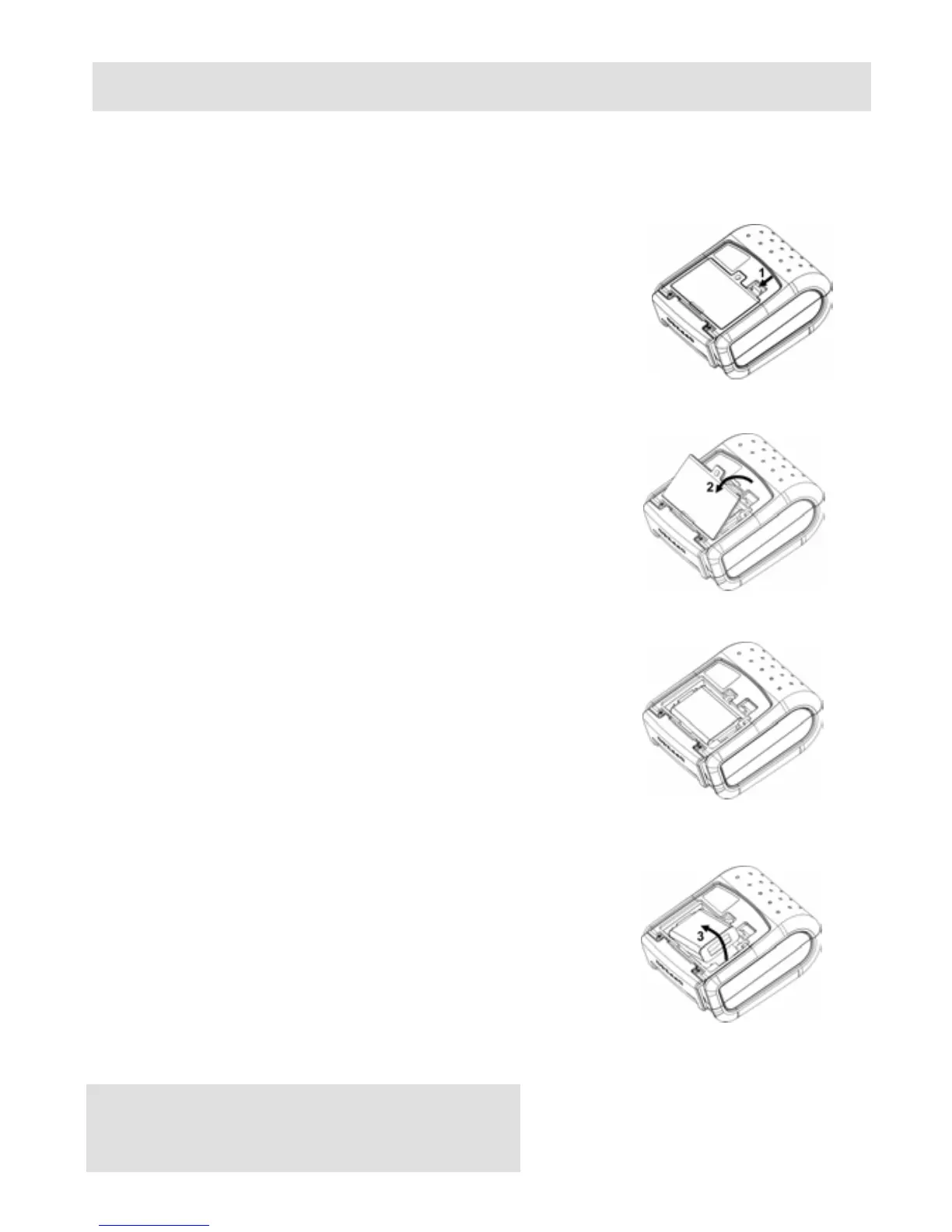
1. Turn over the DPP-250 and place on a flat
surface. Rotate the (2) locking levers as
shown in the figure on the right.
Figure 15
2. Lift the battery cover as showed in the
figure on the right.
Figure 16
3. Lift the battery as shown in the figure on
the right.
Figure 17
4. Detach the battery connector as shown in
the figure on the right. Reverse Steps 1-4
to install the new battery pack.
Figure 18



 To Next Page