34
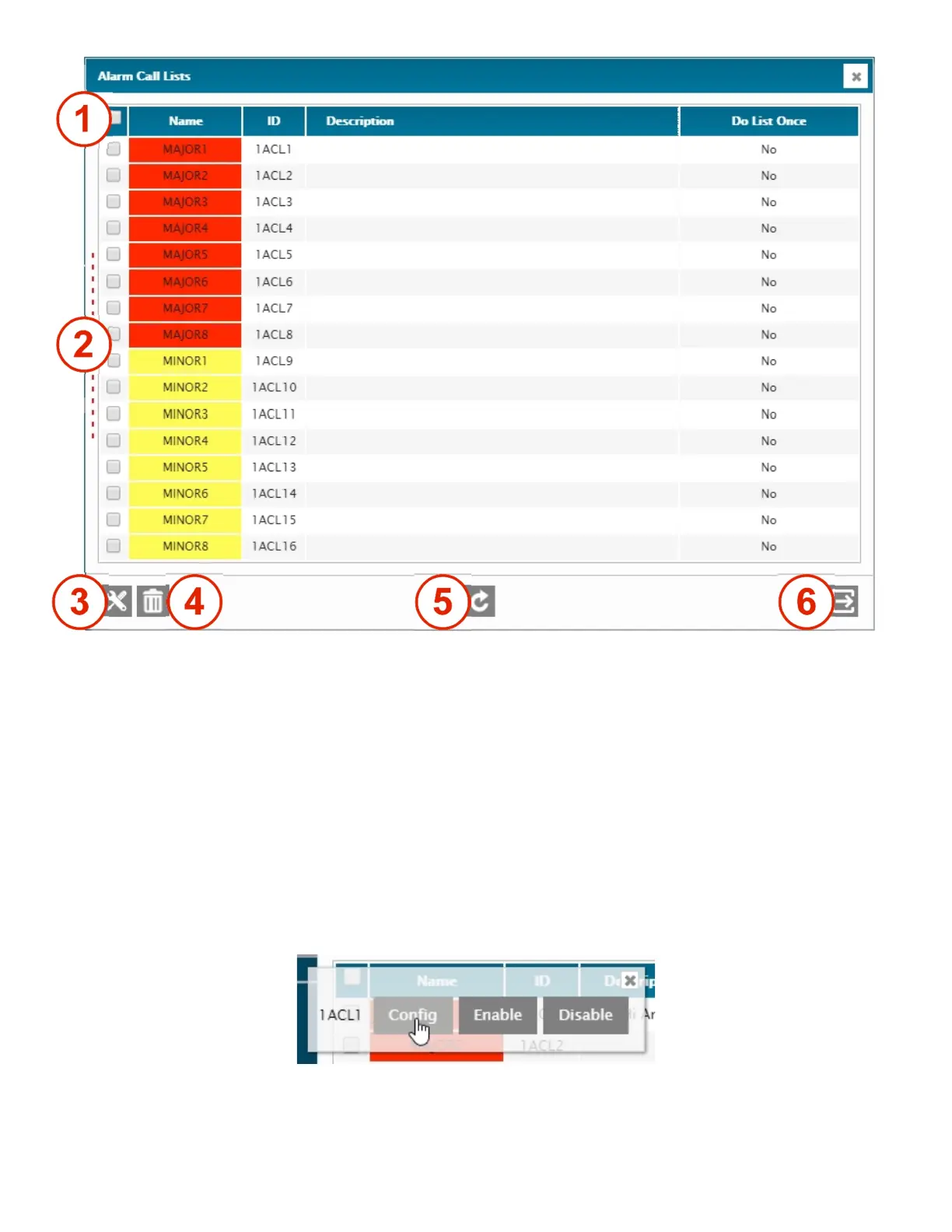
1 – SELECT ALL
Select all 16 lists at once.
2 – INDIVIDUAL SELECTION
Select one or multiple lists.
3 – SETUP
Setup menu for the selected list(s).
4 – DELETE
Erase the content of the selected list(s).
5 – REFRESH / READ
Refresh / read the screen content.
6 – EXIT
Exit menu.
The Alarm-Call List (ACL) Right-Click menu gives access to the setup (Config) screen, but also allows immediate access
to temporarily Disable or Enable any list.



 To Next Page