41
IP Port of the SMTP email server.
4 – SECURITY
Authentication type of the email server.
5 – USERNAME
Username of the email account.
6 – PASSWORD
Password of the email account.
7 – SEND TEST EMAIL TO
Valid recipient email for email transmission test.
8 – SEND TEST EMAIL
Generate a test email in order to verify IP and email settings.
9 – REFRESH / READ
Refresh / read the screen content.
10 – SAVE
Save the screen content.
11 – EXIT
Exit menu.
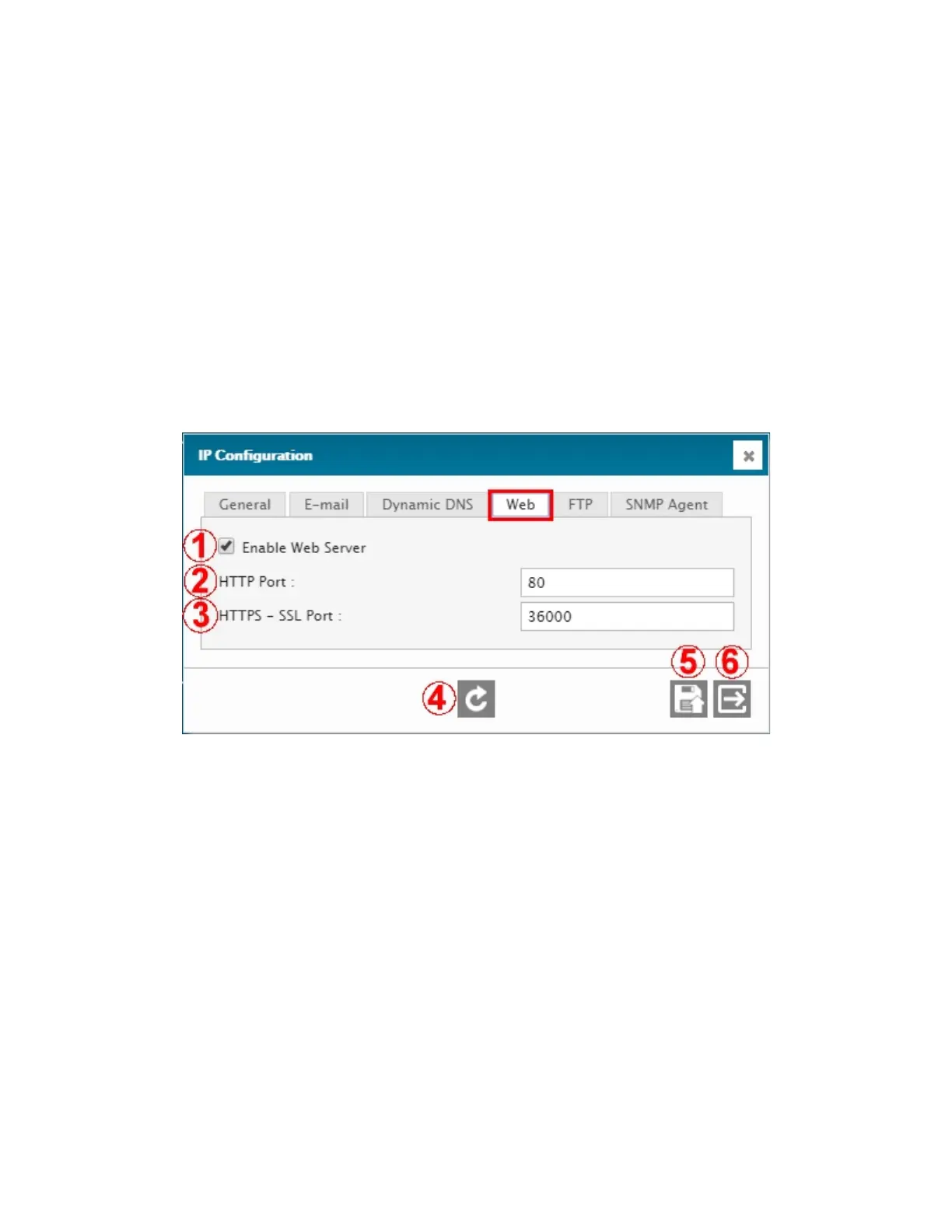
4.2.4.3. IP Configuration – WEB tab
1 – ENABLE WEB SERVER
Enable / disable the unit’s web server. CAUTION: if the web server is disabled, the only means of
communicating with the Cortex will be via DavLink.
2 – HTTP PORT
HTTP port number for web access.
3 – HTTPS – SSL PORT
HTTPS port number for SSL access.Usually port 443, but it is recommended to use another port.
4 – REFRESH / READ
Refresh / read the screen content.
5 – SAVE
Save the screen content.
6 – EXIT
Exit menu.



 To Next Page