43
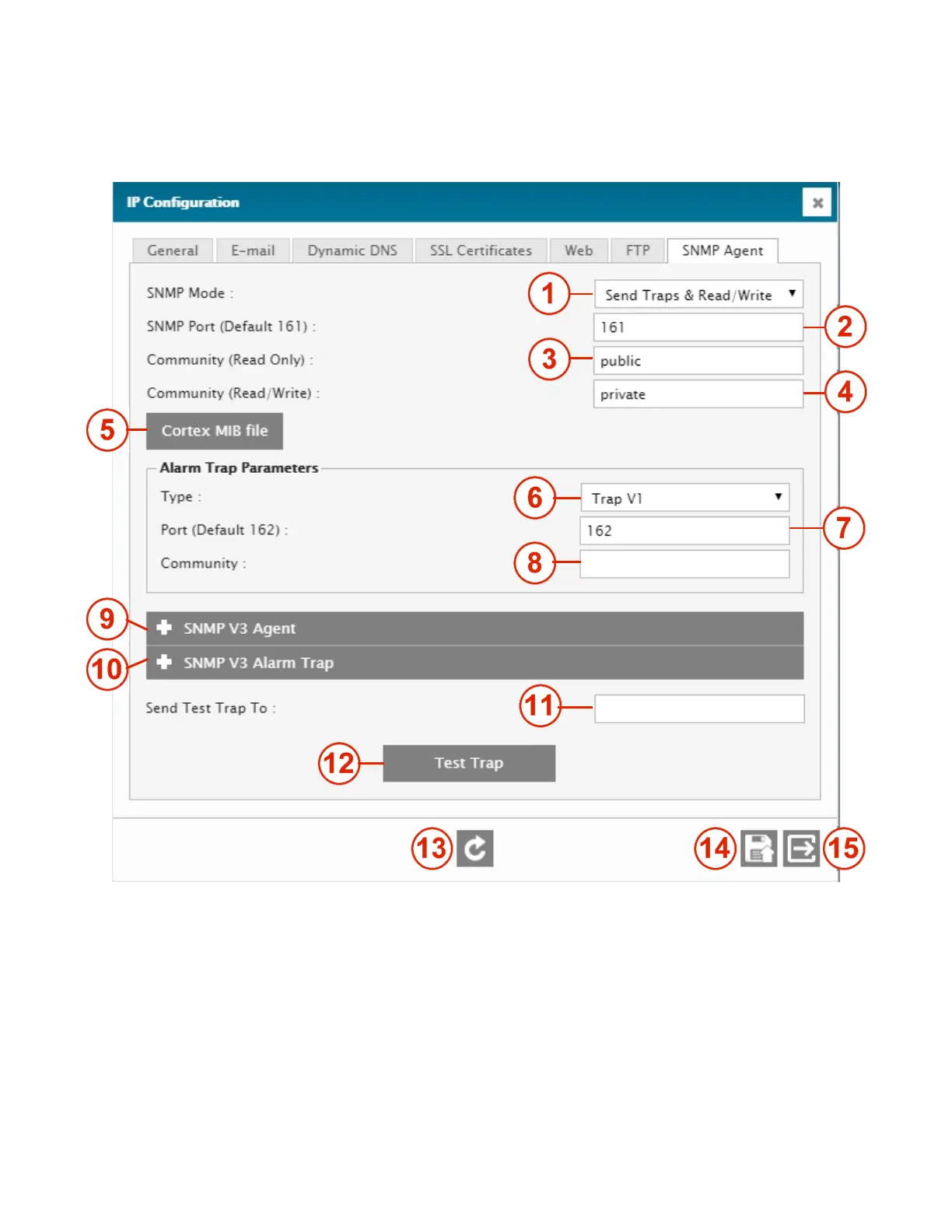
4.2.4.5. IP Configuration – SNMP Agent tab
The Cortex’s SNMP Agent allows the unit to be monitored and controlled by a remote SNMP Manager program. This agent
is different from the Cortex’s SNMP Manager, which is used to monitor and control other on-site equipment.
1 – SNMP MODE
Selects the types of SNMP actions allowed (Traps only, Traps and GETs or Traps, GETs and SETs)
2 – SNMP PORT
IP port used for SNMP commands. Default is 161, but can be changed as required.
3 – COMMUNITY - READ ONLY
Name of the community (kind of password) for the SNMP read-only commands (GETs).
4 - COMMUNITY - READ / WRITE
Name of the community for the SNMP read and write commands.
5 – CORTEX MIB FILE
Clicking this button downloads the Cortex MIB file to your computer
6 – TYPE



 To Next Page