76
4 – RELEASE
Release any forced-on or forced-off relay. A manual release of any forced relay is required in order for the Cortex
to recover automatic control on the relay.
5 – PULSE
Pulse the selected relay (will pulse for the amount of time set in the relay’s configuration menu).
6 – ENABLE
Enable the selected relay.
7 – DISABLE
Disale the selected relay.
RELAY OPERATING MODES
An operating mode defines how a relay will work. Four (4) modes are available: FOLLOW/LATCH, PULSE ONLY, ANY
OR AUTOMATIC ONLY. These modes, among other things, represent safety measures to prevent relays from behaving
incorrectly, either from automatic control or from human intervention.
FOLLOW / LATCH
This operating mode only allows a relay to be controlled either as a follower or as a latching relay.
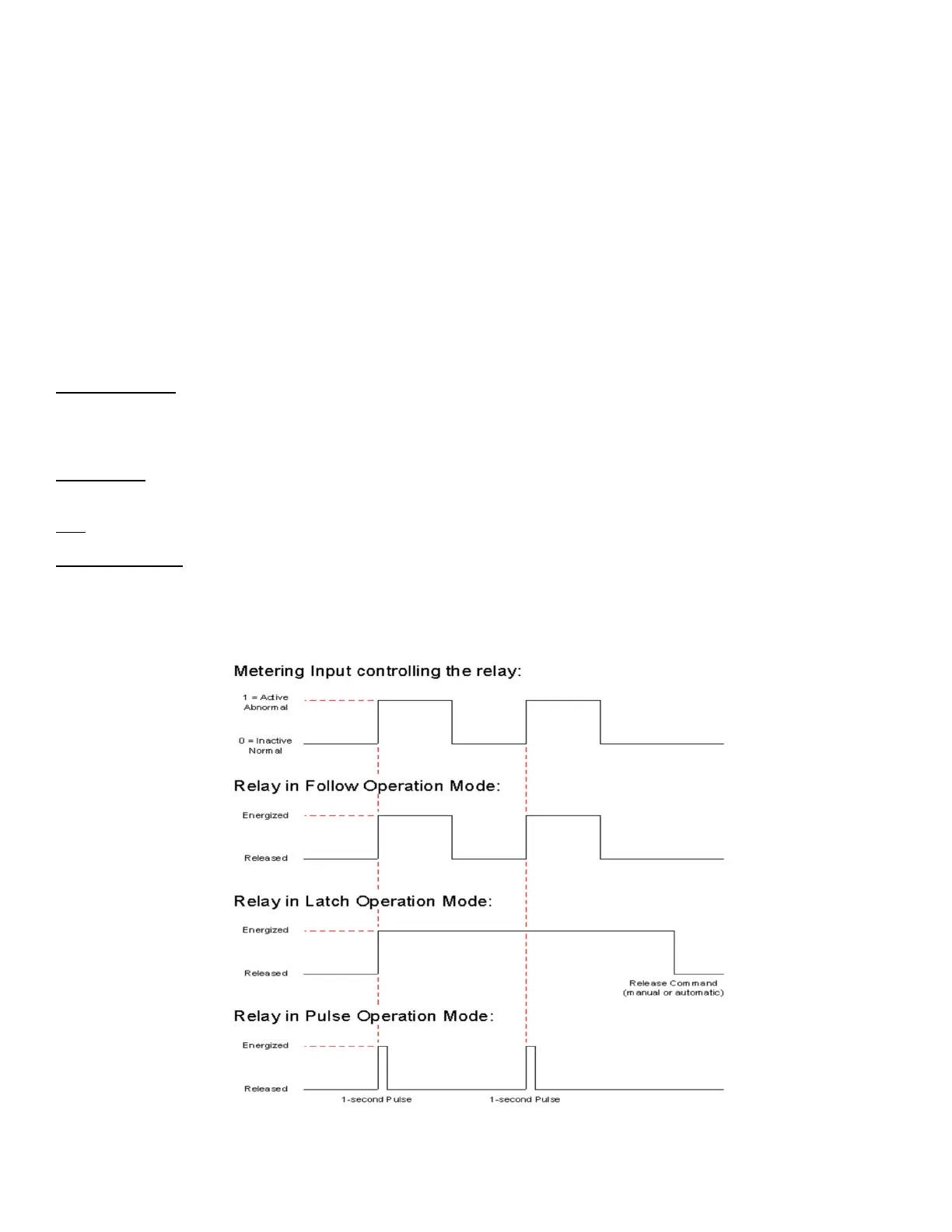
Follow: Relay activation follows the state of the input that controls it.
Latch: Relay activates and stay activated for as long as a Release command (manual or automatic) is not sent by the input
that controls it.
PULSE ONLY
This operating mode only allows a relay to pulse. It will pulse for the time duration set in its configuration menu. Default
duration is 1 second.
ANY
Relay is permitted be activated in all modes: follow, latch, pulse, and manual activation.
AUTOMATIC ONLY
The relay will exclusively be controlled by the Cortex, no manual control is allowed (The 3 other operating modes can still
apply).
The graph below shows operation mode examples in relationship to a Metering Input as the controlling source.



 To Next Page