10 User manual
4 Preparing the DayClock
You can start using your DayClock after making the preparations in chapter 3! The
date and time display are already set. This chapter describes how you can modify
the DayClock’s other settings to suit your preferences.
4.1 The settings menu of the DayClock
Take the following steps to go to the settings menu:
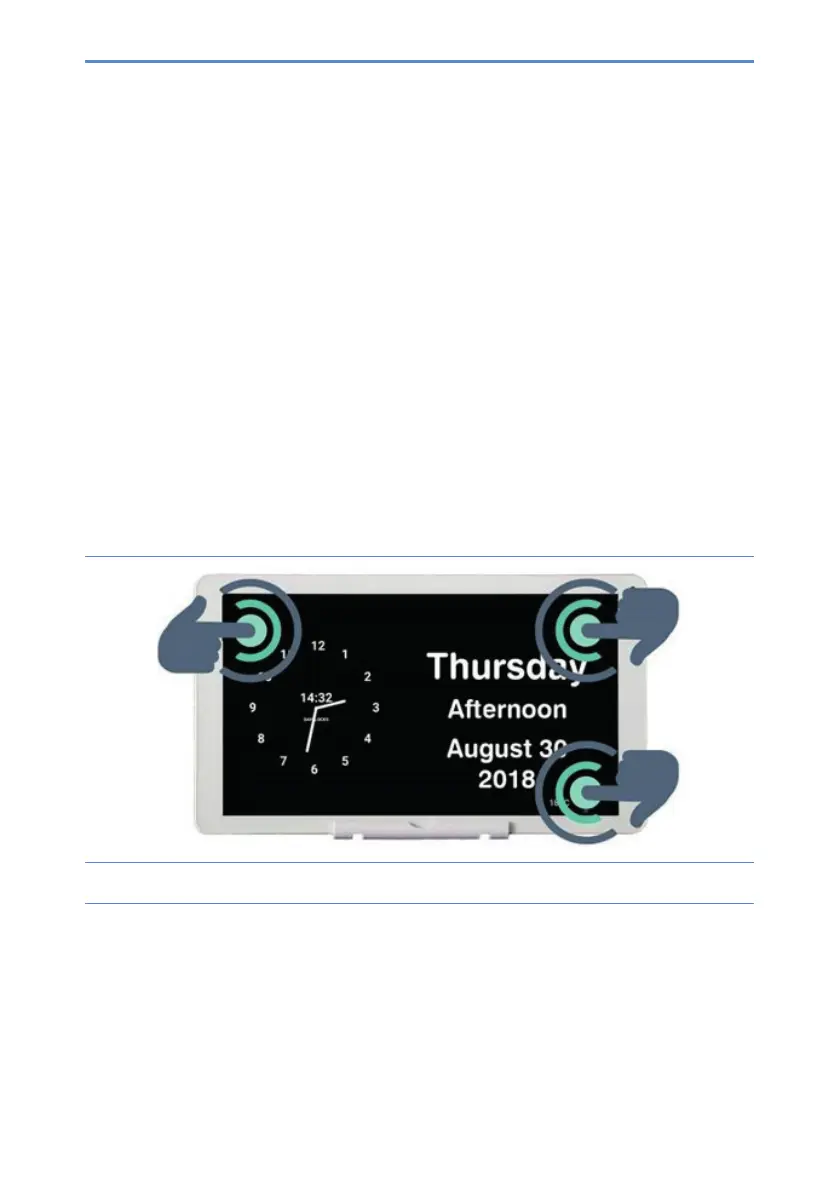
1. Placethreengersonthescreenforatwoseconds,asshowningure5,until
a blue line appears.
Figure 5: Activating the settings menu.


 To Next Page