5DayClocks
2 Product description
2.1 General
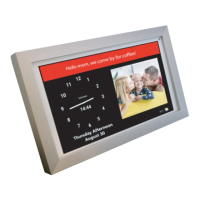
The DayClock is a Plug & Play tablet and can be operated both with and without a
DayClock subscription. The DayClock can be operated via the DayClock Agenda
app and via the DayClock website.
The DayClock has the following clock functions without a subscription:
• Time display
• Daypart display
• Day of week display
• Day of month display
• Day of year display
The DayClock has many functions with a subscription, including:
• Create, manage and display activities, both with the DayClock Agenda App
and the DayClock website.
• Send photos via the DayClock Agenda app or the DayClock website, and
view them on the DayClock.
• For all other features, see:
www.the-dayclock.com/the-functionalities-of-the-dayclock/
• Video calling (DayClock 10).
2.2 Subscription
You will receive a FREE temporary subscription when you purchase a DayClock.
This can be activated by entering your account details. See §3.5 for more
information. This subscription offers you unlimited use of all functions in the
DayClock and the DayClocks Agenda app. A Wi-Fi connection is essential in order
to use a subscription.
You will receive a payment link from DayClocks at the end of the subscription
period, which you can use to extend the subscription by one year.


 To Next Page