18 User manual
4.5 Weather (only available on the DayClock10)
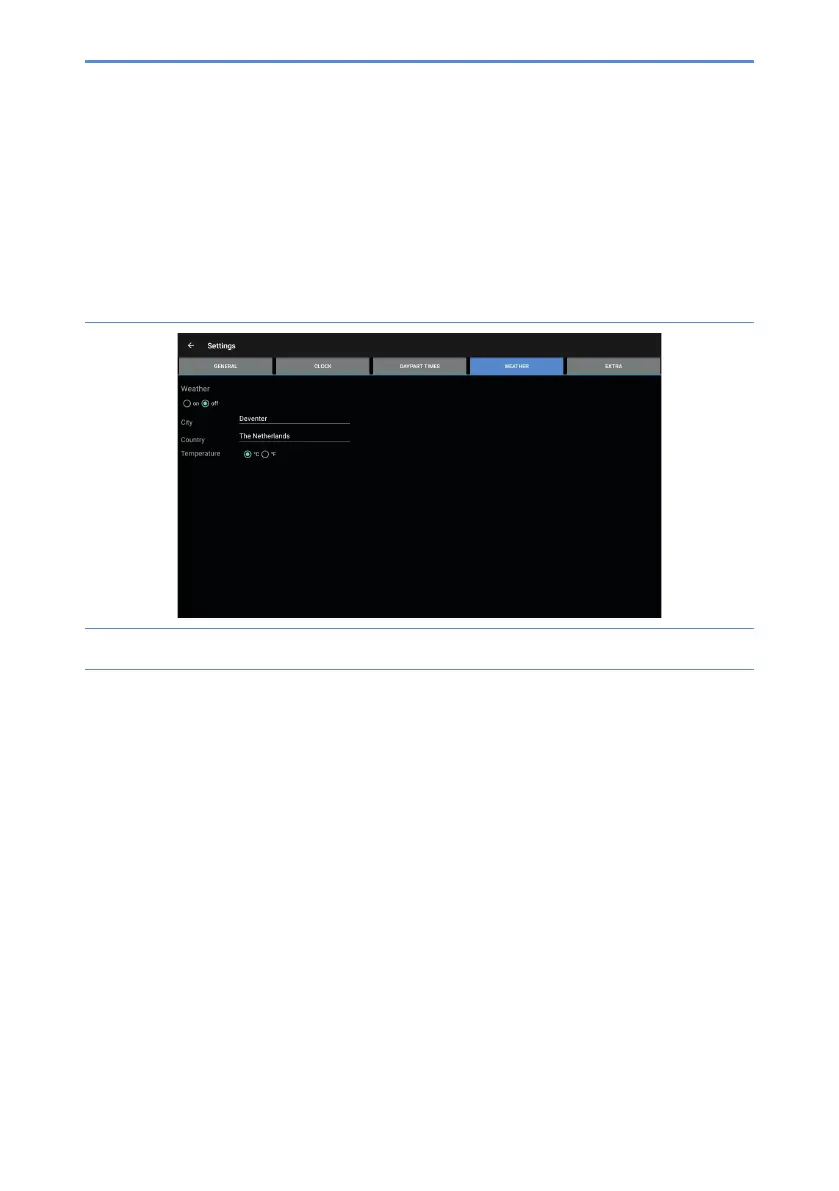
Thismenucanbeusedtoconguretheweatherdisplayonthestartscreen.Take
the following steps to set the weather:
1. Press Weather(D).Thesettingsmenuforweatherwillappear(gure10).
Figure 10: Settings menu (weather)
2. Switch the weather display on or off.
3. Enter your current city and country. You must enter the country in English.
4. Select Celsius (°C) or Fahrenheit (°F) as temperature display.


 To Next Page