14 User manual
4.3 Clock settings
Take the following steps to modify the clock settings on the start screen:
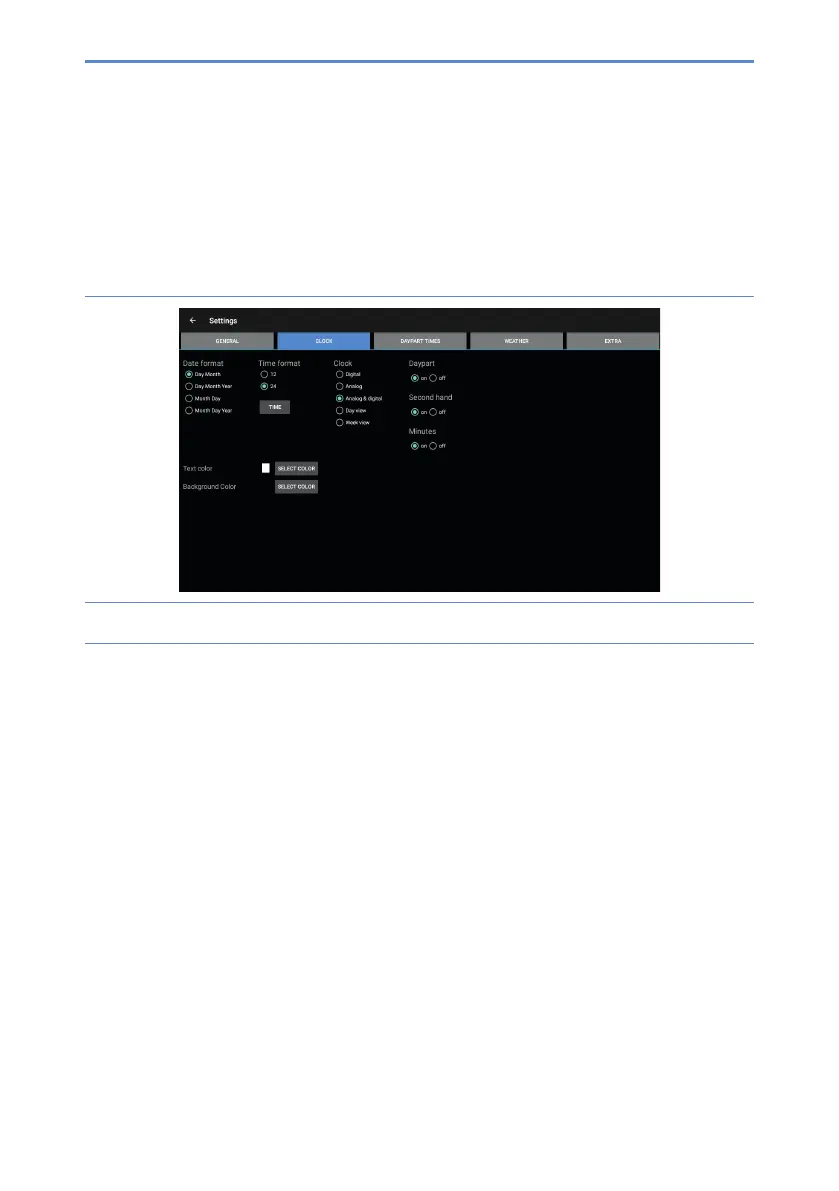
1. Press Clock(B).Thesettingsmenufortheclockwillappear(gure7).
Figure 7: Settings menu (Clock)
2. Select how the date is displayed under Date format.
3. Select a 12-hour or 24-hour time format under Time format.
4. Select how the clock is displayed under Clock.
5. Switch the option for daypart, second hand or minutes on or off.


 To Next Page