System Setup
Section 3
ZonePro
™
15
ZonePro
™
User Manual
The Schedule Wizard provides for pre-determined scene changes corresponding to the time of
day and/or day of week. For example installations such as restaurants often require volume
increases during peak hours of operation. This sub-section will walk you through setting up
the Schedule Wizard.
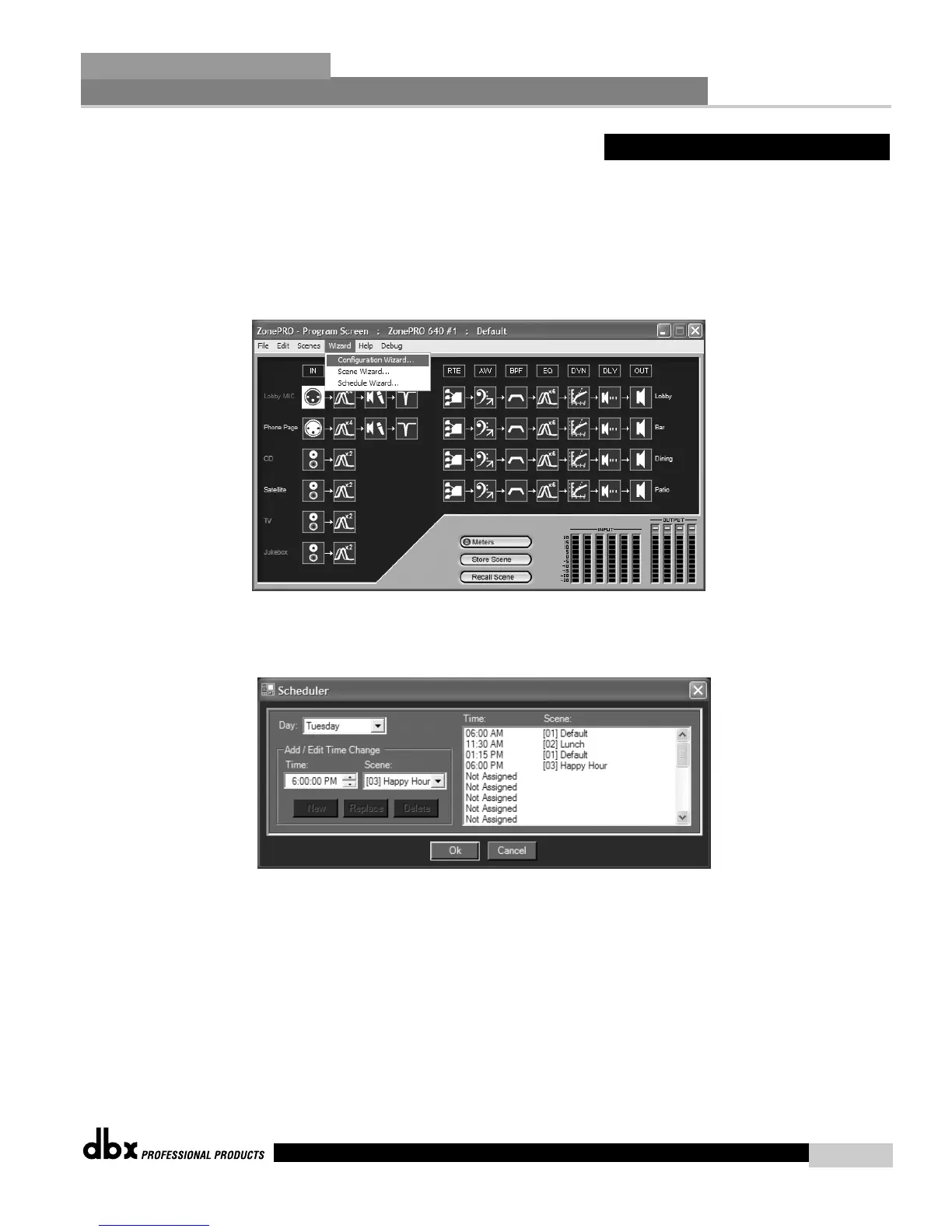
• From the Unit view of the setup, the display will appear something like this:
• Select the Wizard pull down from the menu bar and then select the option labeled
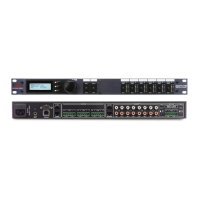
Scheduler Wizard. Once selected, a window will appear as follows:
• At this point you can create a schedule for each day of the week, by recalling scenes at
any time with up to 1 minute resolution. Up to 24 scenes can be recalled per day. Once
all changes have been made, select Ok or Cancel and the window will be closed.
3.4 - Schedule Wizard



 To Next Page