ZonePro™ User Manual
The following section will provide you with a module block representation for each effect, as
well as descriptions and explanations of all parameters within the ZonePro.
The signal routing begins at the INPUT block of the ZonePro™.
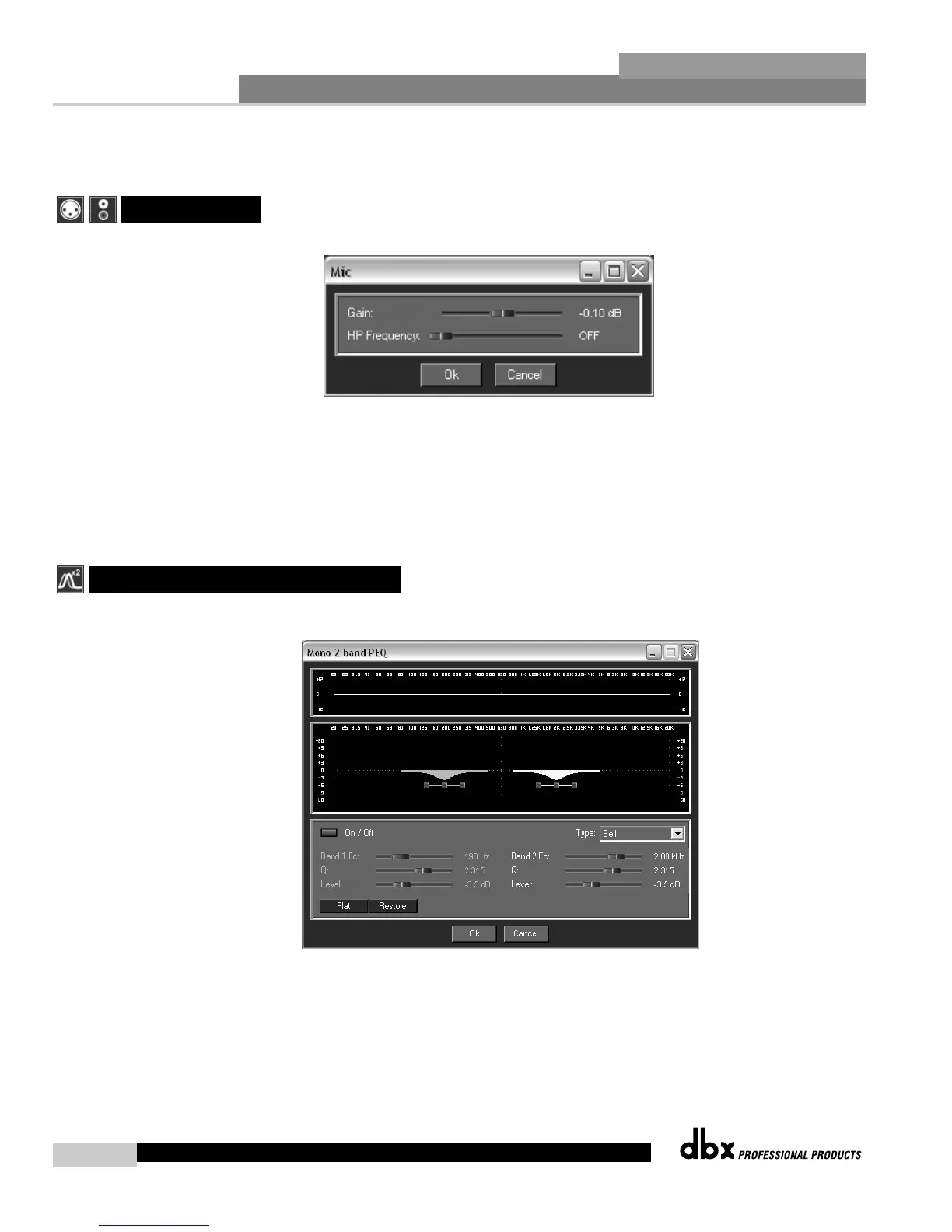
Gain Level -Inf to 20dB
Adjusts the input level.
HP Frequency Off, 14.96Hz to 118.85Hz (Mic Inputs Only)
Adjusts the input High Pass cutoff frequency.
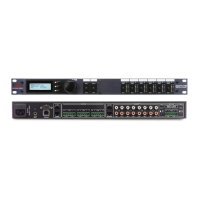
The ZonePro units offer Pre-crossover parametric sections on each input, and may be config-
ured as a single or linkable 2-band (RCA inputs only) or 4-Band PEQ (Mic inputs only).
EQ On/Off
Turns the PEQ on and off.
Type Low Shelf, HighShelf, Low/High Shelf and Bell
The Type selector allows you to select either a Low, High, Low/High shelf or Bell EQ curve.
4.2 - Input Parametric EQ
4.1 - Input



 To Next Page