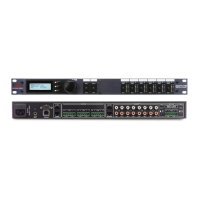
ZonePro™ User Manual
44
Appendix
ZonePro
™
In the event that a reset is required, the ZonePro™ offers you the option of performing a “Soft” or “Hard” reset. The
Soft Reset resets all operating parameters except user programs. The Hard Reset Procedure will reset all programmable
information back to the factory defaults.
Factory ("Hard") Reset (640)
• Press and hold the <2> button on power-up until the following message appears in the display:
"!: !:HARD RESET??"
• Pressing the <UTIL> button will start a Factory Reset (All User Programs will become copies of the
Factory Programs, all Utility settings will be defaulted, and all Security settings will be defaulted)
Pressing the <PAGE 1> button will abort the Factory Reset sequence and the unit will reset normally.
Factory ("Soft") Reset (640).
• Press and Hold the <3> button on power-up until the following message appears in the 7-Seg Display:
"!:SOFT RESET? "
• Pressing the <UTIL> button will start a System Reset (All Utility settings will be defaulted.)
Pressing the <PAGE 1> button will abort the System Reset sequence and the unit will reset normally.
Flash Download Update (640)
To flash update the firmware version of the ZonePro™ the unit needs to be put into Flash Update Receive mode.
This is done by holding the <1> button while connecting power to the 640. The following message will appear:
WAITING FOR
FLASH DOWNLOAD
Once in Flash Update Receive mode it is ready to receive the new firmware.
A.1 - Factory Reset/Flash Update



 To Next Page