ZonePro
™
User Manual
22
Section 4
ZonePro
™
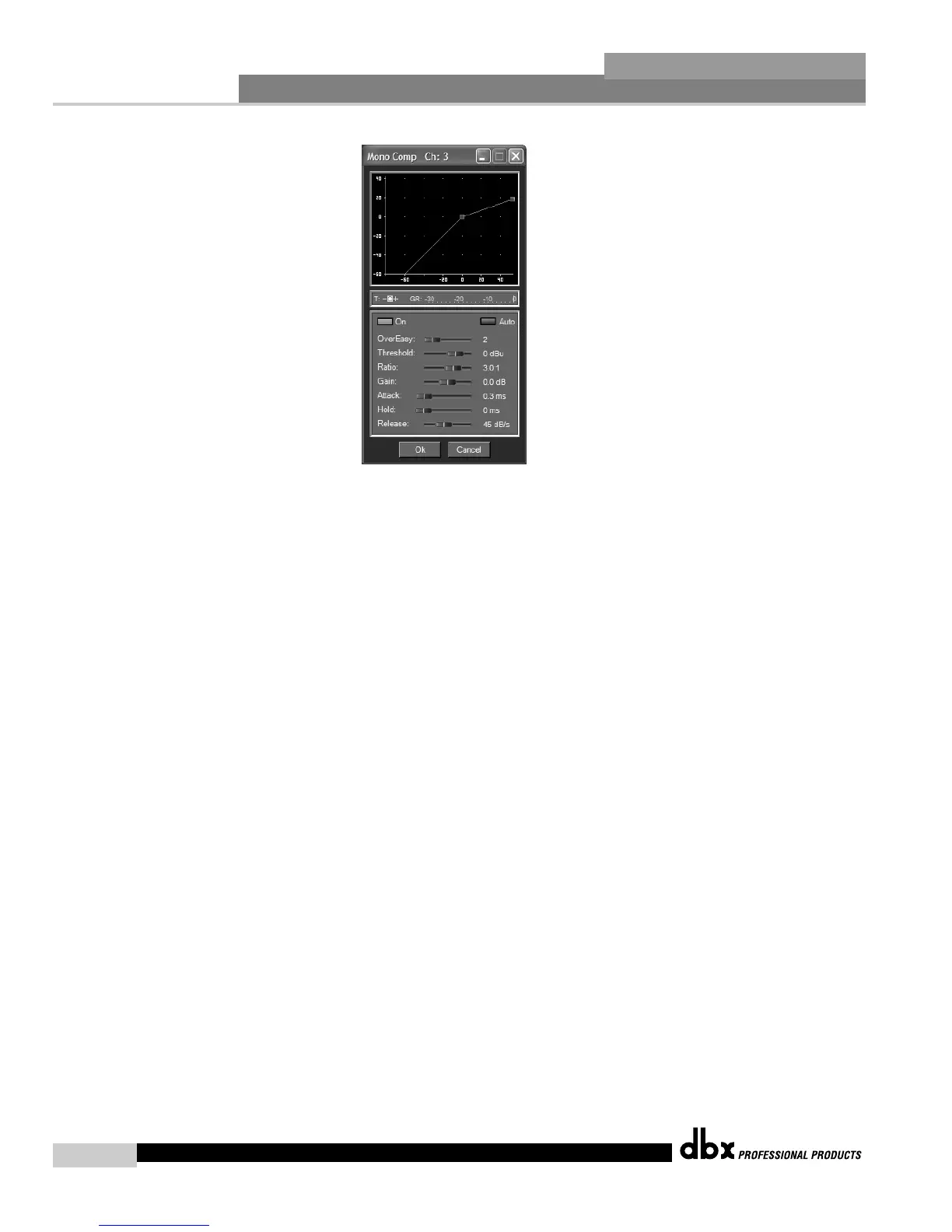
Compressor On/Off
Turns the Compressor module on and off.
OverEasy Off to 10
OverEasy is a soft-knee smoothing function that occurs about the compression threshold.
OverEasy off is considered hard knee; the higher the OverEasy the greater the smoothing.
Threshold -40 to +20dBu
Threshold is the signal level at which the unit starts to compress the signal. If the level is set to
-10 dBu, than any signal larger than -10 dBu is compressed while any signal that has a level
that is lower than -10dBu is left at the same signal level. For most signals the most natural com-
pression is achieved when most of the signal content remains just below the threshold and only
the peaks cross the threshold.
Ratio 1.0 to Inf:1
Ratio is the amount the unit reduces the signal level of the sound that is above the threshold.
A 2:1 ratio means that if the incoming signal is 2dB over the threshold the unit will compress
the signal, and outputs a signal that only goes 1dB over the threshold. For light compression
choose a lower ratio, while a heavy compression requires a higher ratio. A setting of Inf:1 makes
the compressor act as a limiter.
Gain -20 to +20 dB
This parameter is used to compensate for the gain lost during compression. By using heavy
compression on a signal and then boosting the signal with the output gain, the user can create
a signal that sounds much louder than it actually is.



 To Next Page