Application Guide
SECTION 5
ZonePro
™
35
ZonePro™ User Manual
Retail Application Notes
1. The configuration is setup from the Wizard function and is used to select the main inputs to each zone except the
sales floor where the ZCs are selected as the source and level.
2. All paging is done from the phone page interface and can be steered to the sales floor, the stock room, and the
office, but not the music on-hold. Page steering is done from the front panel of the ZonePro 640.
3. The Zone Controllers are wired with CAT5 cable in series with the ZC-3 (Source Selection) as ID #1, and ZC-1
(Volume) as ID #2, and are placed next to the cash register.
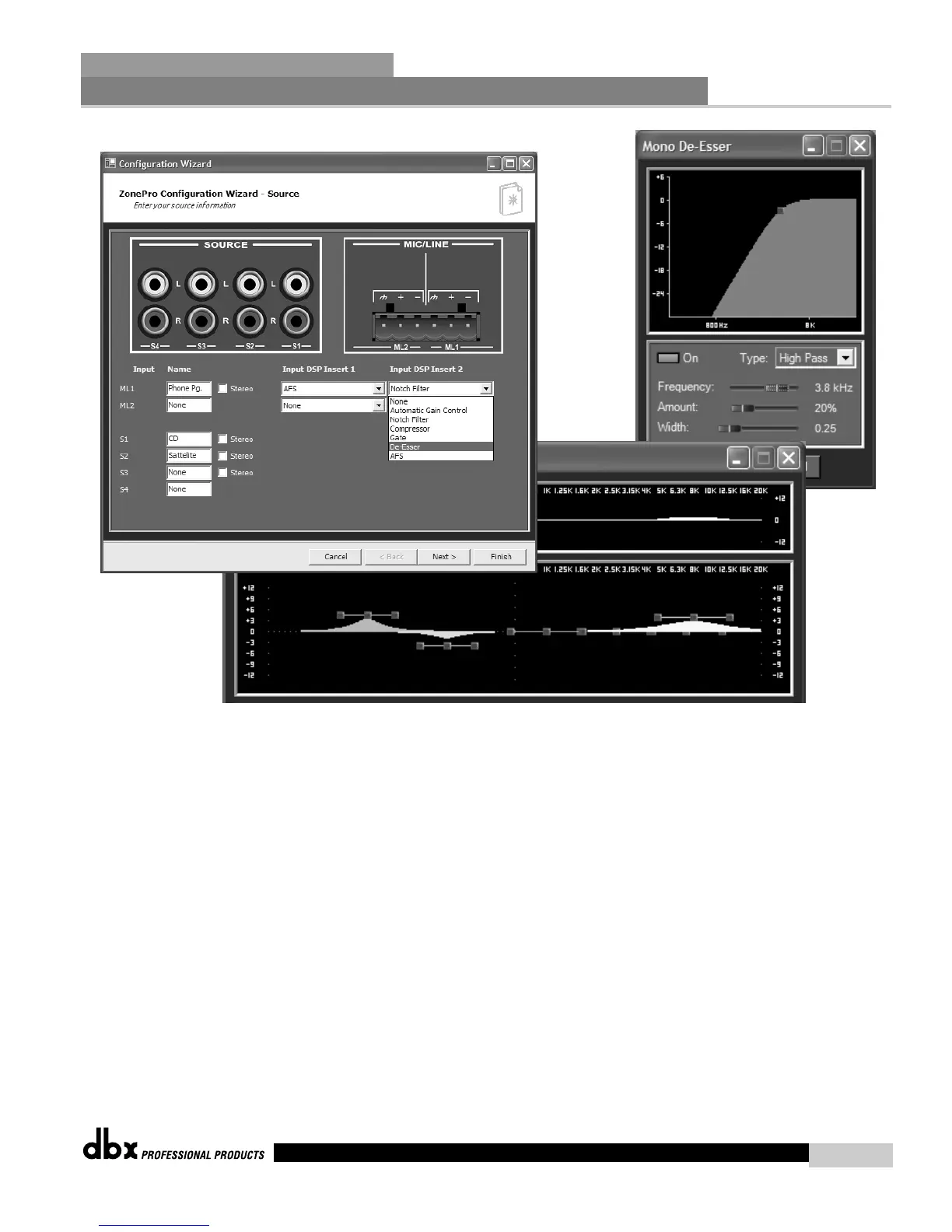
4. EQ, Feedback Suppression and De-Essing are used on the phone page input to help improve intelligibility and
reduce unwanted feedback in the system.
5. The Bandpass Filters are used to reduce the out of band information being sent to the speakers so their efficiency can be max-
imized.
6. EQ is used in all zones to make the system sound as good as possible.
7. Auto Gain Control is being used on all output zones to maintain the signal level.



 To Next Page