dCS Elgar Plus User Manual Manual for Software Issue 4.3x
dCS Ltd August 2005
Manual filename: Elgar Manual v4.4x.doc Page 12 email: more@dcsltd.co.uk
English version web-site: www.dcsltd.co.uk
Step 3 - Setting the Output Level
If the preamplifier volume setting for a comfortable listening level is too high or
too low, you may need to change the Output Level setting. Similarly, if you are
driving a power amplifier directly and Elgar Plus Volume setting for a
comfortable listening level is higher than –10.0 or lower than –20.0 try changing
the Output Level setting.
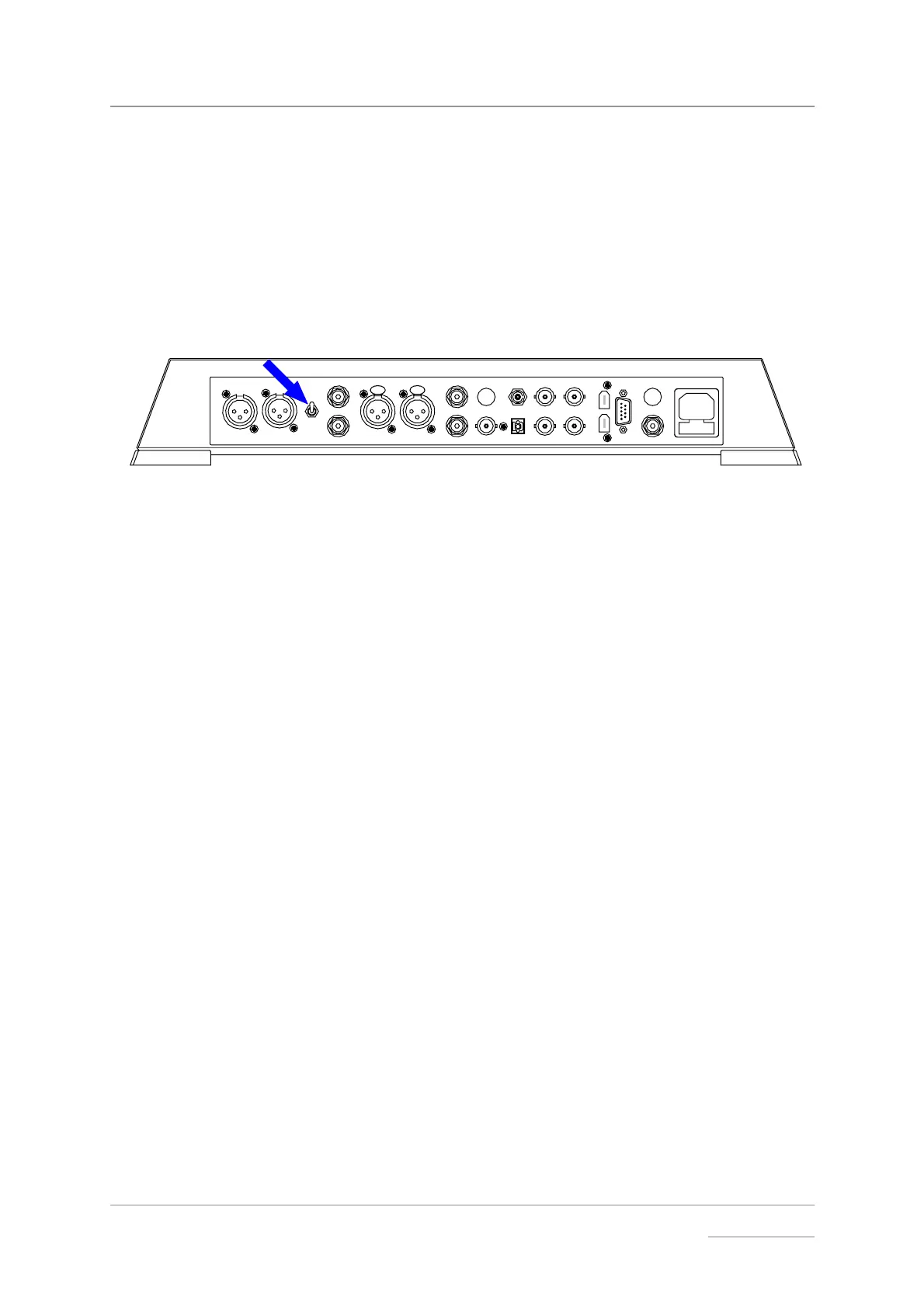
do this: The Output Level switch is located on the back panel. If the Volume setting is
too high, set it to the Low position. If the Volume setting is too low, set it to the
High position.
PUSH PUSH
LROUTPUT
LEVEL
HIGH
LOW
L
R
AES 1 AES 2 RCA1 ST
TOSLINKRCA2
CH1
DSD / SDIF
REC OUT
SUC
POWER
1394
CH2
IN - WORDCLOCK - OUT
BNC
A
B
Figure 2 – Output Level switch



 To Next Page