50
Make sure to turn it off before disassembly. Risk of electric shock.
PART NAME
DESCRIPTION FIGURE
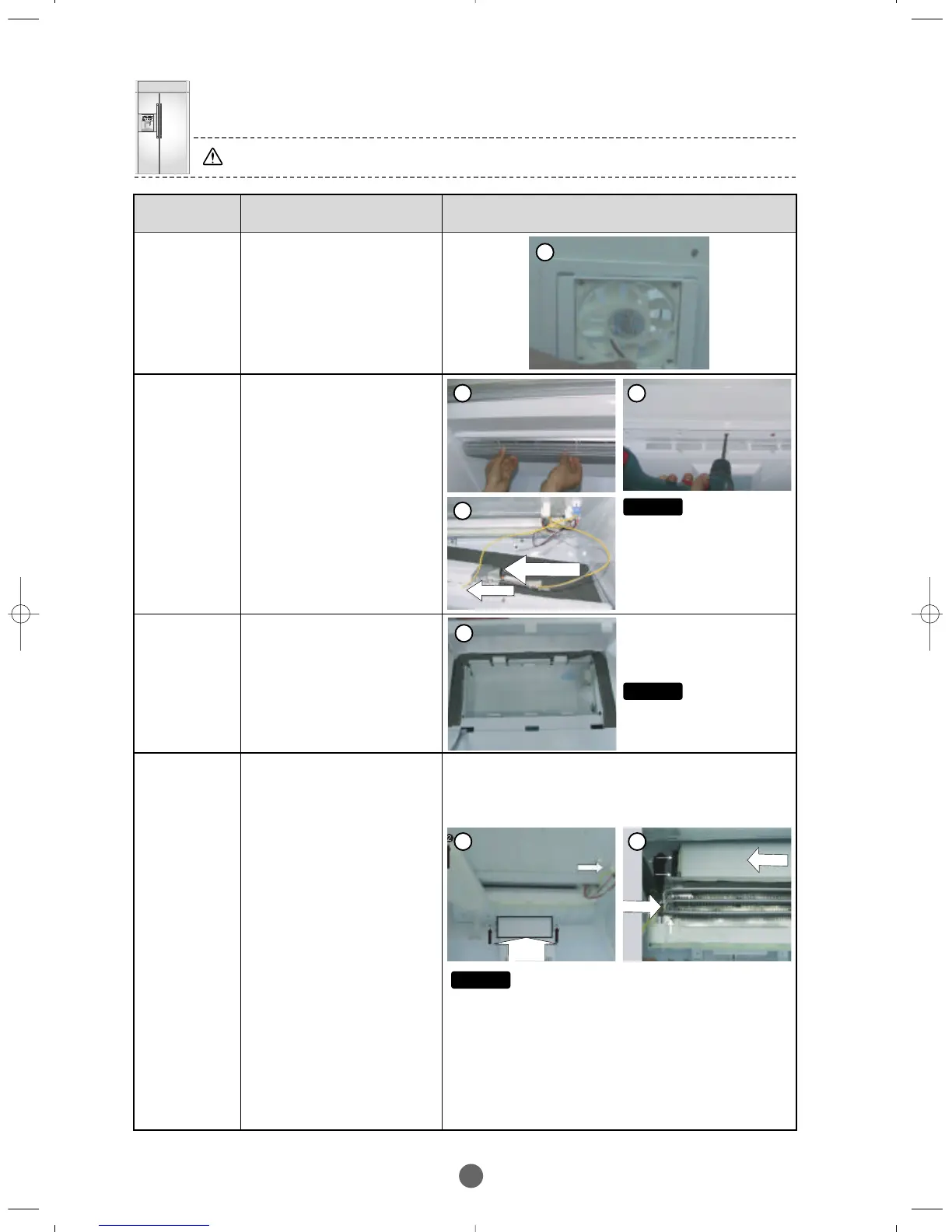
Fresh Island
–Fan
①
Fresh Island –Refer to how to
remove the Damper to
disassemble the rear water
cover and the connecting
duct,remove the Fan and its
trim from the retaining hook. If
necessary, you can remove
only the Fan clamp screw to
replace the Fan.
R-Room
Sensor
R-Room
Evaporator
① Disassemble the front Intake
Grille from the retaining
hook at the back.
② Remove the 5 screws to
disassemble the upper
cover of the R-Room, and
unscrew the housing to
remove the sensor.
① Disassemble the front Intake
Grille from the retaining
hook at the back.
② Remove the 5 screws to
disassemble the upper
cover of the R-Room, and
unscrew the housing to
remove the sensor.
R-Room
Lamp
①
Refer to how to remove the R-
Room Sensor to remove the
upper cover of R-Room, the
drain cover and the housing.
②
Remove the screws on the
upper duct indicated with a
arrow to disconnect the upper
duct and remove the 2 screws
that secure the evaporator.
Then, lower the evaporator
down slowly in order not to
have the pipe bend. Remove
the front evaporator cover to
disassemble the relevant parts
as shown in the photo.
③
To remove the Fan Ass’y,
remove the 4 screws that hold
the Fan then disassemble the
housing.
④
To remove the bimetal,remove
the clamp screws and pull the
housing out.
⑤
Pull the Defrost Sensor out of
the hole in the left side plate.
1
3
Caution
Make sure to match the
housing colors.If not, it can
cause a fire.
Caution
Make sure to match the
housing colors.If not, it can
cause a fire.
Caution
Make sure to have the plastic bag to wrap the housing
assembled with its opening face down in order not to
gather moisture or water.
1



 To Next Page