51
Make sure to turn it off before disassembly. Risk of electric shock.
PART NAME DESCRIPTION FIGURE
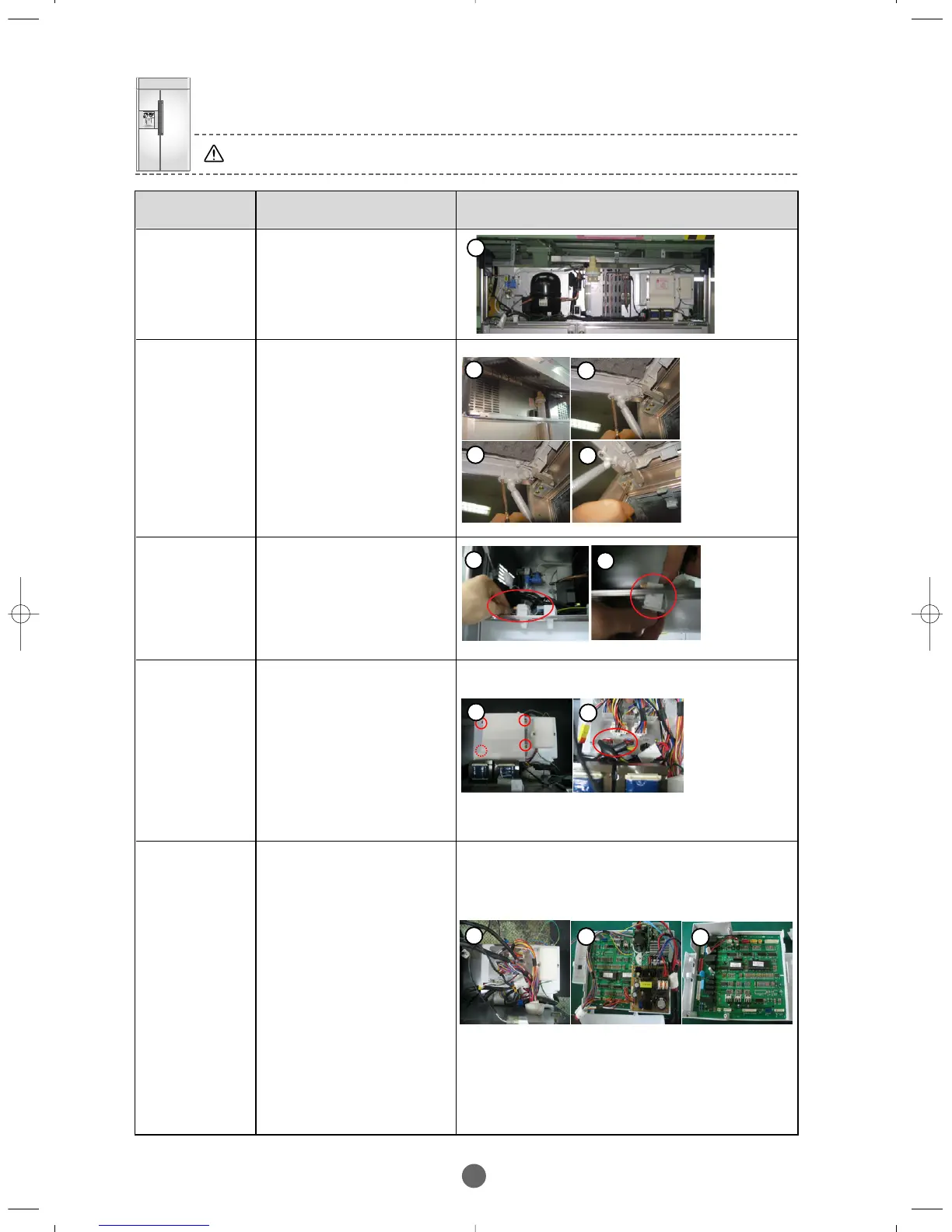
MACHINE
COMPARTMENT
① Right figure displays
the Machine
Compartment.
DOOR
SWITCH
① Disassemble Cover
Grill, disassemble the
Housing of the switch.
② Disassemble the switch
pulling down by pushing
the hook.
TRANSF
ORMER
① After disassembling of
the Cover Grill,
disassemble the circled
4 screws for Housing
Cover.
② Disassemble circled wire
Housing of Transformer
from the terminal block.
③ Pull out Transformer
after disassembling 2
screws.
PCB-BOX
①
After disassembling the
Transformer, first pull out
Housing connected to the
terminal block, second
remove 2 screws, third
disassemble ground wire
and finally pull out PCB-
BOX Cover.
②
After opening PCB-BOX
Cover, pull out Housing
and disassemble 4
screws to remove SMPS.
③ Disassemble Main PCB
from PCB-BOX.
※ Main PCB should be fixed to a
hook like figure.
ASSY-GRILLE,
GAS SPRING
① Open the Assy-Grille
and remove Assy-cover
comp.
② Remove gas struts from
the stud by loosening
the clip of the strut
with a screw driver.
③
Unscrew two screws off the
gas struts and the other
two screws from the
hinge.
1
1
2
2
3
1
2
1
2
1
2
2
BRANDSOURCE-SM(EN) 2007.1.23 10:31 AM 페이지51



 To Next Page